Features
Every feature in Guidara.
Guidara is clinical supervision software for licensed supervisors, group practices and training programs.
- 30-day free trial
- Always free for supervisees
01 Meetings
Supervision meetings, from the calendar to the signed note
Booking the meeting, writing it up, and the plan and goals the meetings work toward.
Scheduling
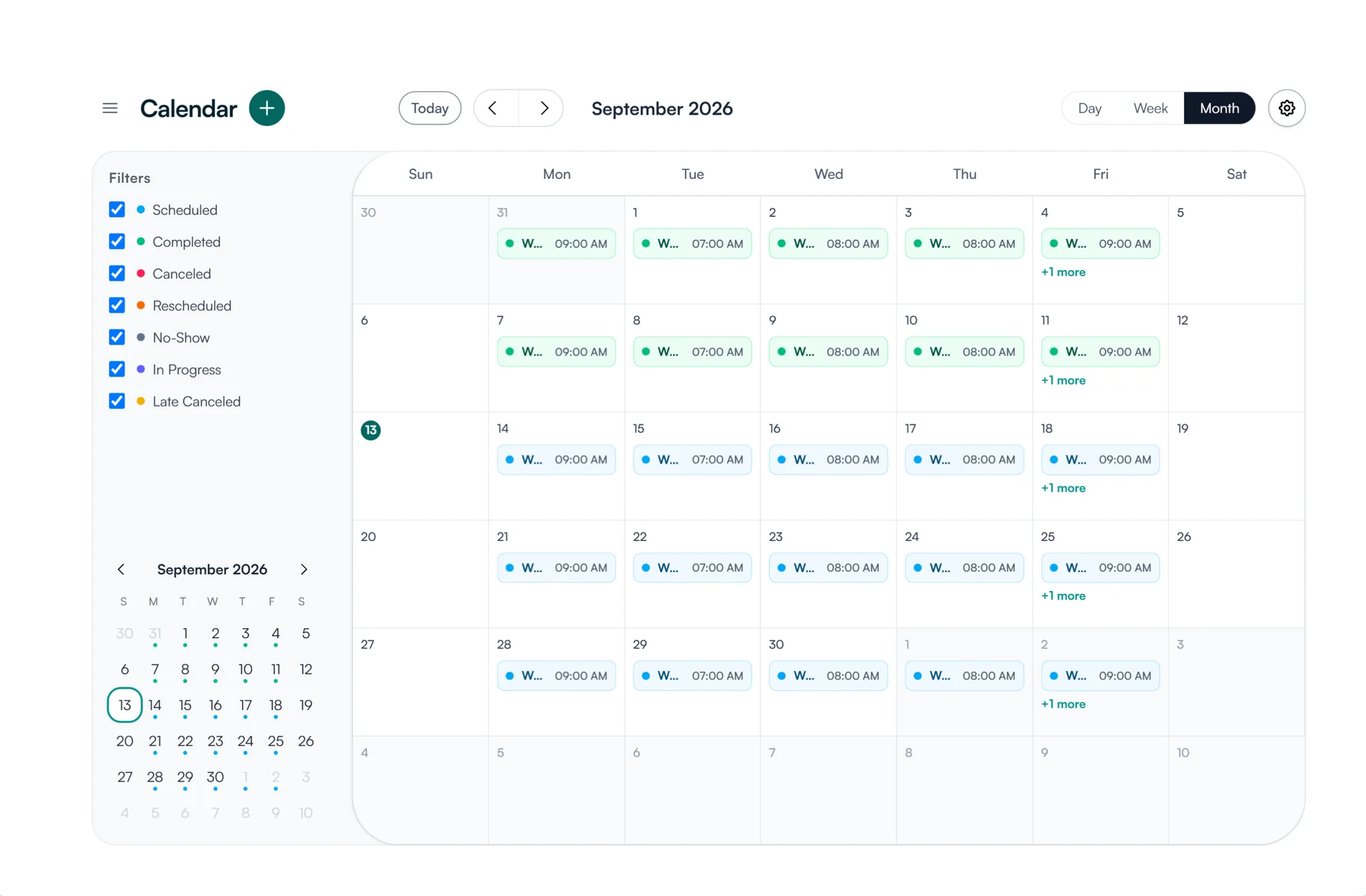
Book one-on-one or group supervision meetings from the calendar, once or on a repeating schedule. Connect Google Calendar or Outlook and each meeting is written to your calendar with its Zoom, Google Meet or Teams link, while times your calendar shows as busy are blocked from booking. Supervisees get a calendar invite by email when a meeting is booked, moved or cancelled.
- Google Calendar and Microsoft Outlook
- Zoom, Google Meet and Microsoft Teams links
- Repeating meetings, and group meetings with several supervisees
- A record of every scheduled and completed meeting
Supervision notes
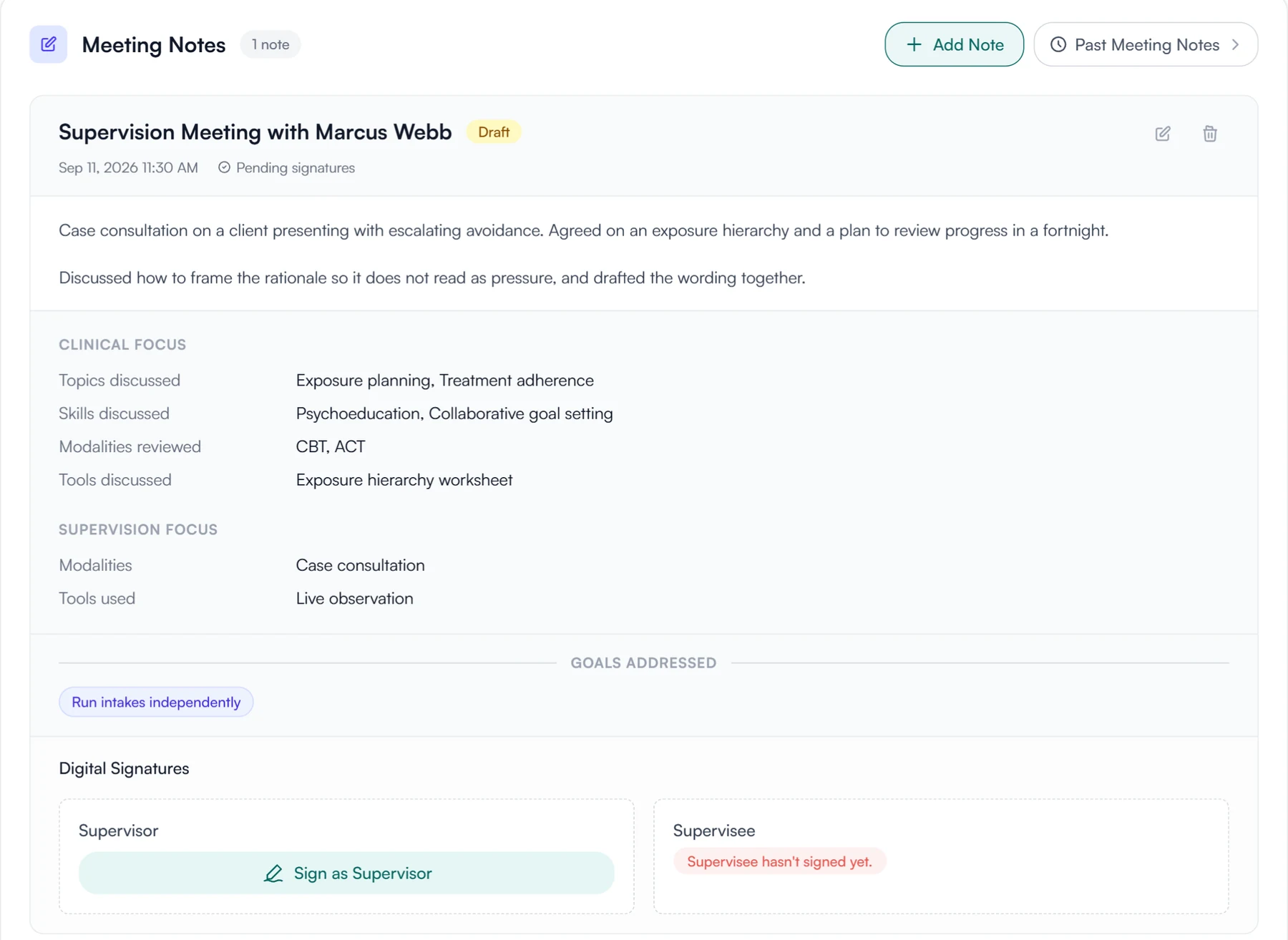
Each supervision meeting has a note: the clinical topics, skills, modalities and tools discussed, the supervision methods used, the goals addressed and a written account. You decide note by note whether it needs signatures, and once it is signed it is locked. Before the meeting, you can keep a prep note that only you can see.
- The same structured fields on every note
- A private Supervisor Prep note for each meeting
- Goals linked to the meetings where they came up
- Every note for a supervisee, past and present, in their record
Supervision plans
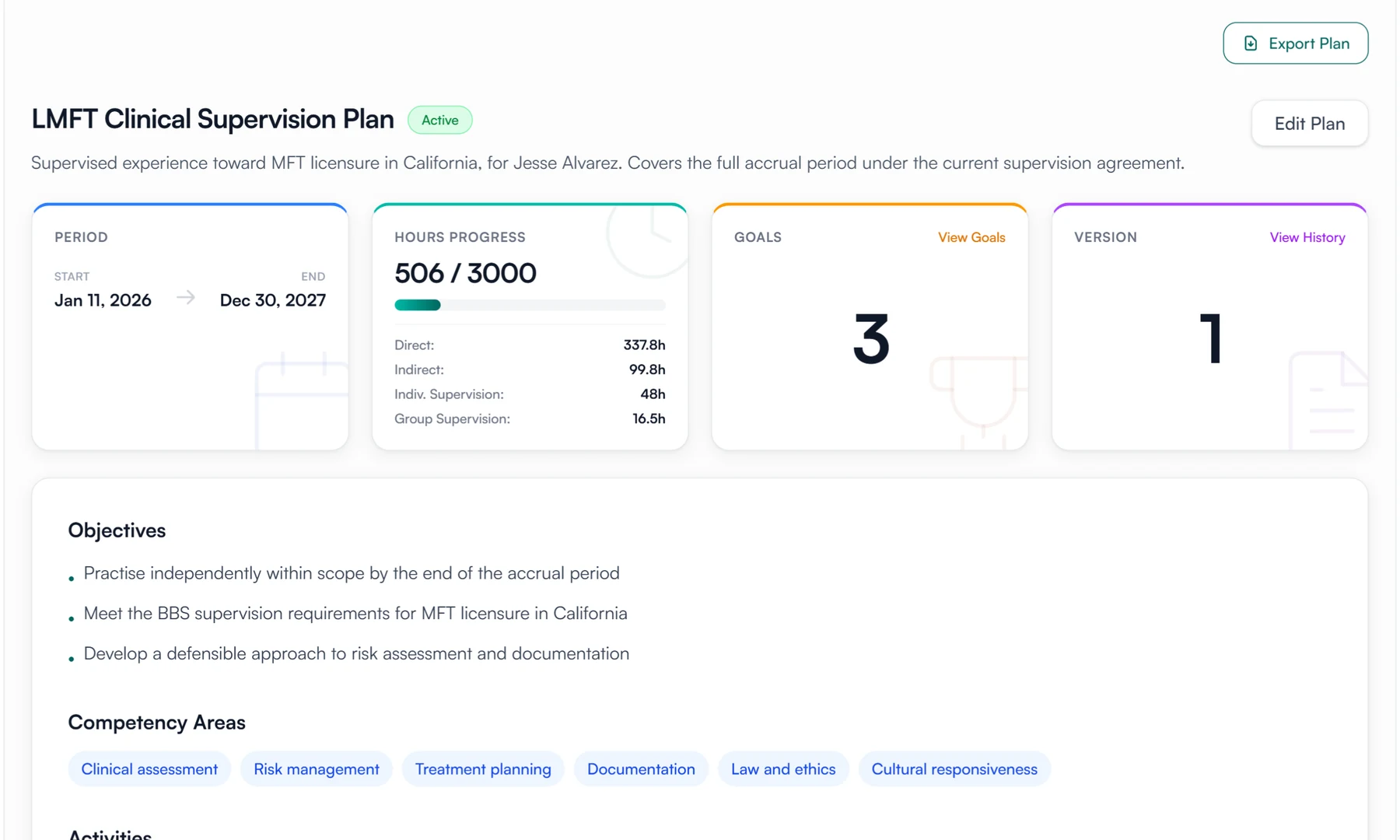
The plan sets out the objectives, competency areas, learning activities and evaluation methods for the supervision, along with how often you meet and for how long. Supervisor and supervisee both sign it. When something changes, you amend the plan, the amendment is signed again, and the earlier version stays on record.
- Objectives, competency areas and learning activities
- Evaluation methods, meeting frequency and length
- Signed by supervisor and supervisee
- Amendments signed again, with earlier versions kept
Goals
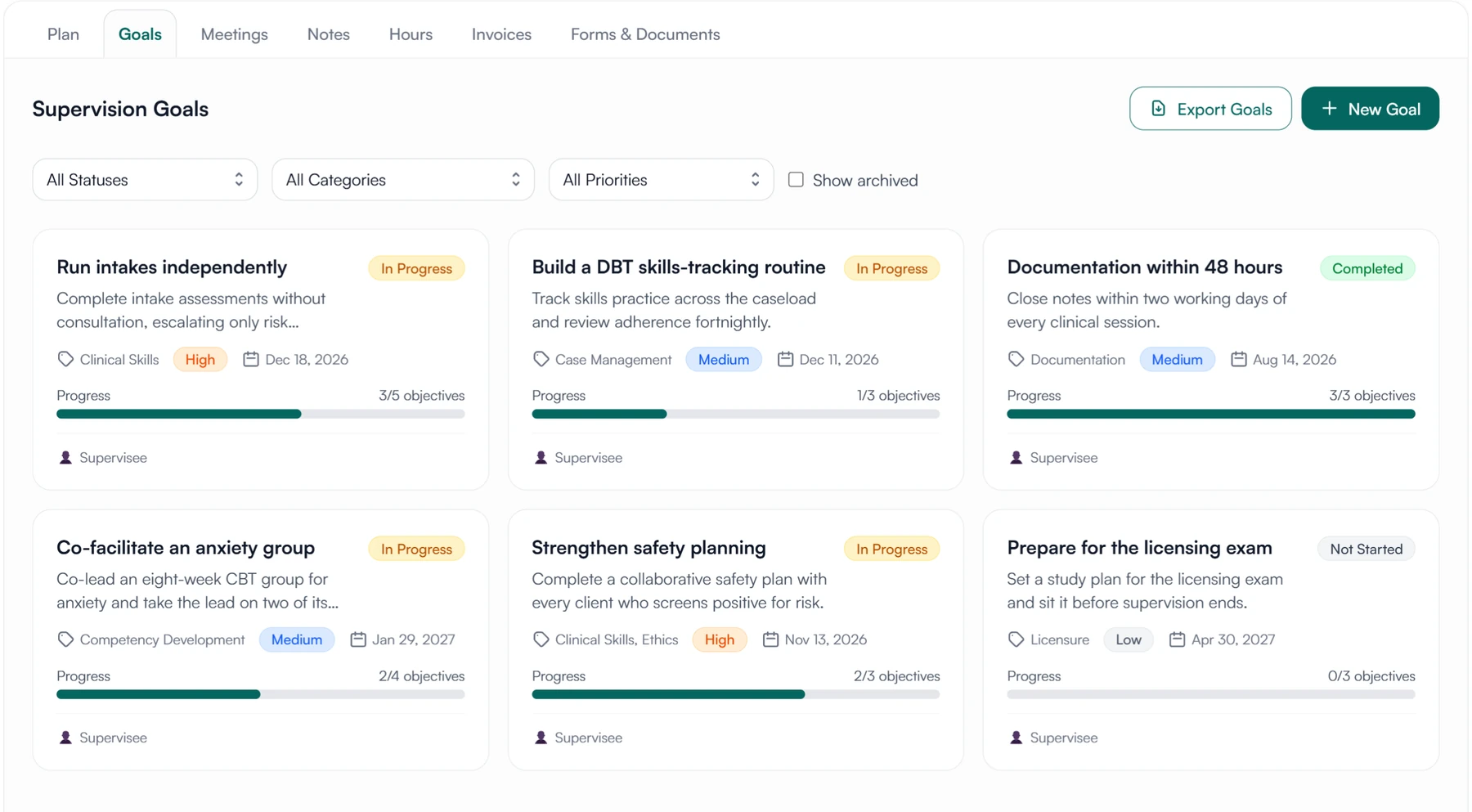
Give each goal a category, a priority, a due date and objectives to tick off as they are met. Supervisor and supervisee both add progress notes, and each goal lists the supervision meetings where it was discussed.
- Category, priority, status and due date
- Objectives that move the progress as they are completed
- Progress notes from supervisor and supervisee
- The meetings where each goal came up
02 Hours
Supervised hours, logged weekly and signed
The weekly timesheet, hours from before Guidara, and the record you hand over at the end.
Hour tracking
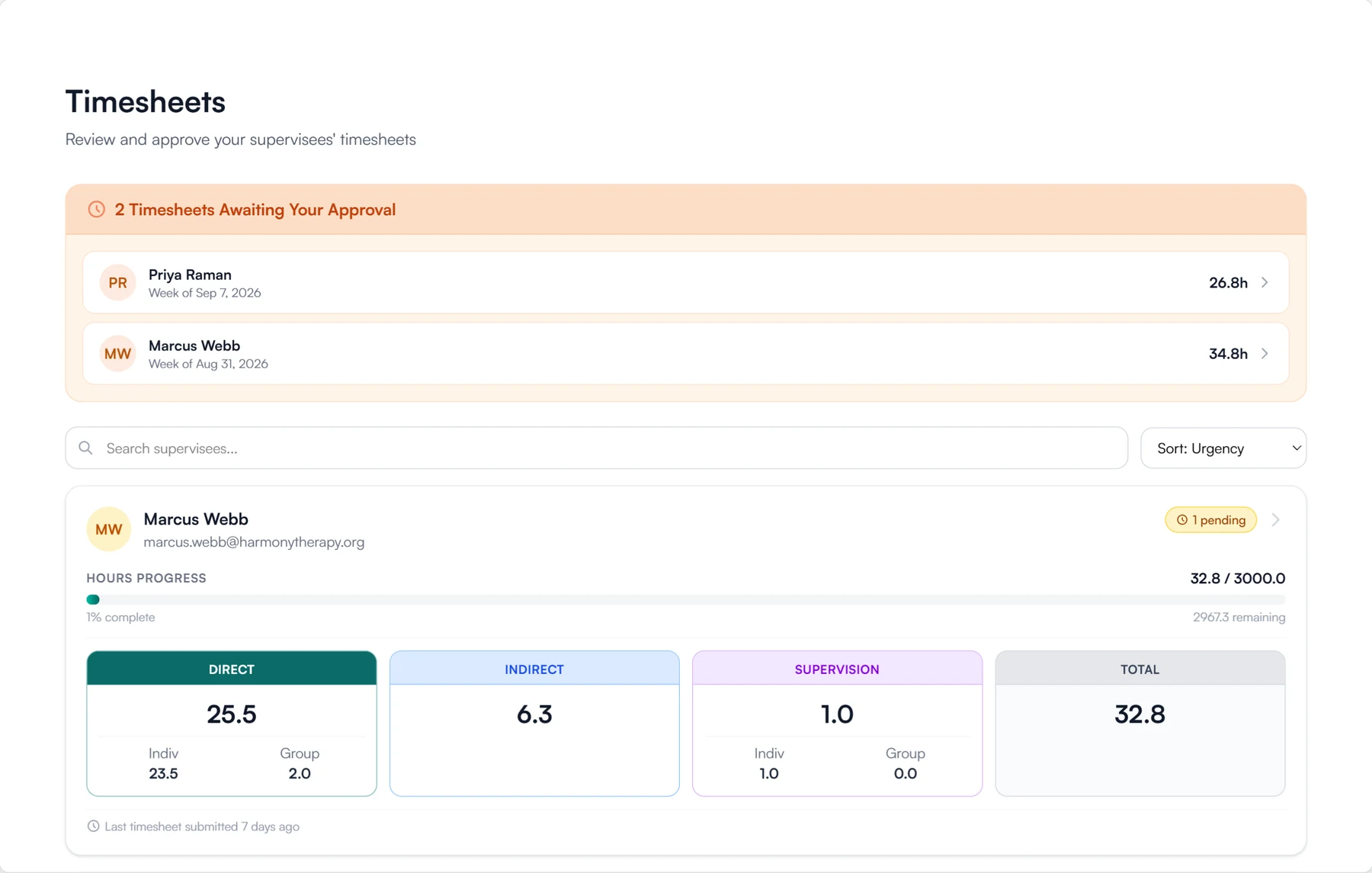
Supervisees log each week in five categories: direct, group direct, indirect, supervision and group supervision, either day by day or as weekly totals. They sign the week when they submit it. You sign to approve it, or send it back with a note saying what to correct. Approved weeks add up to a running total against the hours the plan requires.
- Five fixed hour categories
- Daily entries or weekly totals
- Signed by the supervisee on submit and by you on approval
- Revision requests with a note
Transferred hours
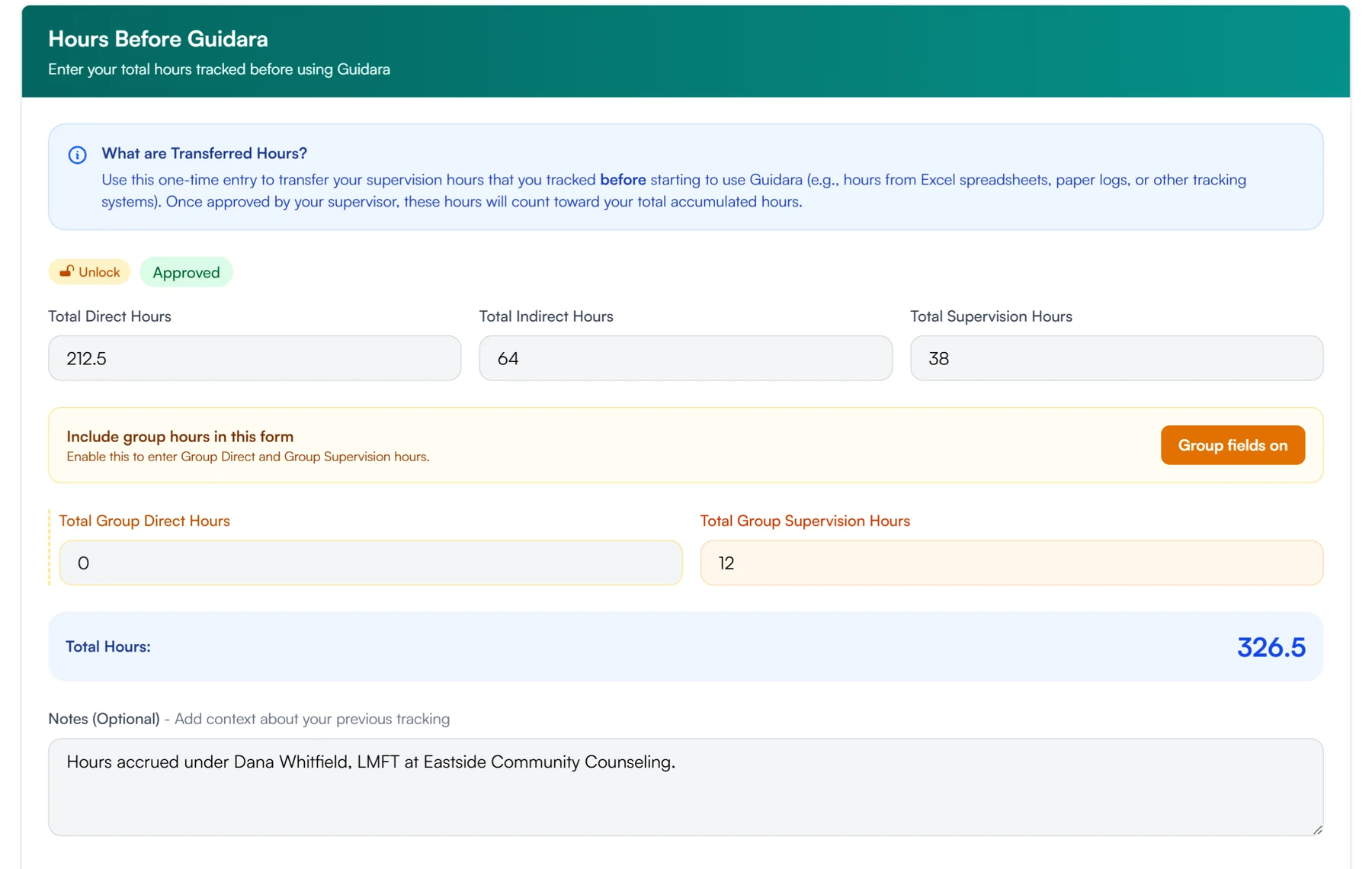
Hours earned before Guidara, or under a previous supervisor, are entered in the same five categories with the supporting documents attached. Their supervisor reviews them, and once approved they count toward the supervisee's total.
- Entered by the supervisee in the five categories
- Verification letters and old logs attached to the entry
- Approved or sent back by their supervisor
- Counted in the running total once approved
Exports
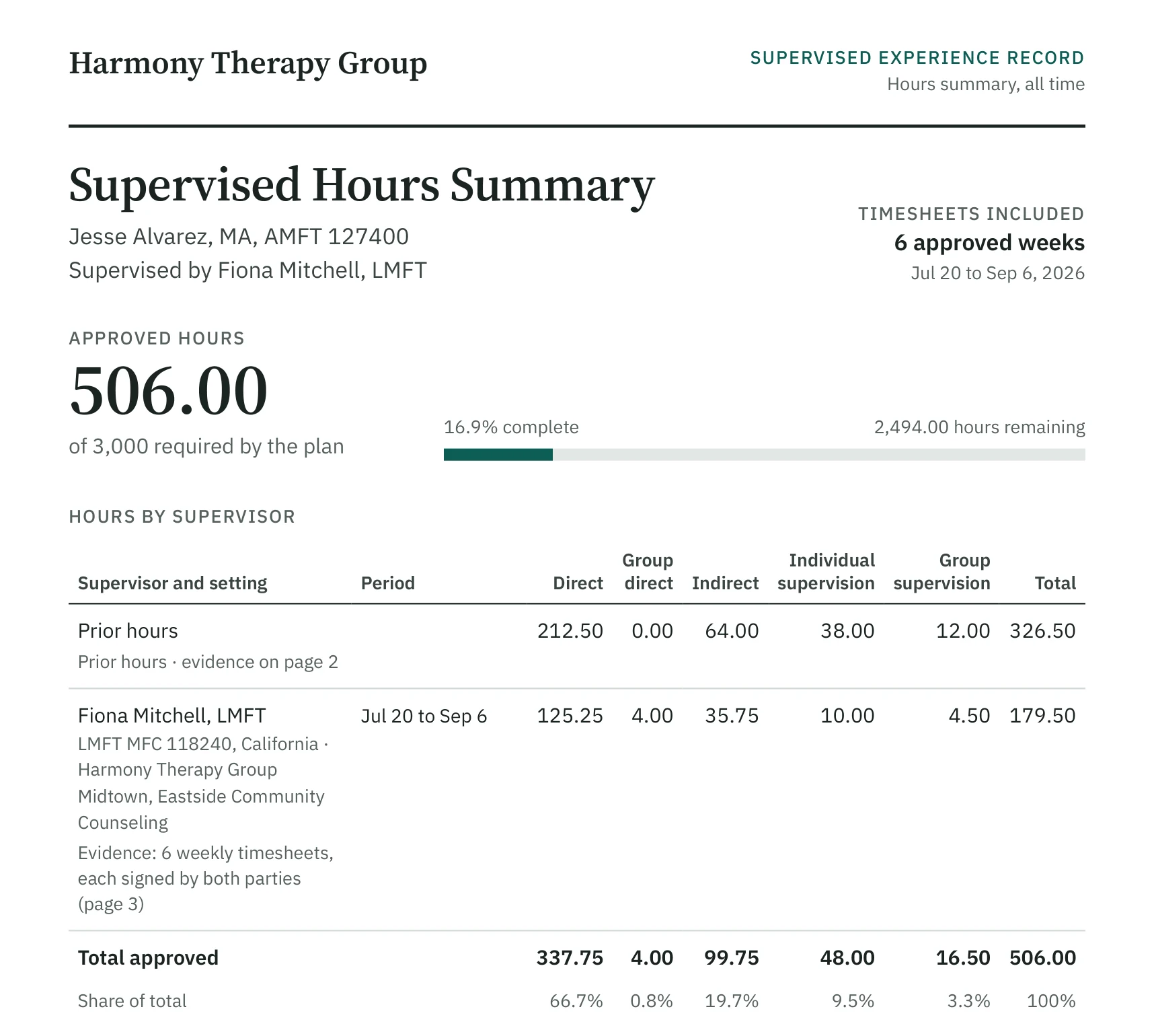
Export a supervisee's record as PDFs: timesheets with a summary of supervised hours, supervision notes, plans, goals, forms and agreements, and invoices. Every PDF in an export prints a short verification code, and a QR code unless you turn it off, that opens a public page showing the record's signatures and whether it has changed since.
- Timesheets, notes, plans, goals, forms, agreements and invoices
- A summary of supervised hours by category
- A verification code and QR code on every PDF
- A public verification page, no account needed
Also in hours
Practice sites
Supervisees record the sites where they work, with each site's supervisor and dates, and log their hours against a site. When there is more than one, the hours are totalled by site.
Licenses and credentials
Supervisees record each license they hold or are working toward: the state, type and number, the issue and expiry dates, and whether it is active.
03 Signatures and documents
Agreements, forms and signatures, kept with the record
Everything that needs a signature, and the documents that go back and forth between supervisor and supervisee.
Digital signatures
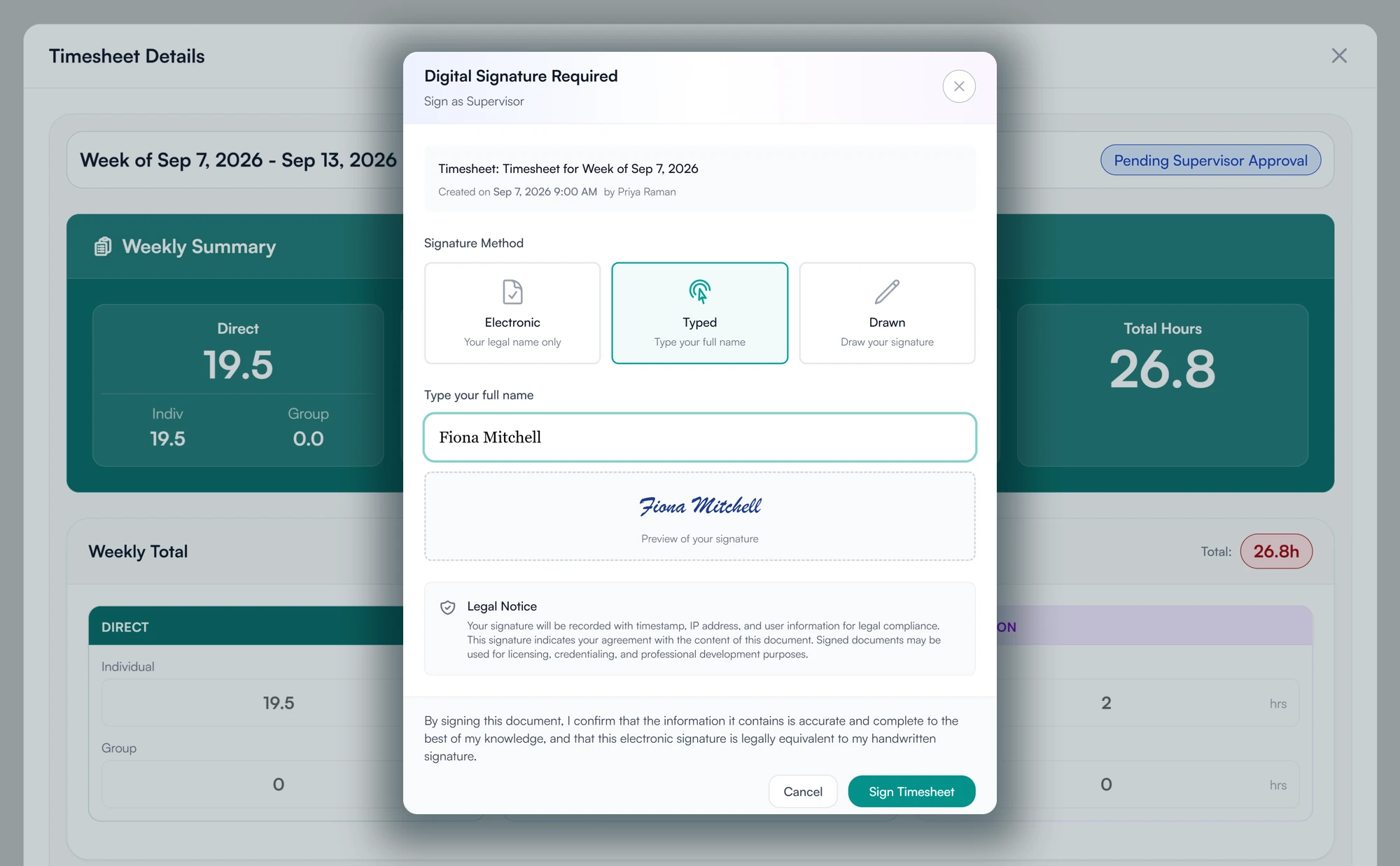
Timesheets, supervision notes, plans, agreements and forms are signed inside Guidara, on the record itself. Each signature records who signed, when, and from which IP address. A fully signed record is locked and its content fingerprinted, so any later change would show.
- Typed, drawn, or a signature saved to your profile
- Signer, time and IP address recorded
- Signed records locked and fingerprinted
- Pending signatures listed on your dashboard
Agreements
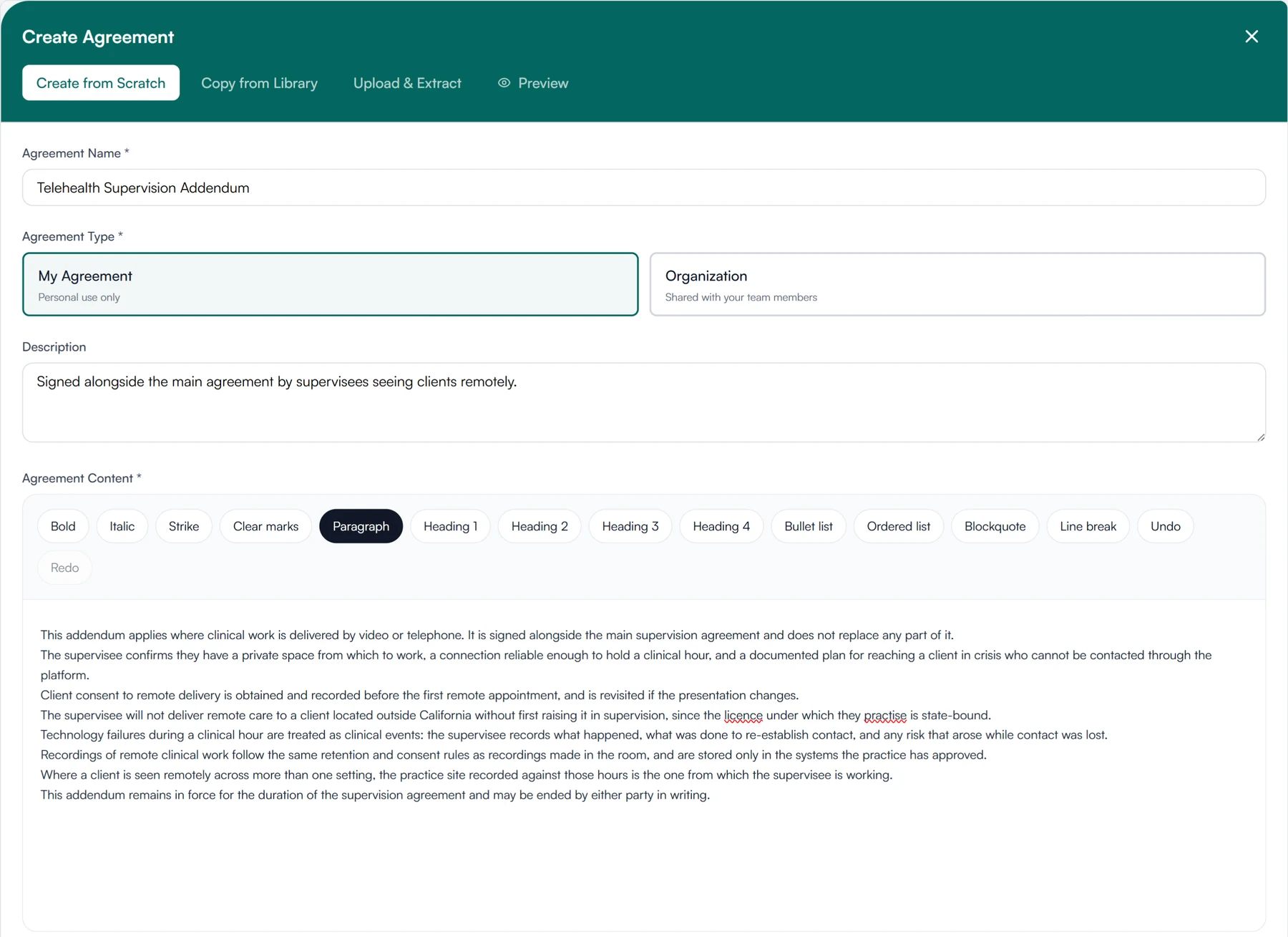
Write the supervision agreement in Guidara, copy one from the library, or upload a PDF or Word file and Guidara extracts the text. Assign it to a supervisee to sign, and add your own signature if you want it on the agreement too. Its text is fixed and fingerprinted when you assign it, so it cannot be changed afterwards. New terms mean a new agreement, and the old one stays on record.
- Write, copy from the library, or upload and extract
- Owners and admins can share one across the organization
- Signed by the supervisee, and by you if you choose
- Text fixed and fingerprinted when assigned
Forms
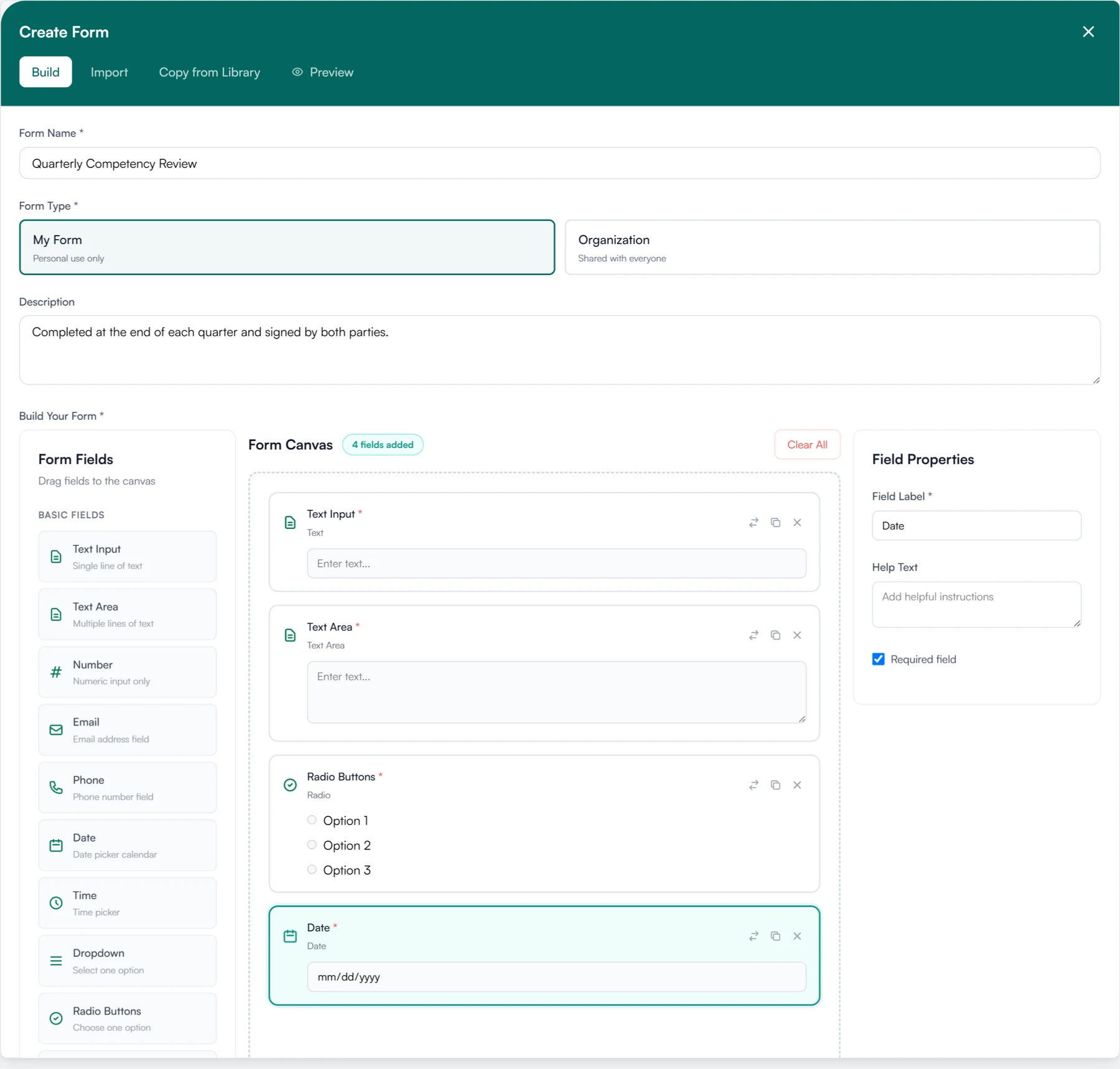
Build a form in Guidara, or import one from a PDF or Word file, and assign it to a supervisee. They fill it in and submit it, and you can see which forms are outstanding. Owners and admins can share forms across the organization. Competency reviews, self-assessments, onboarding checklists and feedback forms all work this way.
- A form builder with the usual field types
- Import from a PDF or Word file
- Assigned to supervisees, with completion tracked
- Completed forms kept on the supervisee's record
Document signing
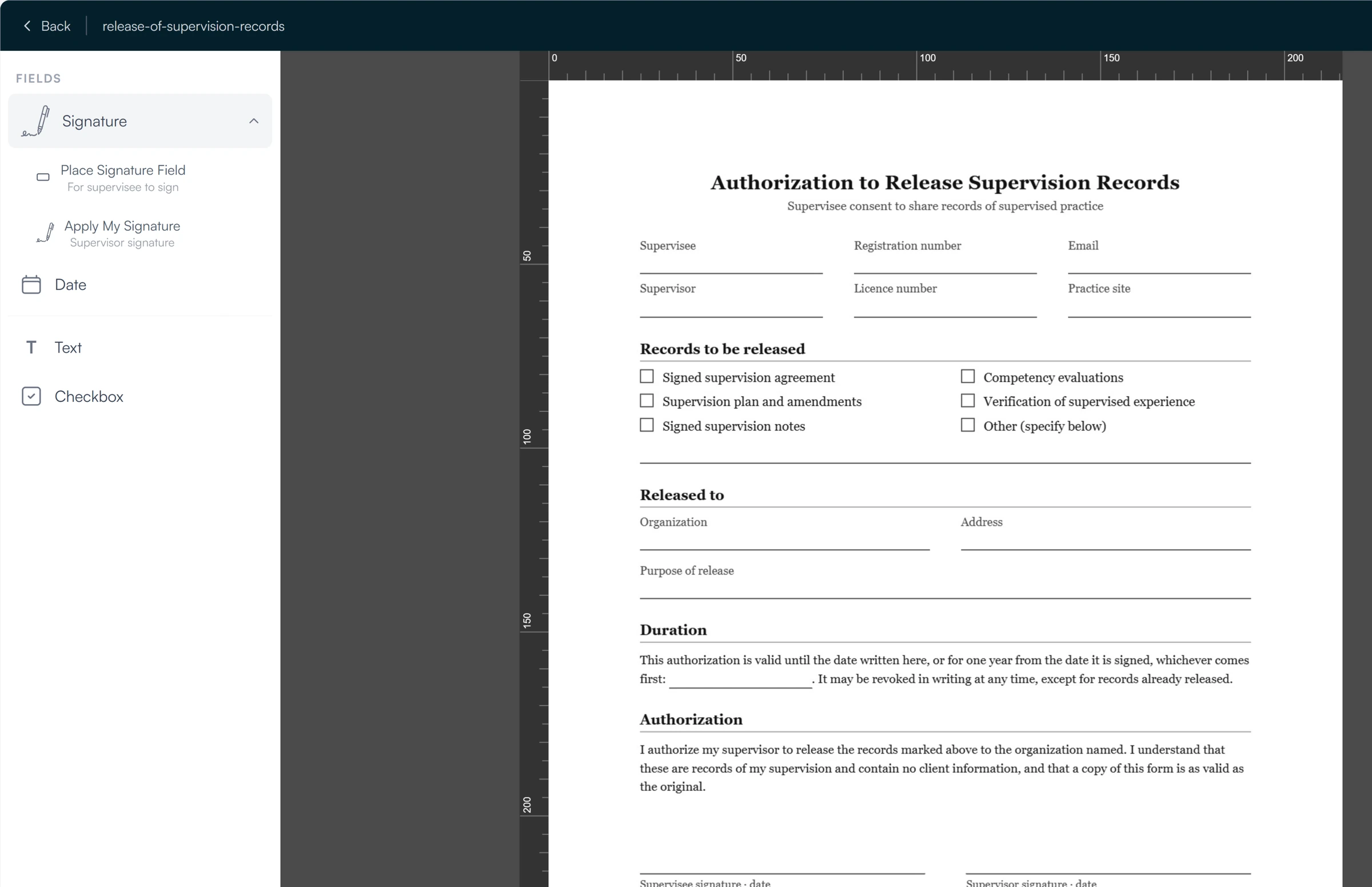
Upload any PDF up to 20 MB, place signature, date, text and checkbox fields on it, and send it to a supervisee to sign. You can sign your part before sending, or complete a document that only needs your signature. There is no separate signing subscription and no fee per document.
- Signature, date, text and checkbox fields
- Templates for the documents you send often
- A signed PDF with a verification certificate
- No DocuSign or Dropbox Sign subscription needed
Also in signatures and documents
Document requests
Ask a supervisee for a document, such as a liability certificate or a copy of their license. The request appears on their dashboard; they upload the file, and you approve it or send it back.
Supervisee files
Upload files to a supervisee's record, labelled as an agreement, a prior hour log, an evaluation, a board form or something else. The supervisee can open and download them.
Shared resources
Keep a library of reading, worksheets and guides as PDF or Word files, and share any of them with one supervisee or several. Archive what you no longer use.
04 The practice
Running supervision across a practice
Bringing supervisees in, seeing what needs doing, and getting paid.
Supervisee onboarding
Invite a supervisee by email. Once they accept and create an account, they have a dashboard, a supervision plan and timesheets, so hours are logged from the first week instead of being pieced together later. If they move to another supervisor in the practice, their hours and signed records go with them.
- Email invitations
- The supervision agreement signed in Guidara
- Dashboard, plan and timesheets from the first day
- Always free for supervisees
Dashboards
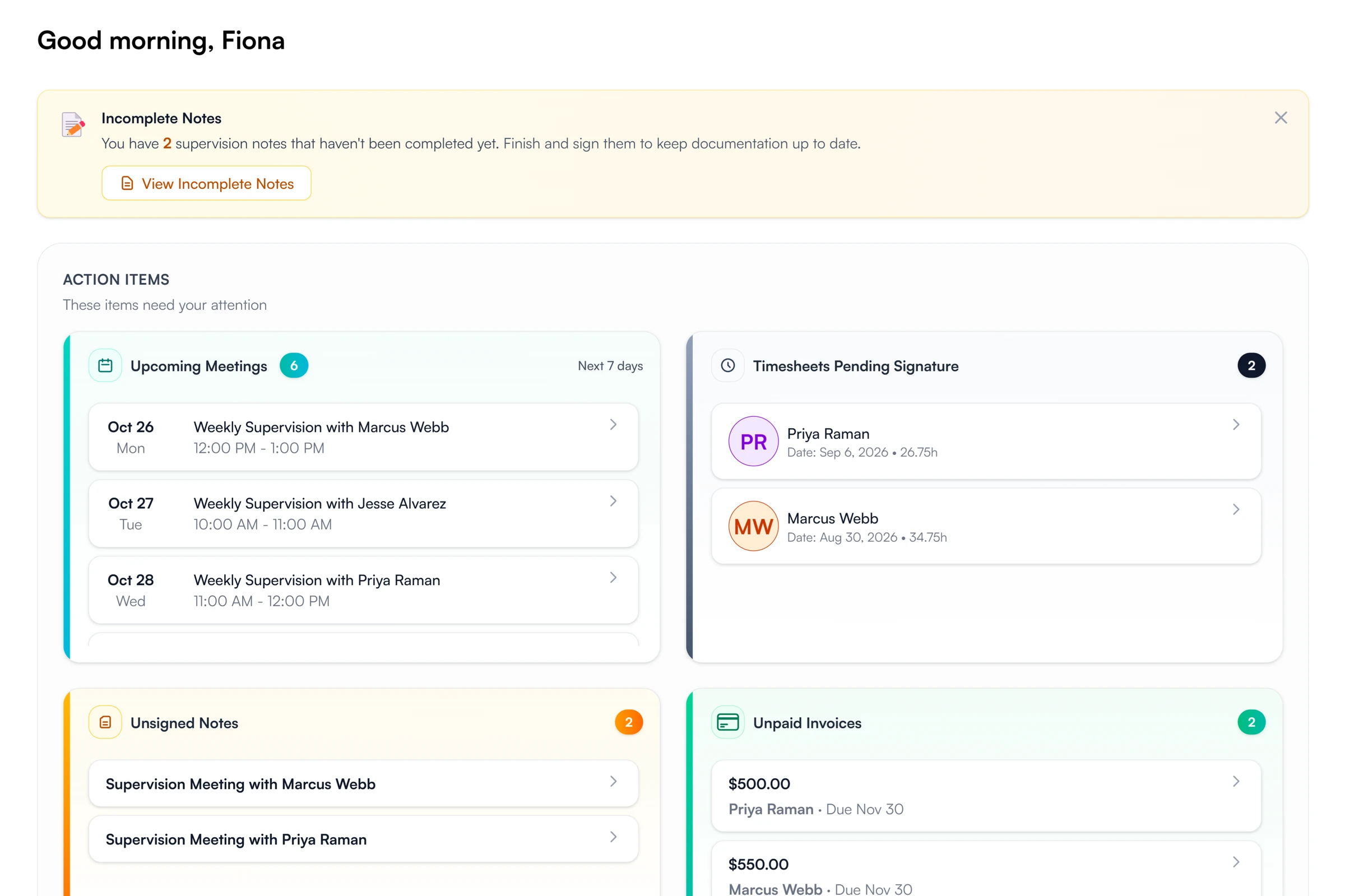
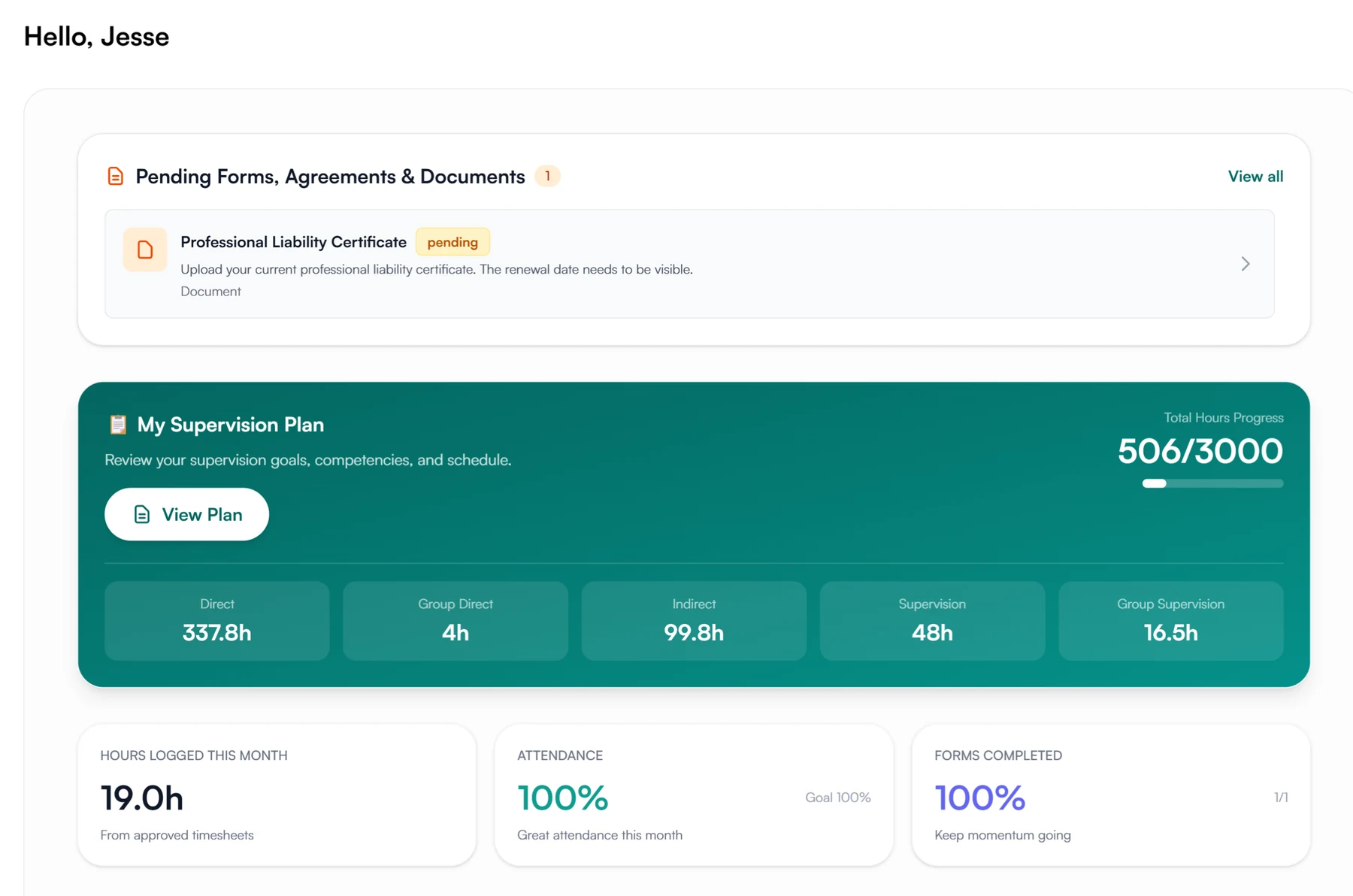
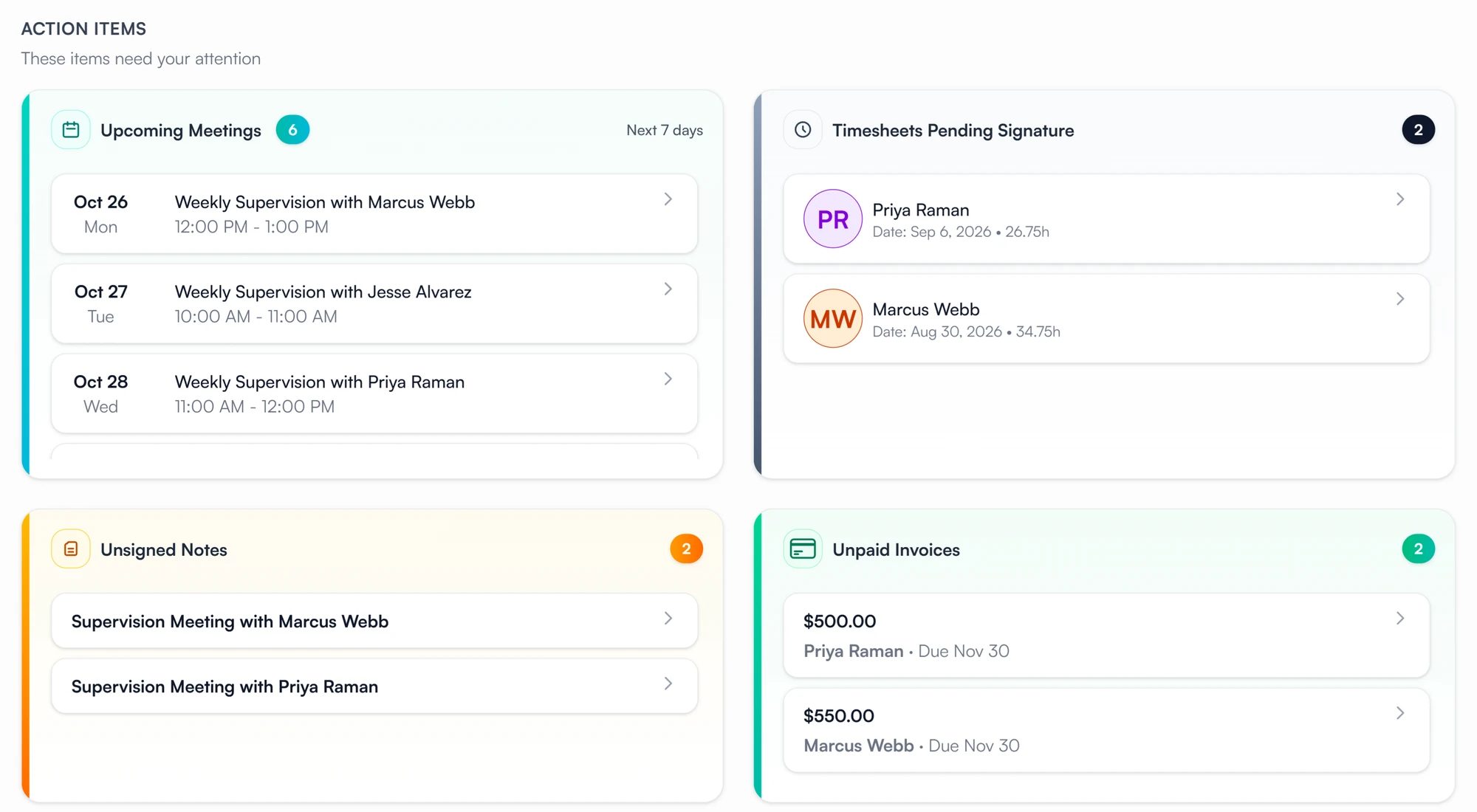
Supervisors open on what needs them: upcoming meetings, timesheets to sign, unsigned notes, unpaid invoices, signatures supervisees still owe, and meetings not yet billed, with a chart of the month's meetings. Supervisees open on their hours by category against the plan, this month's numbers and the tasks waiting on them. Owners and admins also see counts for the whole organization.
- What needs the supervisor, grouped and counted
- Hours against the plan for supervisees
- Meetings by status, this month and over time
- Each item links to the note, meeting or supervisee
Invoicing
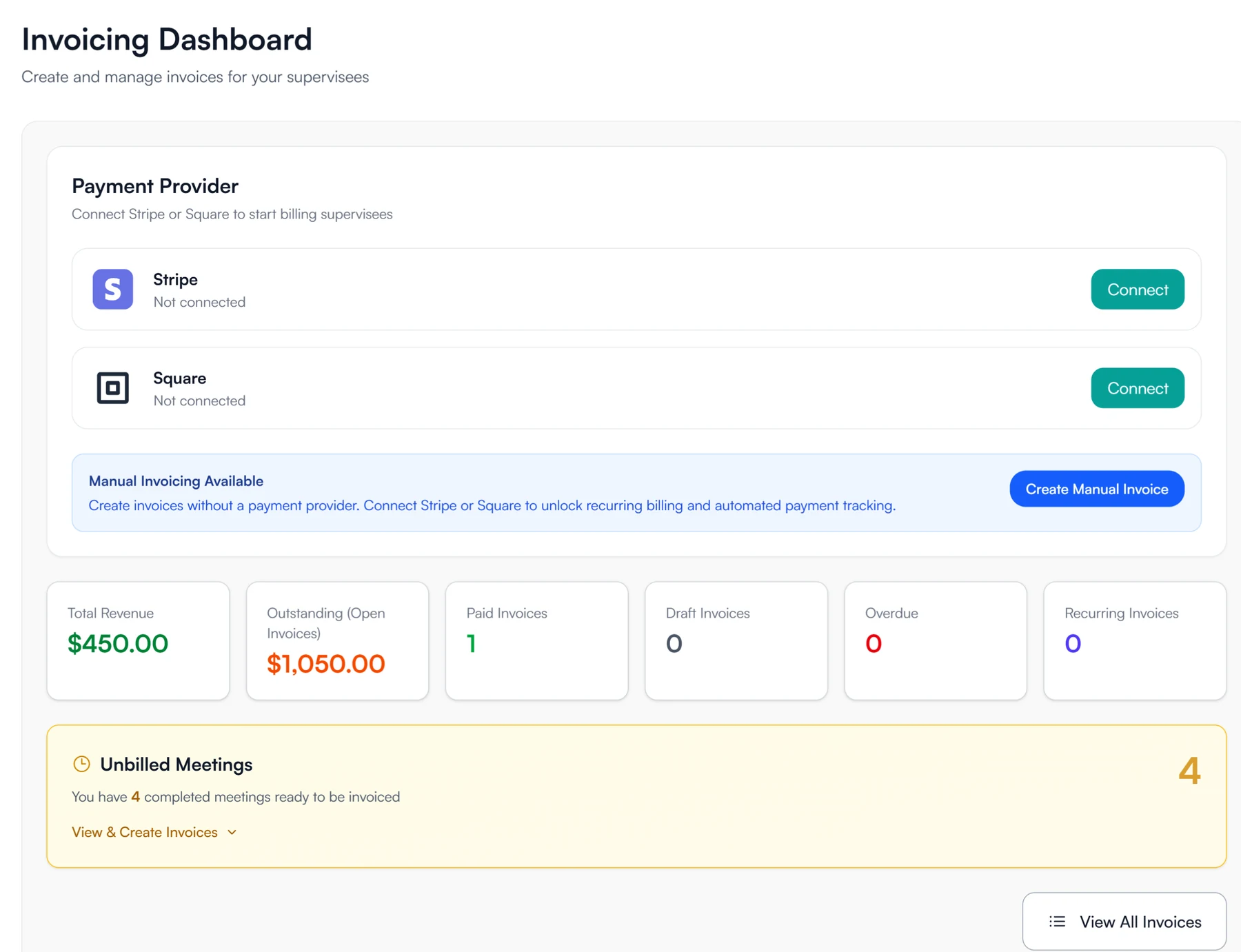
The practice owner or an admin connects the practice's Stripe or Square account, and supervisors invoice supervisees for their completed supervision meetings. Payments go straight to that account; Guidara never holds the money. Recent meetings not yet invoiced are counted on your dashboard, and each invoice shows whether it has been paid.
- Stripe or Square, connected to the practice's own account
- Invoices linked to the meetings they cover
- Recent meetings not yet invoiced, counted for you
- Payment status on every invoice
Also in the practice
Roles
Owners, admins, supervisors and supervisees each see what their role needs. Admins see every supervision relationship in the organization and can reassign supervisees between supervisors.
Activity log
Owners and admins can read a log of who created, submitted, approved, reopened or signed what across the organization, and when.
Pricing
One plan, with every feature on this page.
- Guidara
- $29/month
- One team seat included
- Each extra team member
- $25/month
- Supervisees
- Free
- However many you invite
No long-term contract. Cancel at any time.
See pricingWho uses Guidara
Supervisors, practices and programs.
- Supervisors in private practiceIndependent supervisors with one to ten supervisees.
- Group practicesOwners whose clinicians supervise the practice's associates.
- Clinical directorsOverseeing several supervisors and their supervisees in one organization.
- Training programsPrograms managing supervised experience for pre-licensed clinicians.
- Remote supervisionSupervisors who meet supervisees by video, across sites or state lines.
Questions about Guidara's features
See it with your own supervisees.
Start a free trial and run your next supervision meeting, timesheet and note in Guidara.
30-day free trial. Always free for supervisees.