Digital signatures
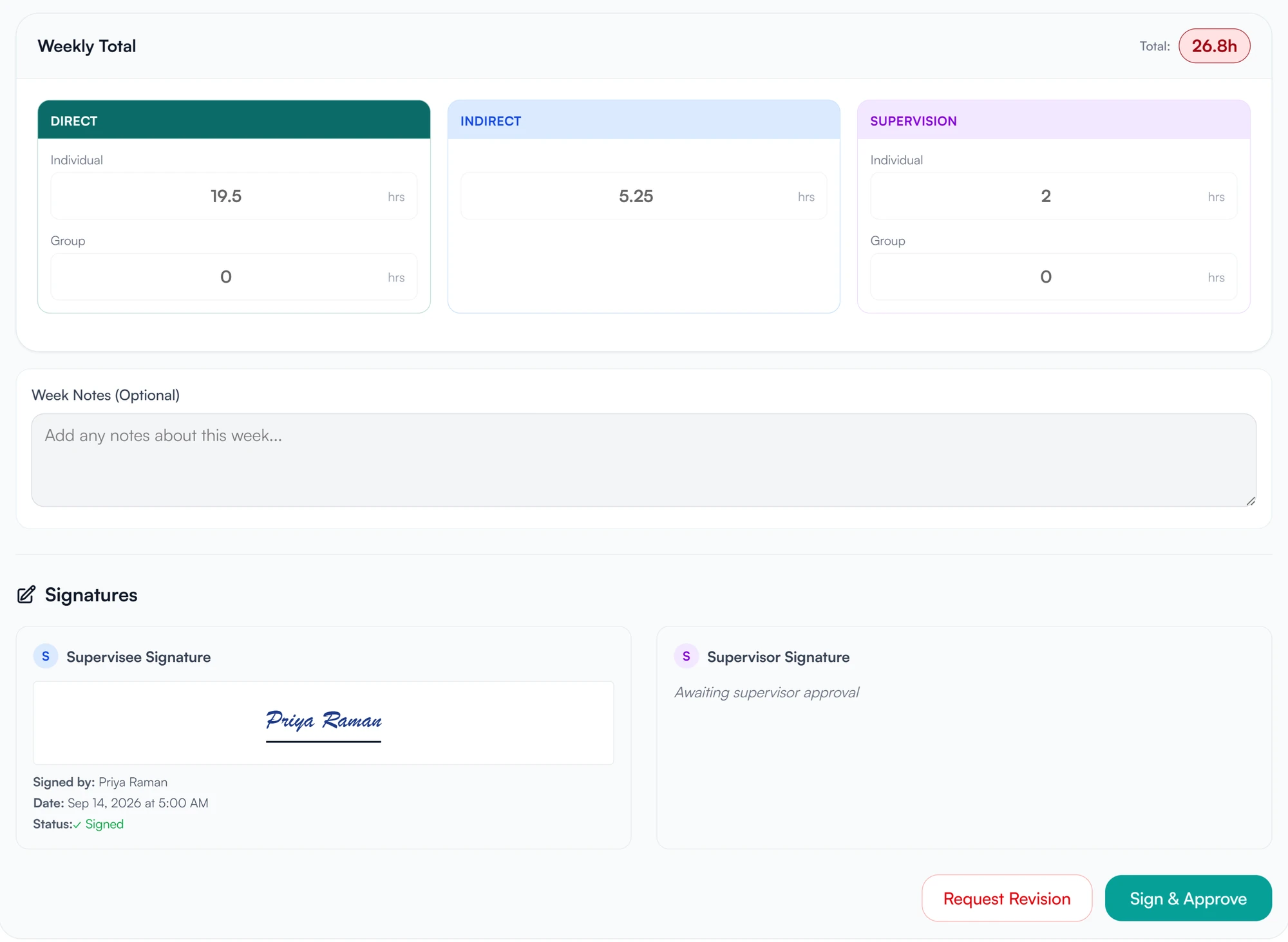
Each signature records who signed, when, and the IP address.
Timesheets, supervision notes, plans, agreements and forms are signed in Guidara, on the record itself. Each signature is stored with its time and IP address, and the signed content is fingerprinted so a later change would show.
- 30-day free trial
- Always free for supervisees
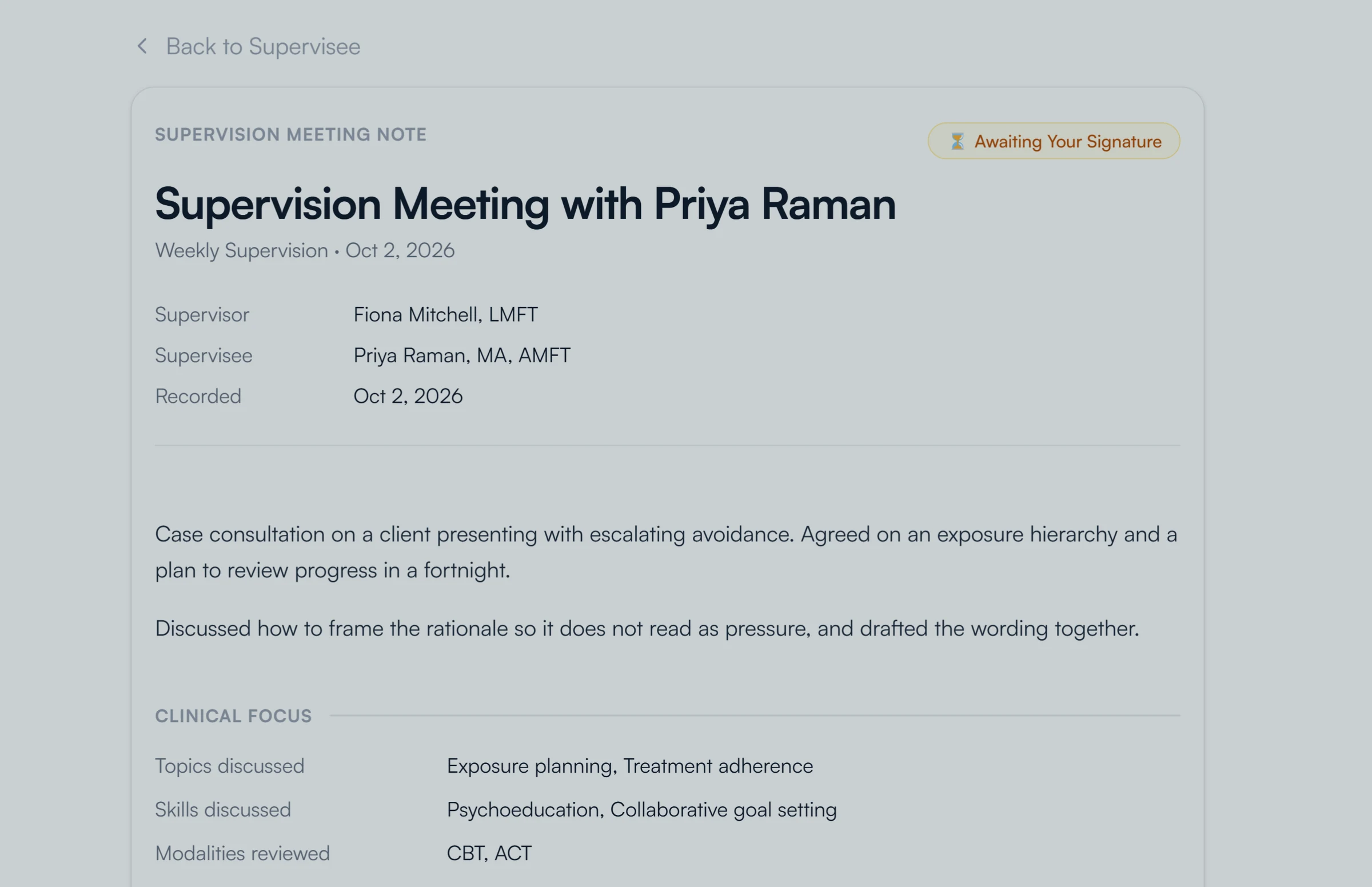
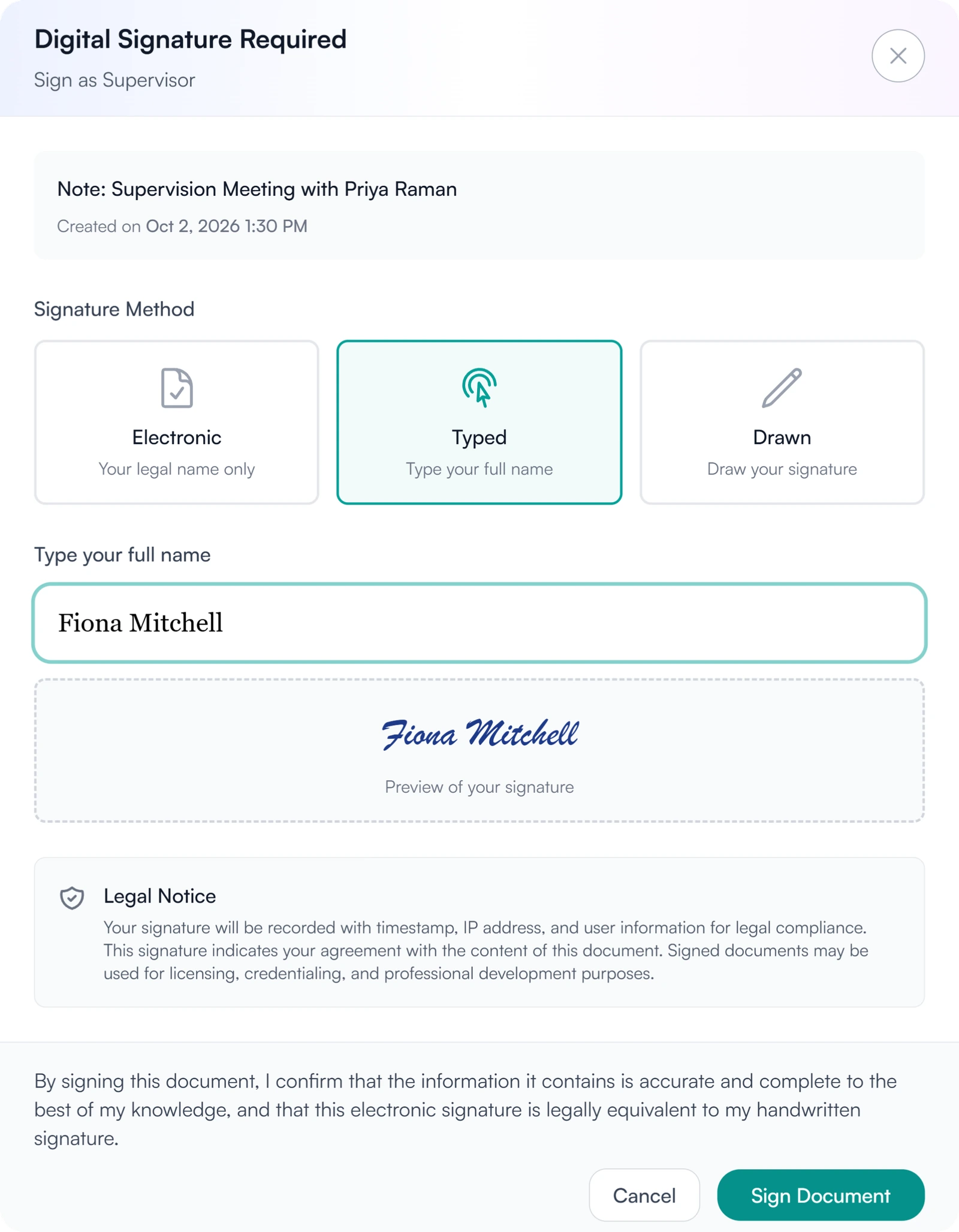
Signed inside Guidara
- Timesheets
- Supervision notes
- Supervision plans
- Agreements
- Forms
- Uploaded PDFs
How a signature is recorded and checked
Signing, locking the record, and letting someone else confirm it later.
01 Sign
Sign on the record you are working on.
- Typed, drawn, or a signature saved to your profile
- An electronic signature, your legal name only, on notes, plans and timesheets
- Agreements and forms signed in their own panel
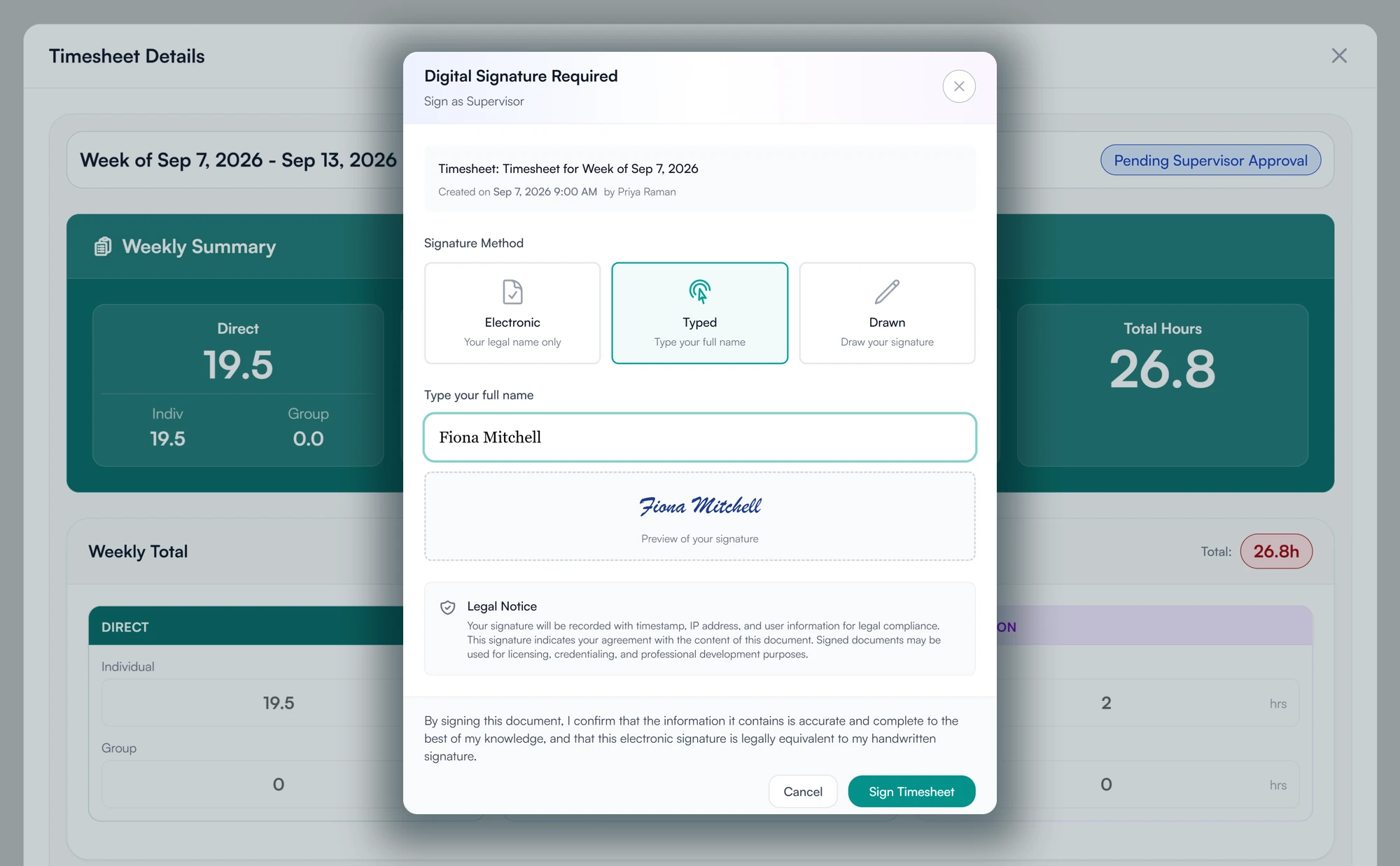
02 Lock
The signed record is locked and checked for changes.
- Who signed, when, and from which IP address
- The signed content is fingerprinted
- Marked verified while it still matches
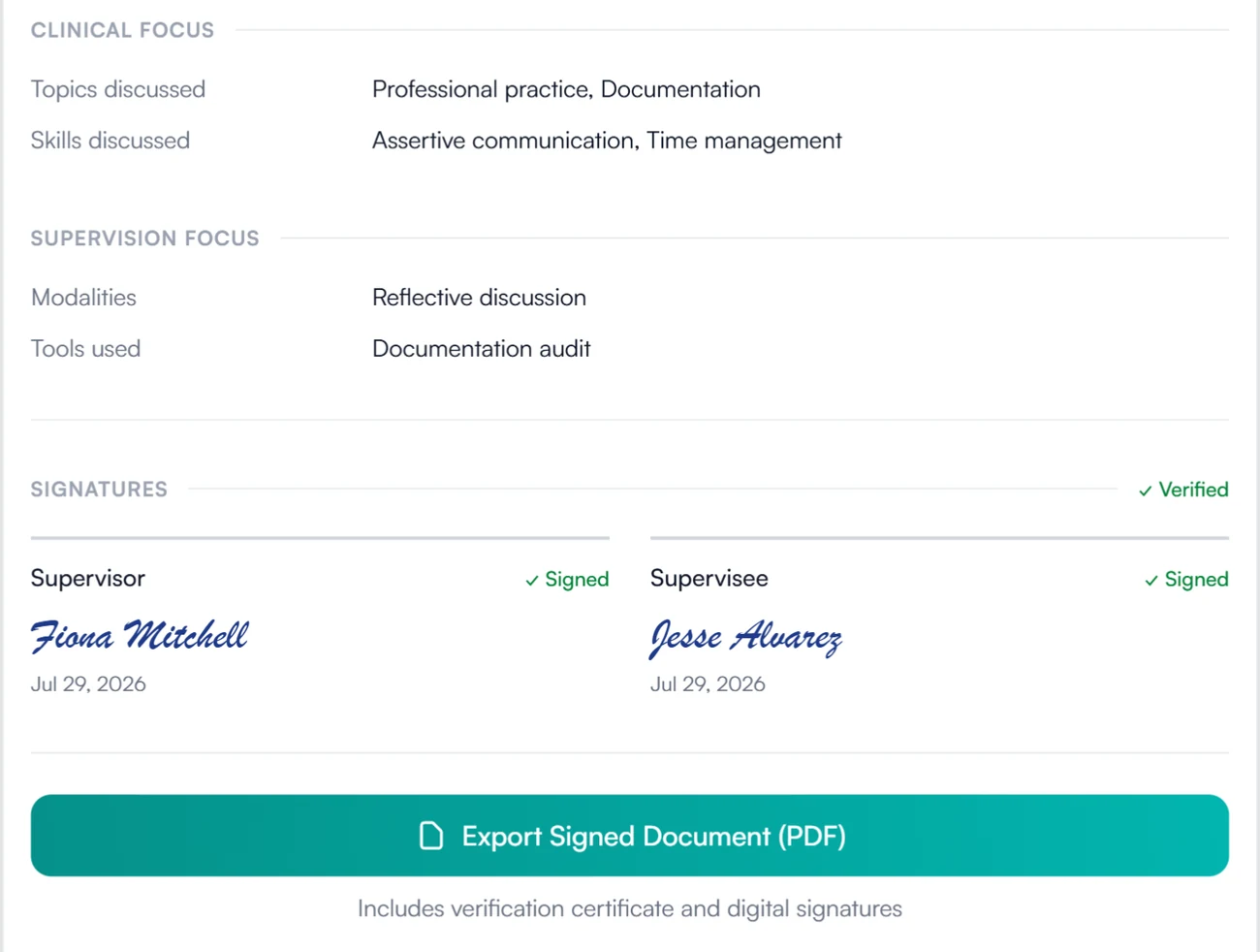
03 Verify
Anyone you give it to can check it.
- A verification code on every export
- A public page, no account needed
- Each signer, the date and the method
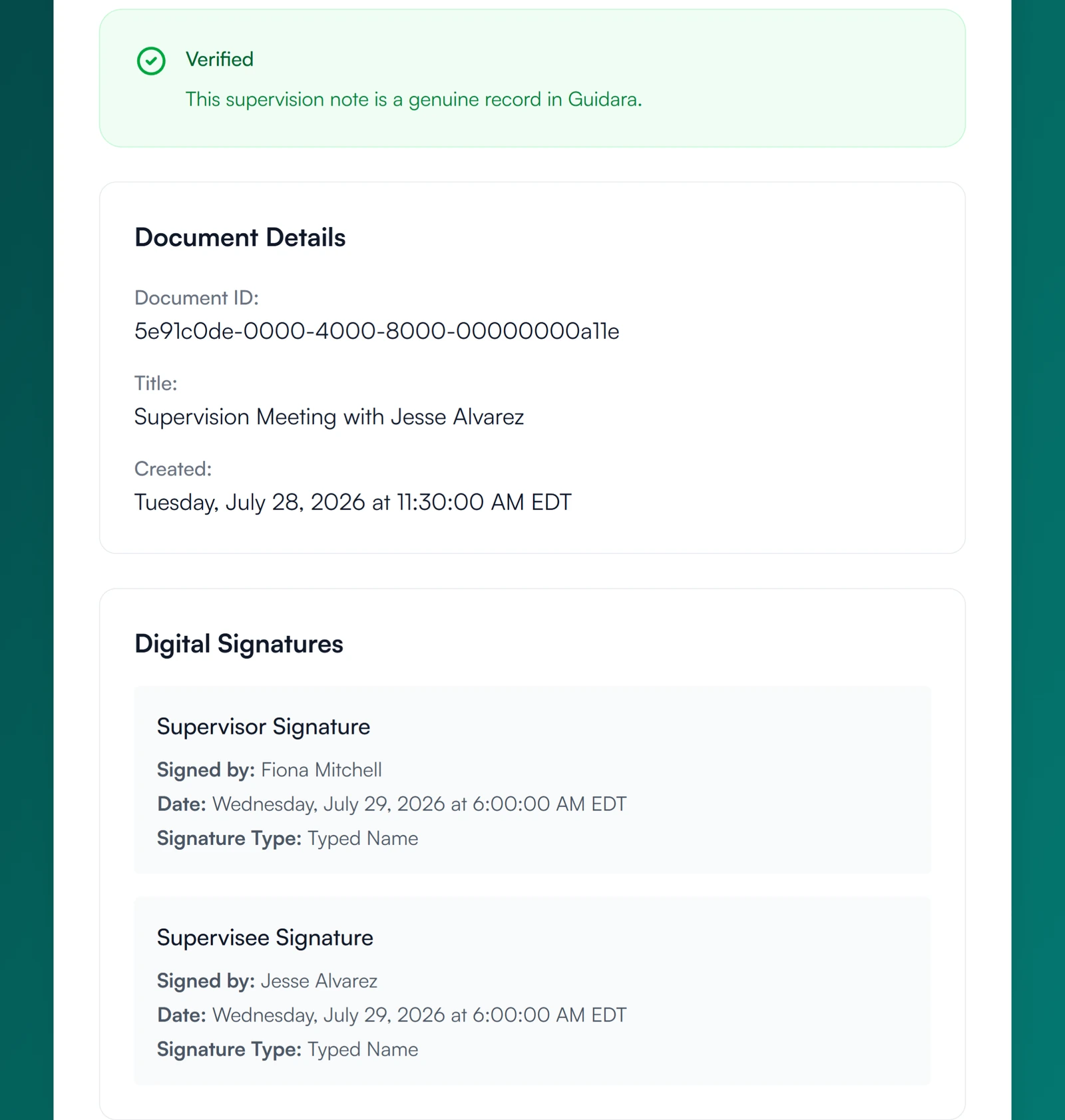
No printing or scanning.
You sign on the record itself, and your dashboard shows which signatures are still outstanding.
30-day free trial. Always free for supervisees.
A closer look at signing
What the signer agrees to, what is still outstanding, and your own PDFs.
Consent
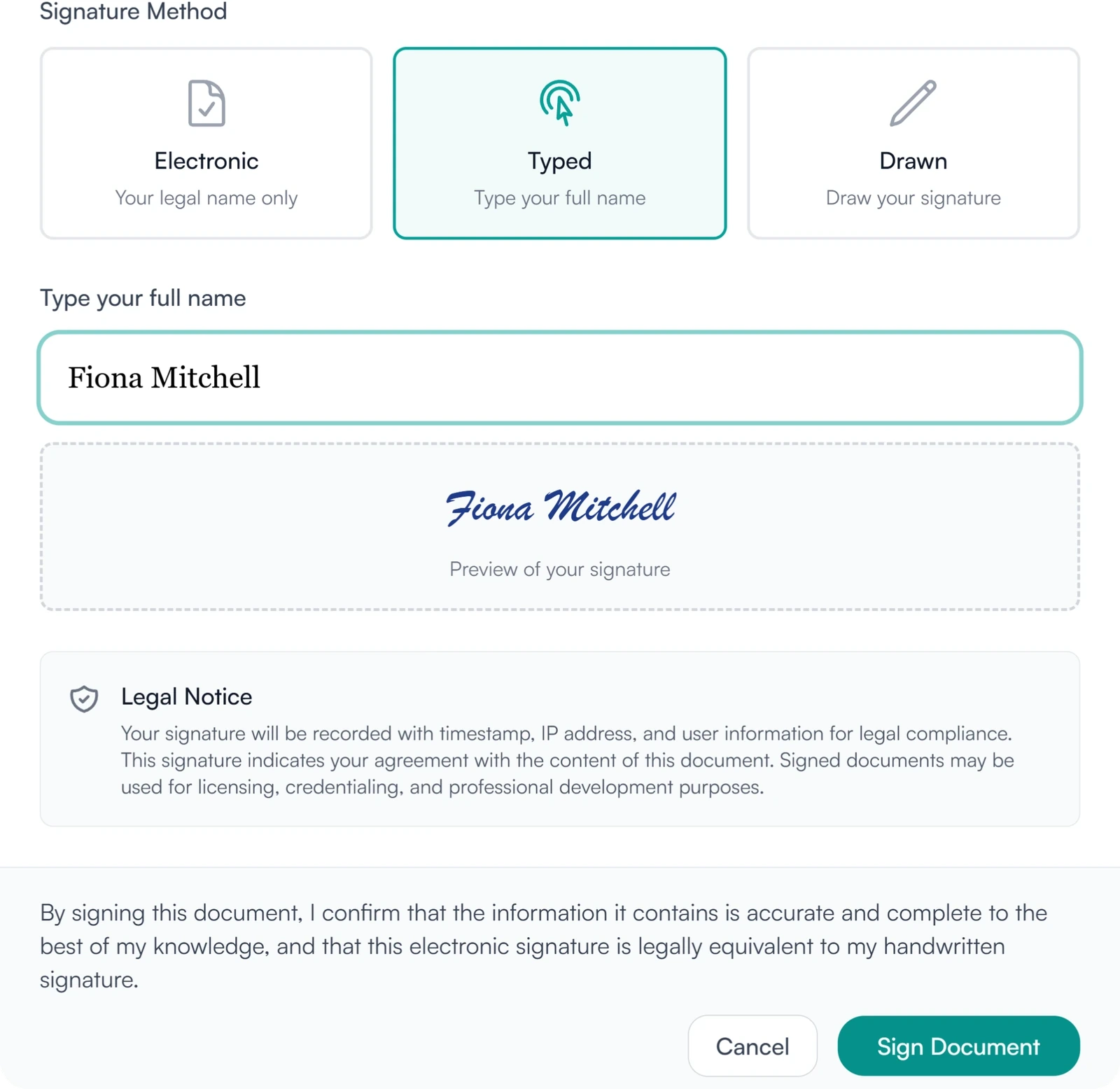
Every signer sees what they are agreeing to.
Before signing a note, plan or timesheet, the signer reads that the time and IP address are recorded and that the signature is legally equivalent to a handwritten one. Agreements and forms ask the signer to tick a signing statement.
Pending
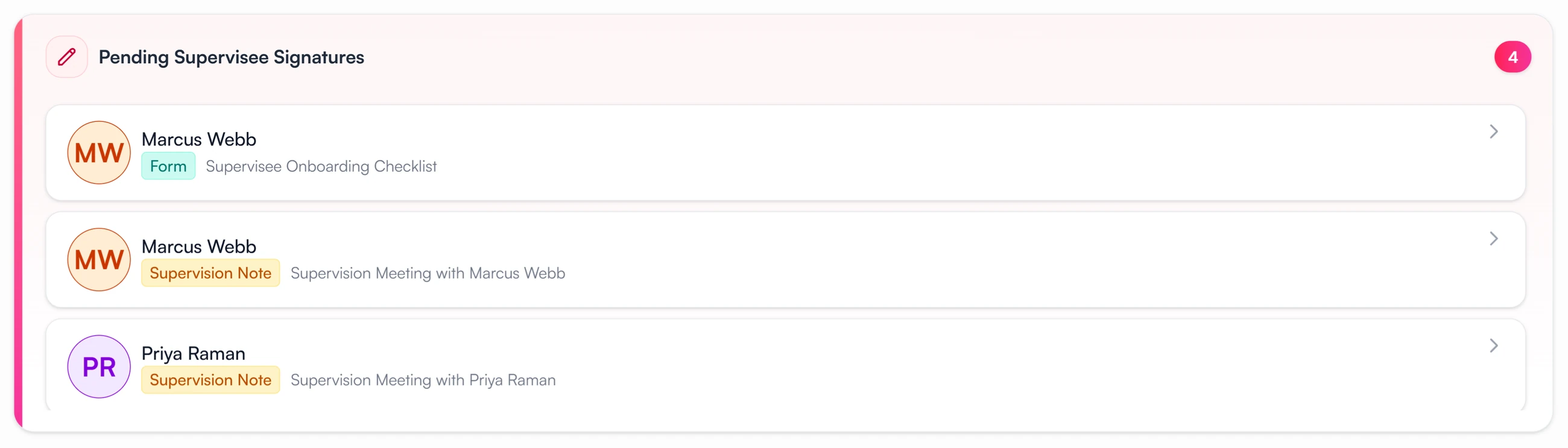
See whose signature you are waiting on.
Your dashboard lists every note, plan, agreement and form a supervisee still has to sign, and every timesheet waiting on your approval.
Your own PDFs
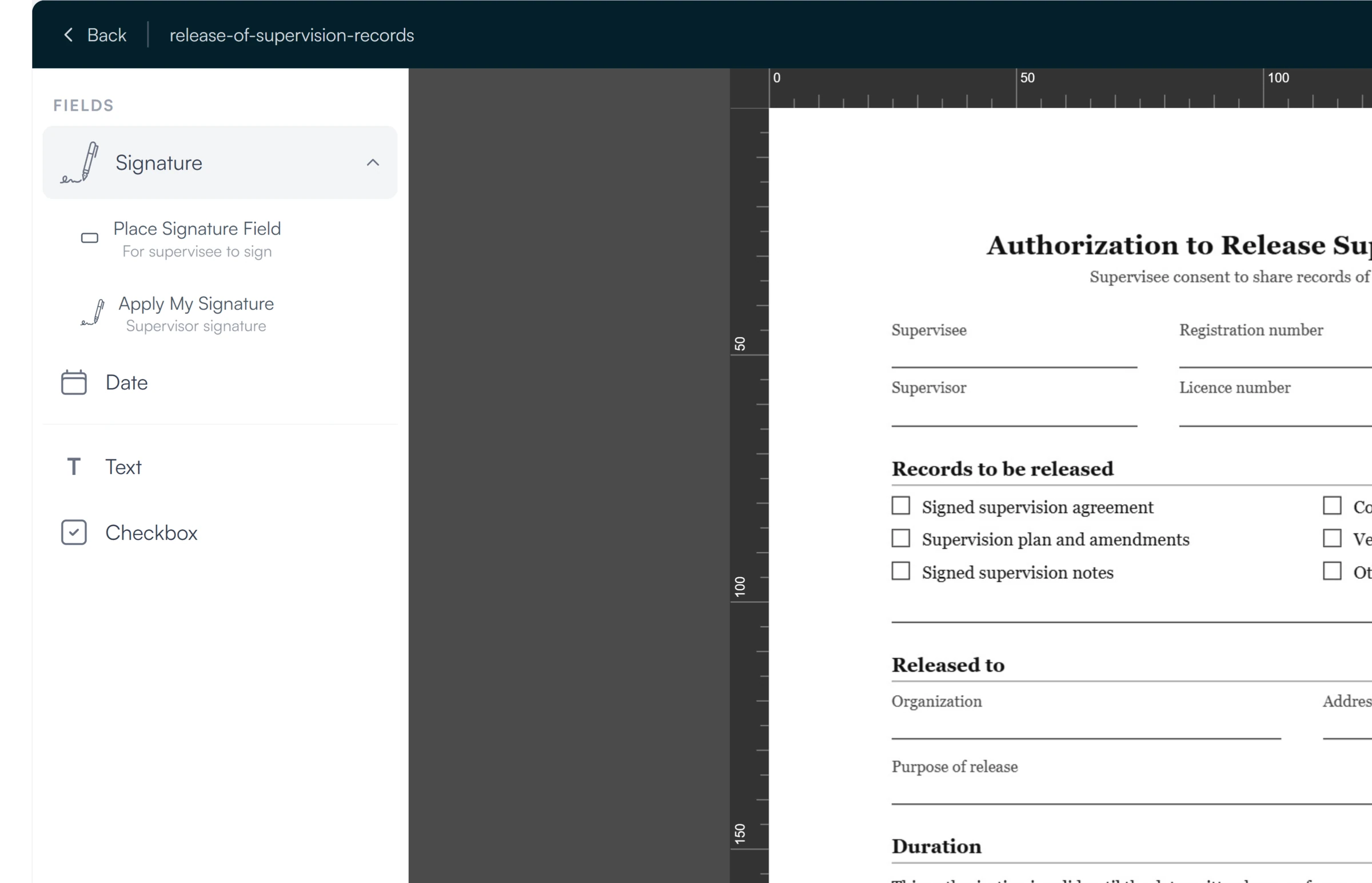
Your own PDF documents can be signed too.
Upload a PDF, place signature and date fields on it, and send it to a supervisee. Document signing covers how it works.
Signing for supervisees and supervisors
Sign what is waiting for you.
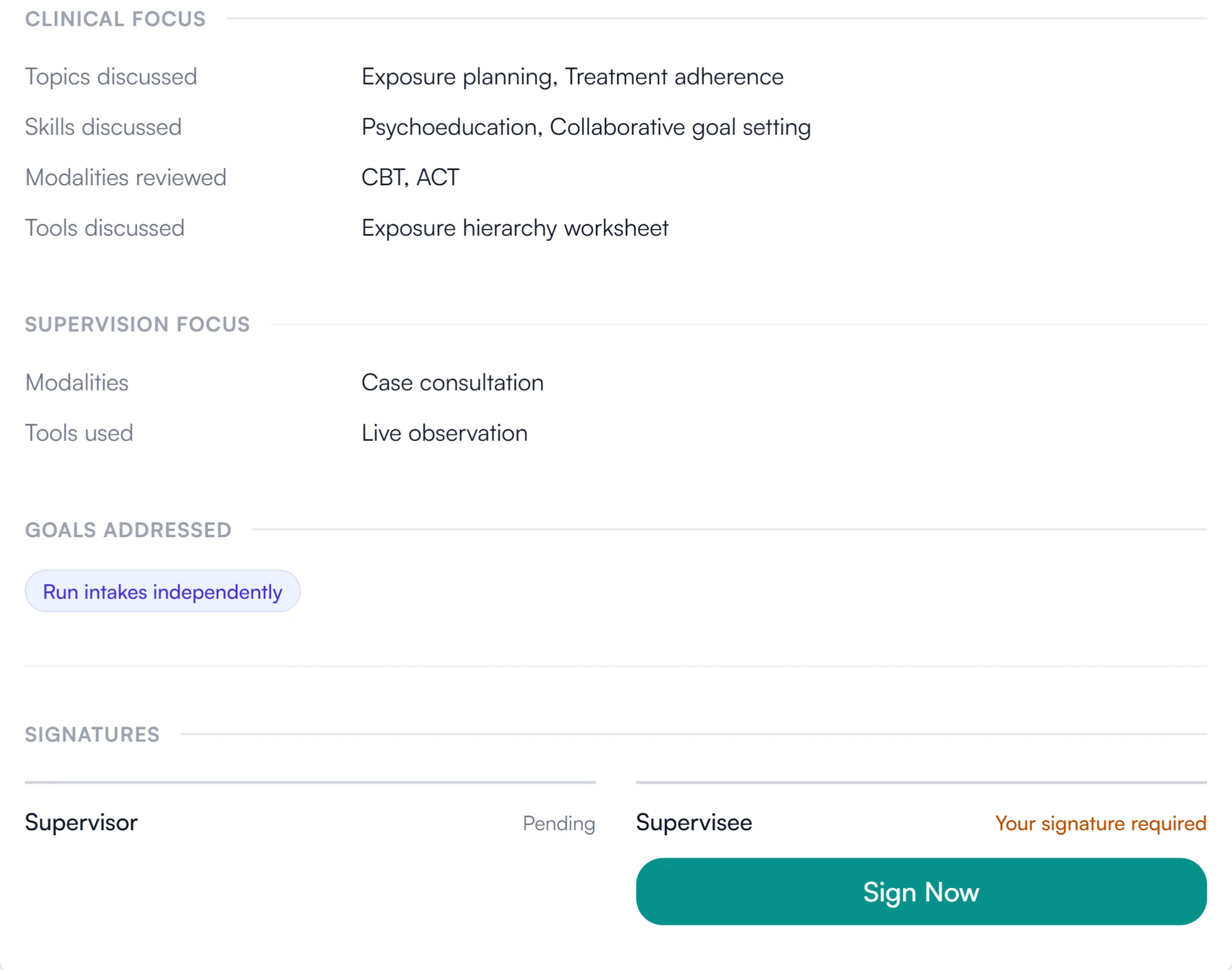
A note waiting for your signature is marked on the note and listed in your pending tasks, as is any timesheet sent back for revision.
- Marked on the record when your signature is needed
- Sign with your saved signature or a new one
How signatures are stored and protected
How Guidara protects your records- Signer, time and IP address
- Each signature records who signed, when, and the IP address it was signed from.
- Fingerprinted content
- Signed records carry a fingerprint of their content, so a later change can be detected.
- No client health information
- Guidara signs supervision records. It never stores your clients' records.
- Secure by default
- Encrypted in transit and at rest, on SOC 2 certified infrastructure.
Works with the rest of Guidara
All features- Document signingSend any PDF for signature, with no separate signing tool. Explore
- Supervision notesNotes on each meeting, signed by whoever the note requires. Explore
- Hour trackingWeekly timesheets, signed on submit and signed to approve. Explore
- ExportsPDFs of the record, each with a verification code. Explore
Questions about signatures
Sign your next timesheet or note in Guidara.
The signature is stored with the record from the moment it is made.
30-day free trial. Always free for supervisees.