Hour tracking
Every supervised hour, signed and accounted for.
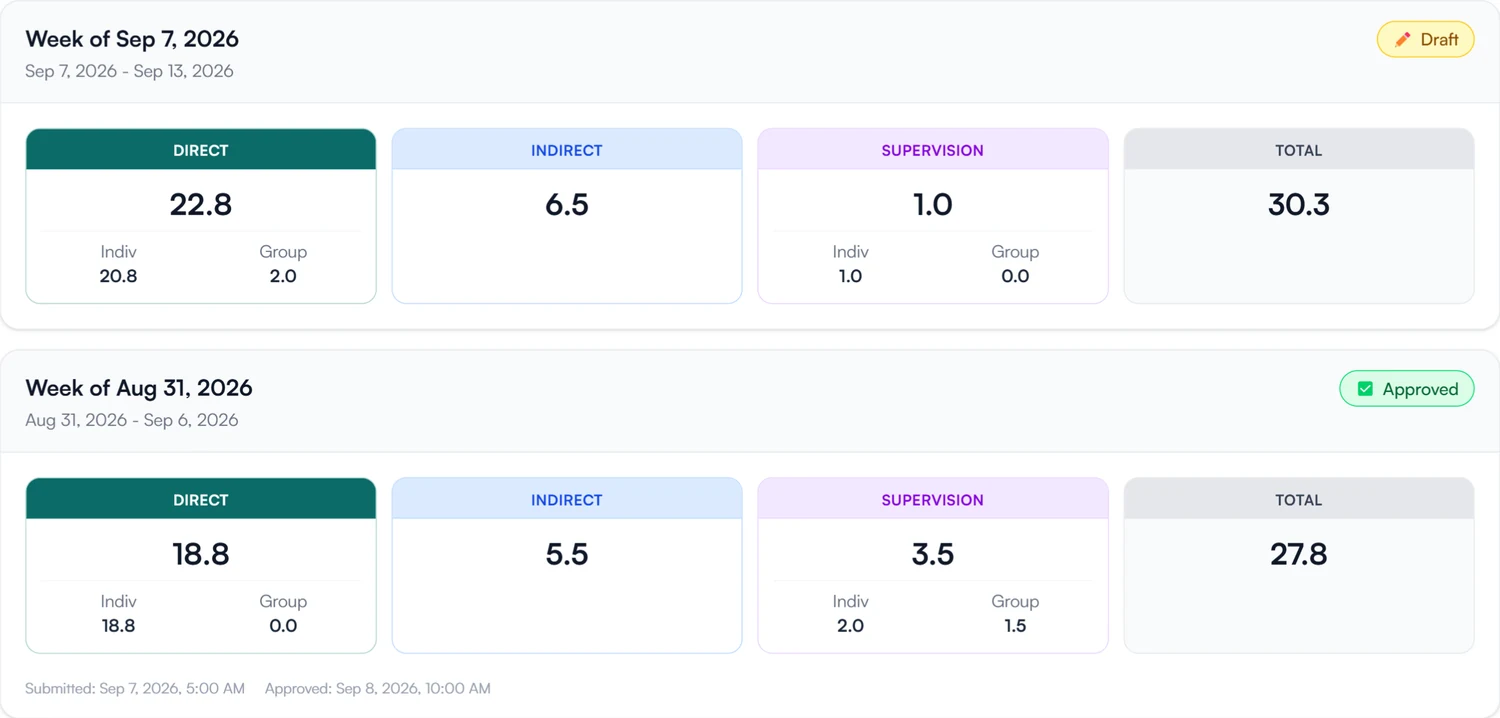
Supervisees log each week and sign it. Their supervisor reviews the week and signs to approve it, and supervisor and supervisee see the same approved total.
- 30-day free trial
- Always free for supervisees
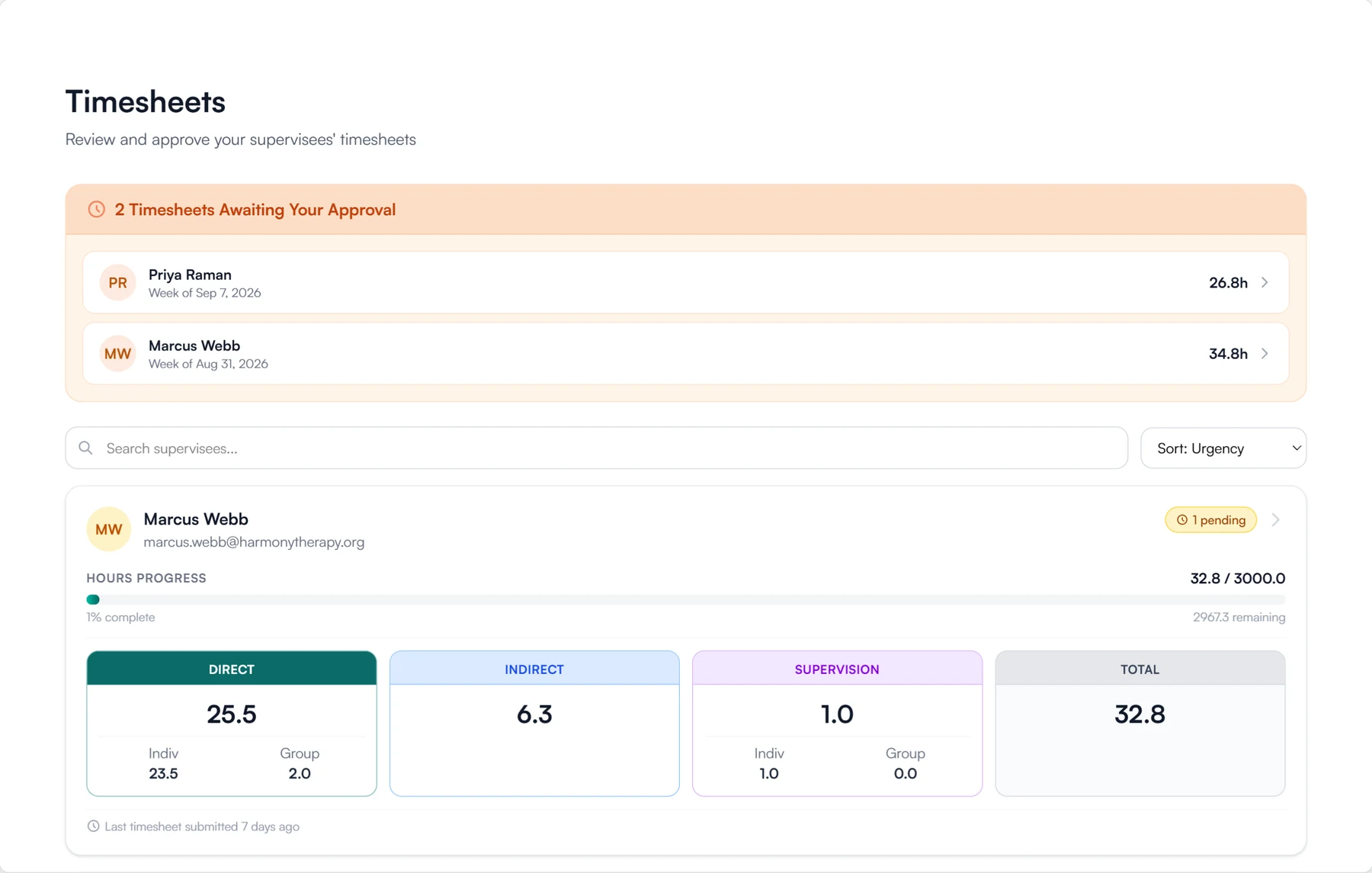
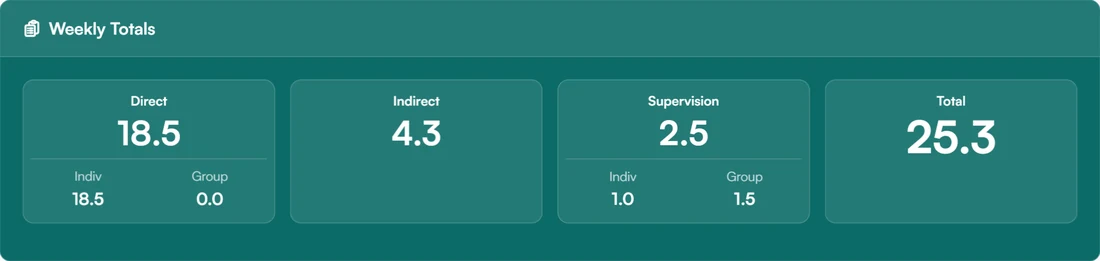
Every timesheet records the same five categories
- Direct
- Group direct
- Indirect
- Individual supervision
- Group supervision
Logging a week and having it approved
Each week goes from a draft to a signed approval, and approved weeks add to the supervisee's total.
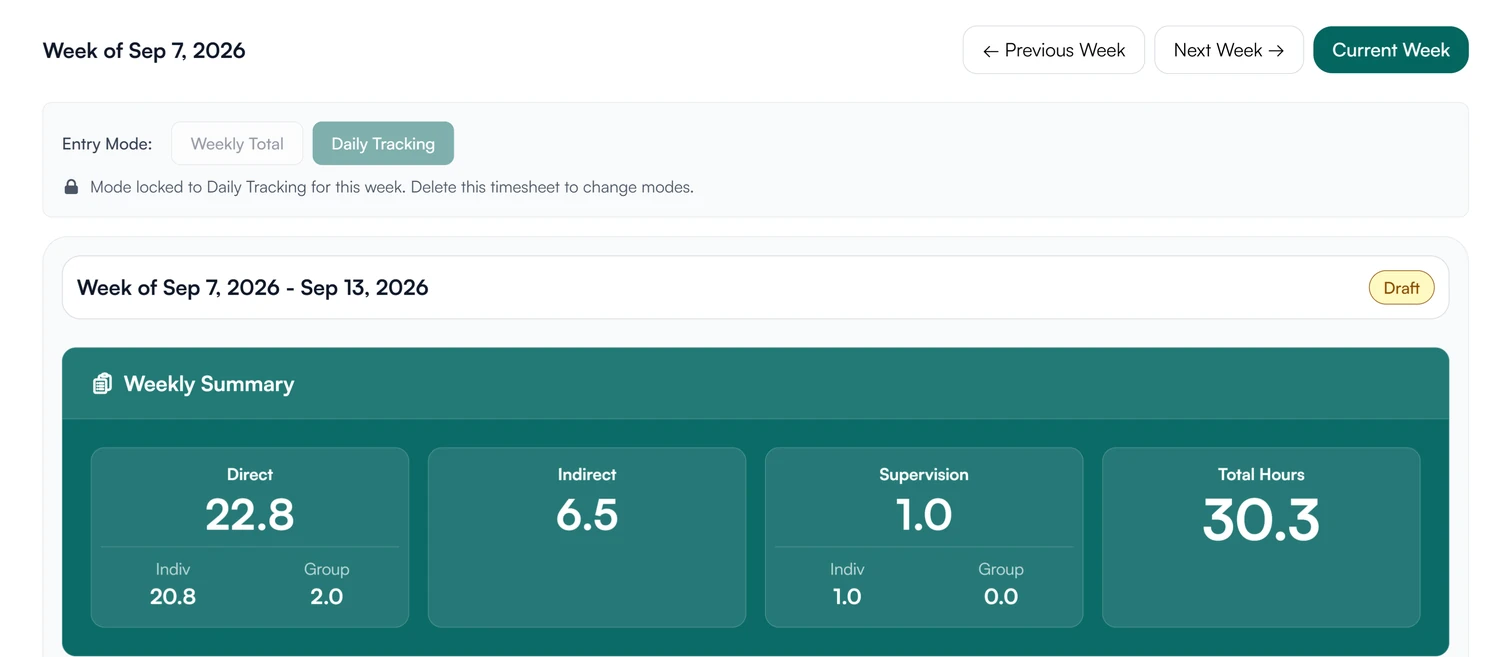
01 Log
Enter hours by week or by day.
- One total per category for the week, or day by day
- Stays a draft you can change until you submit it
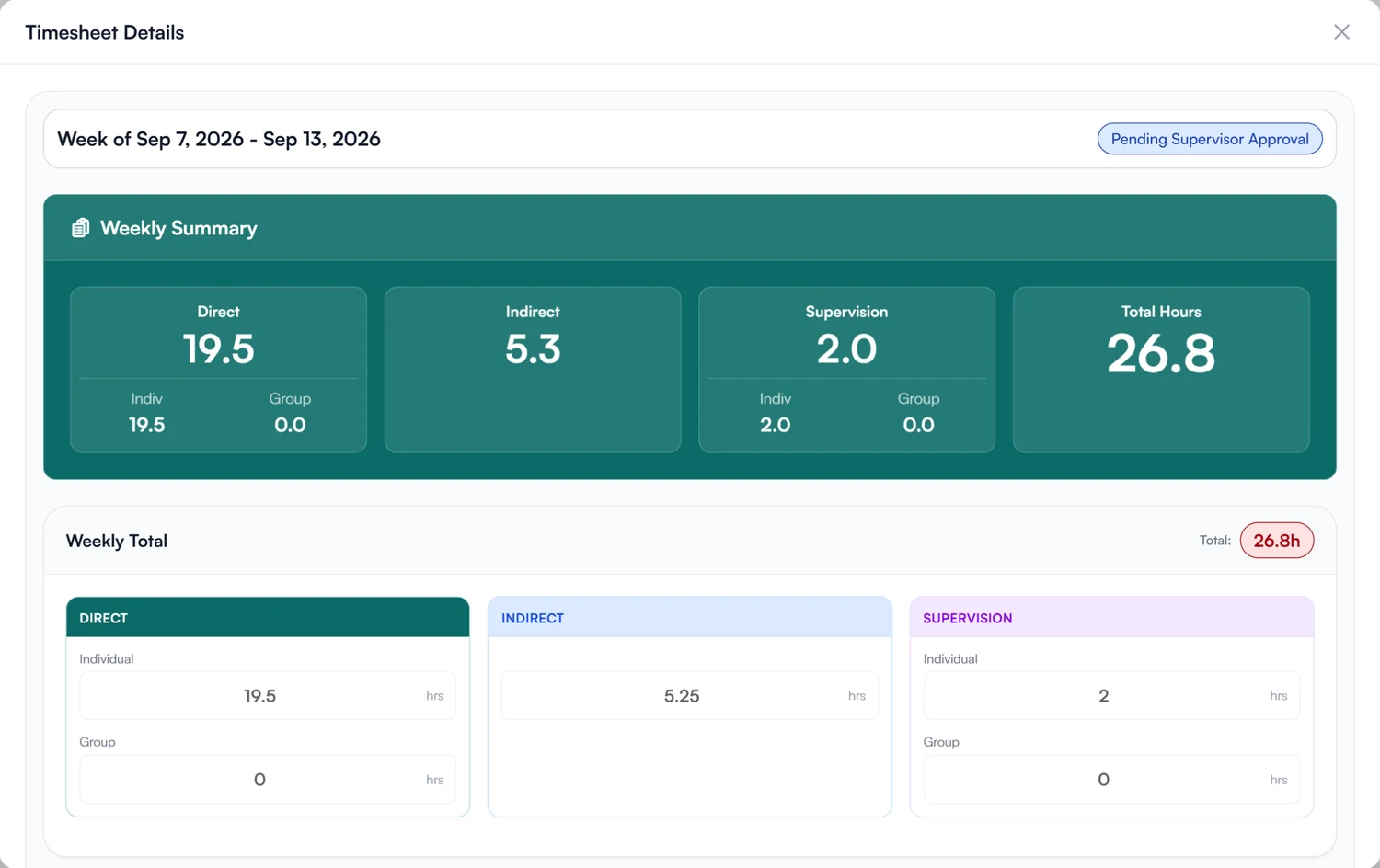
02 Approve
Approve a week with your signature.
- An email when a supervisee submits a week
- Weeks awaiting your approval at the top of Timesheets
- Approve with your signature, or your saved one
- Send a week back with a note explaining what to fix
03 Total
One approved total for supervisor and supervisee.
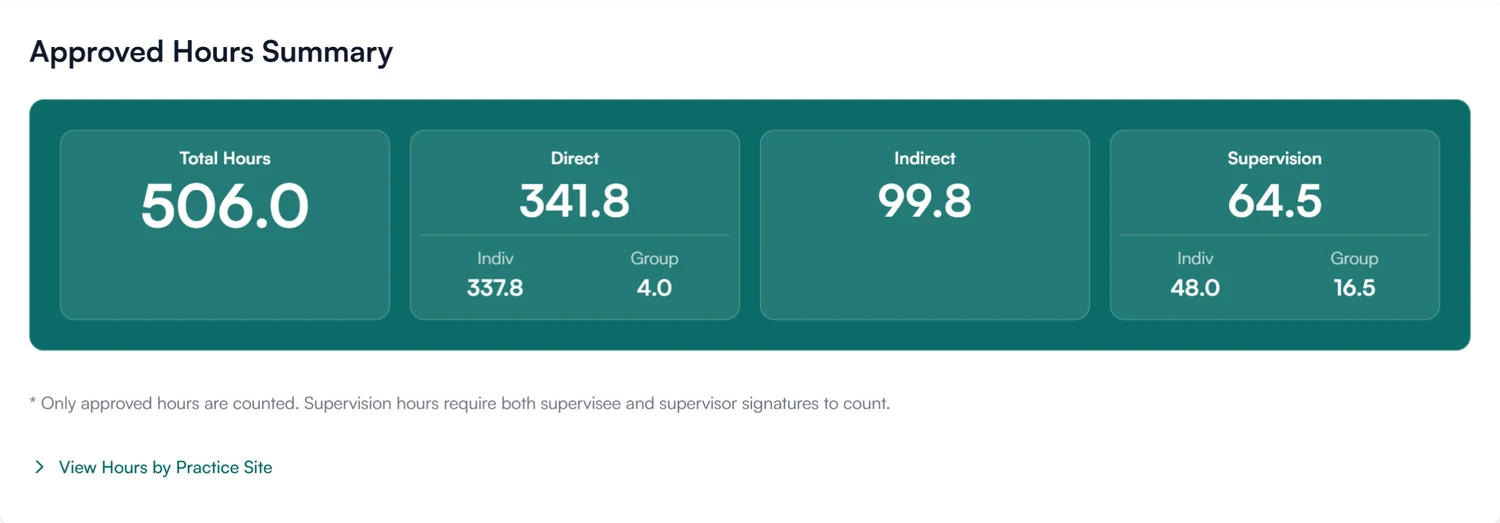
- Only approved hours count
- Progress against the hours the supervision plan requires
- Totals broken down by practice site
Move your supervised hours out of the spreadsheet.
Track every supervisee's weekly timesheets and approved total in Guidara.
30-day free trial. Always free for supervisees.
A closer look at hour tracking
Four things that are hard to do in a spreadsheet.
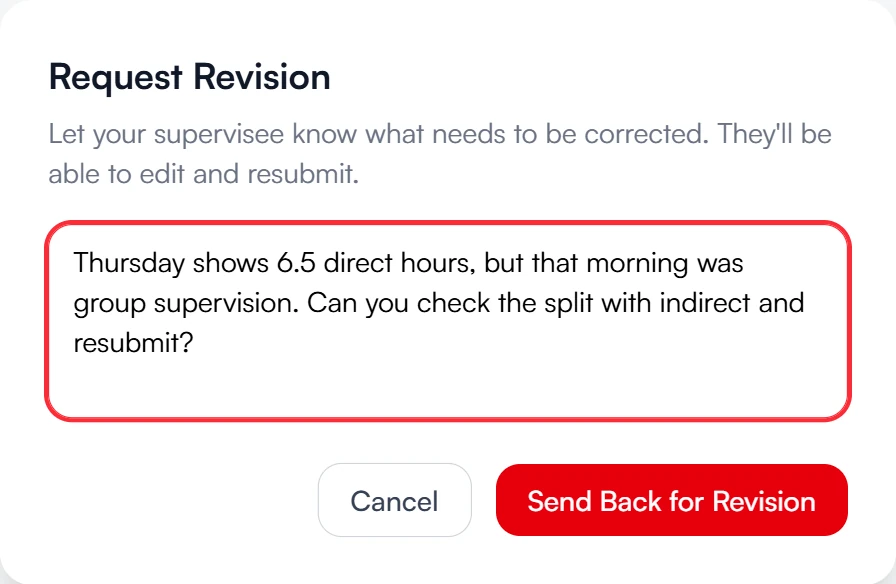
Send back for revision
A week that needs fixing goes back with your note.
Open the week, write what to correct, and send it back. The supervisee sees your note on the week itself, fixes it in place and resubmits.
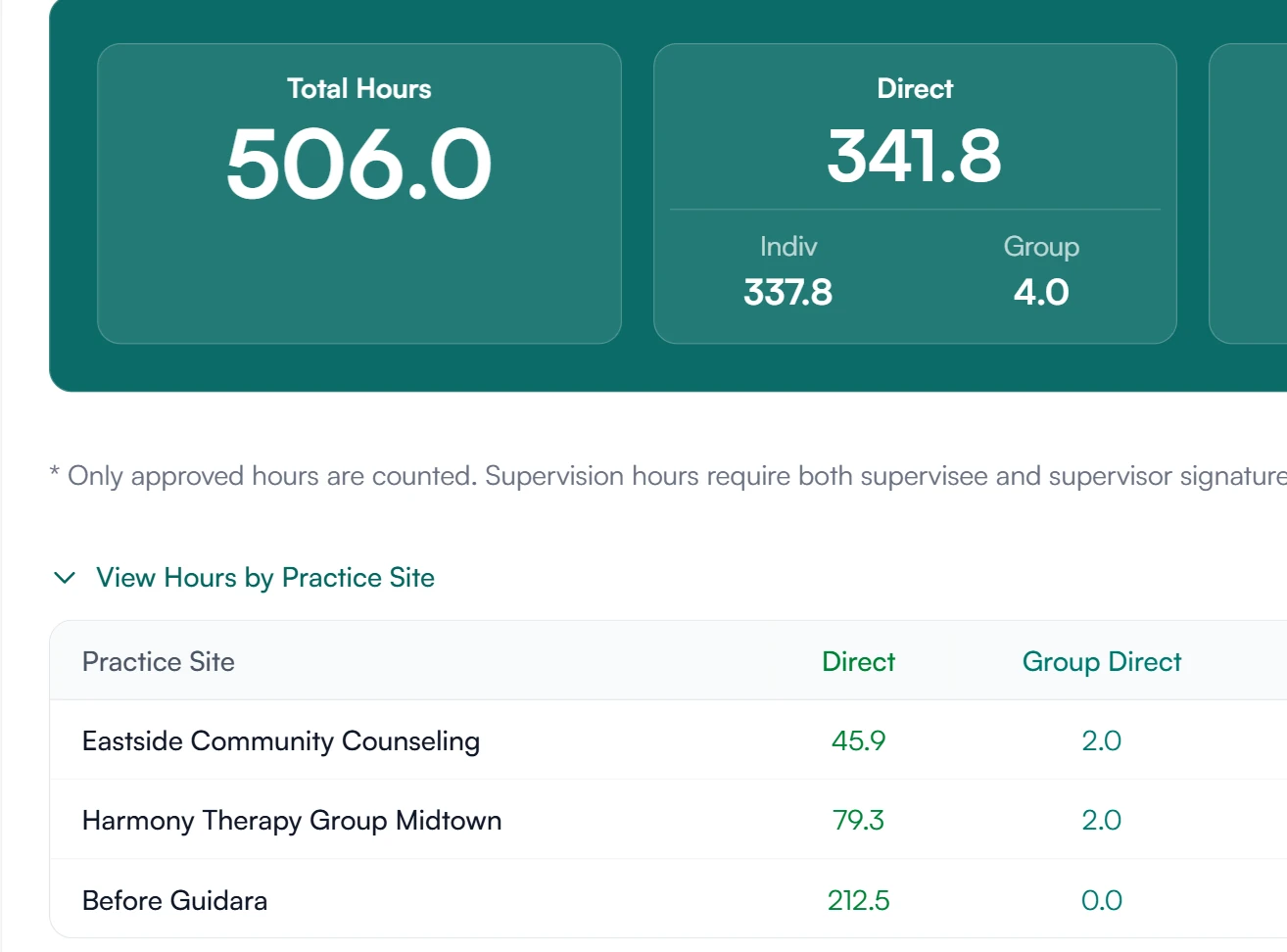
Practice sites
Hours by where they happened.
A supervisee working at more than one site tags each entry. The approved total breaks down by site, in all five categories.
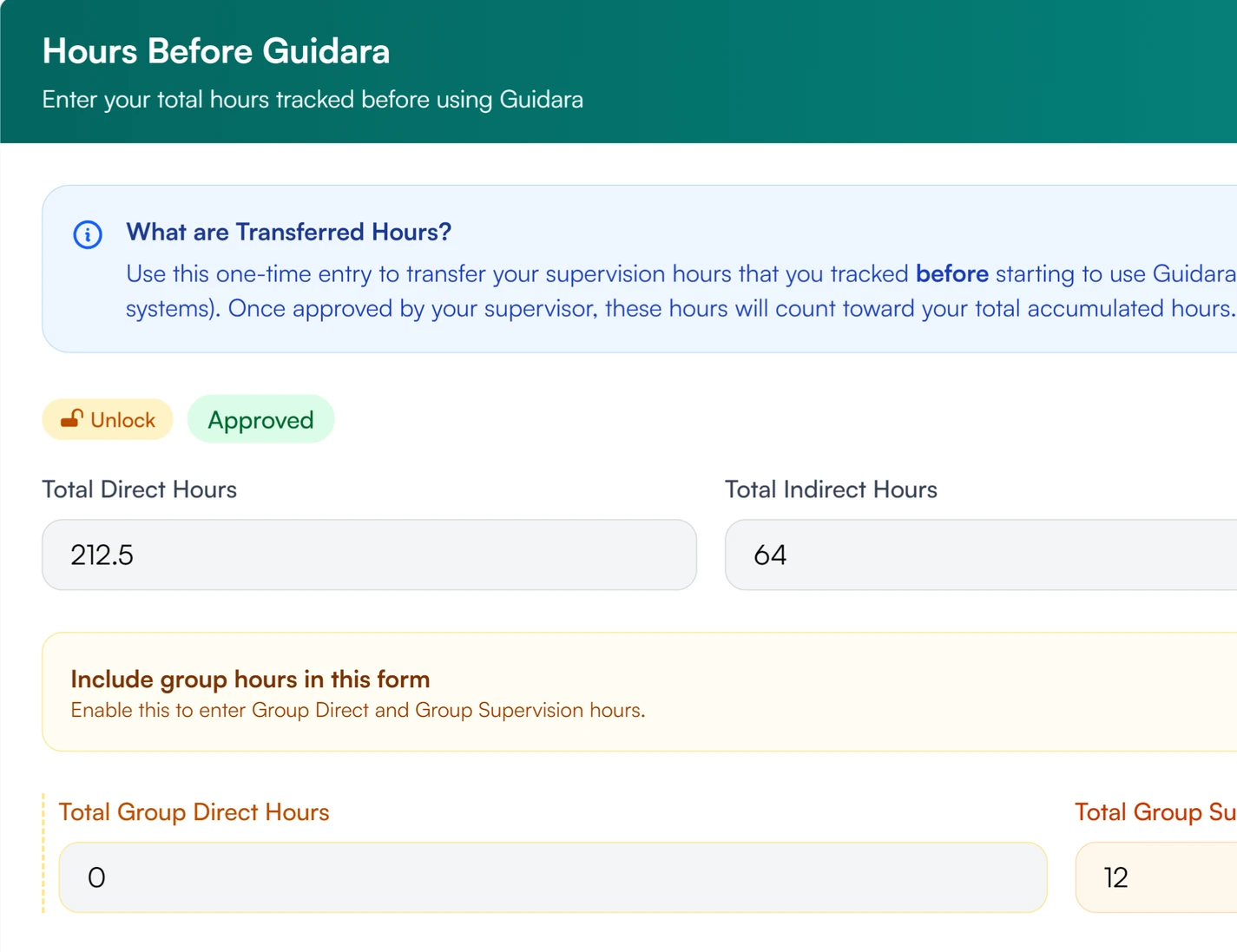
Hours from before Guidara
Earlier hours, signed and approved once.
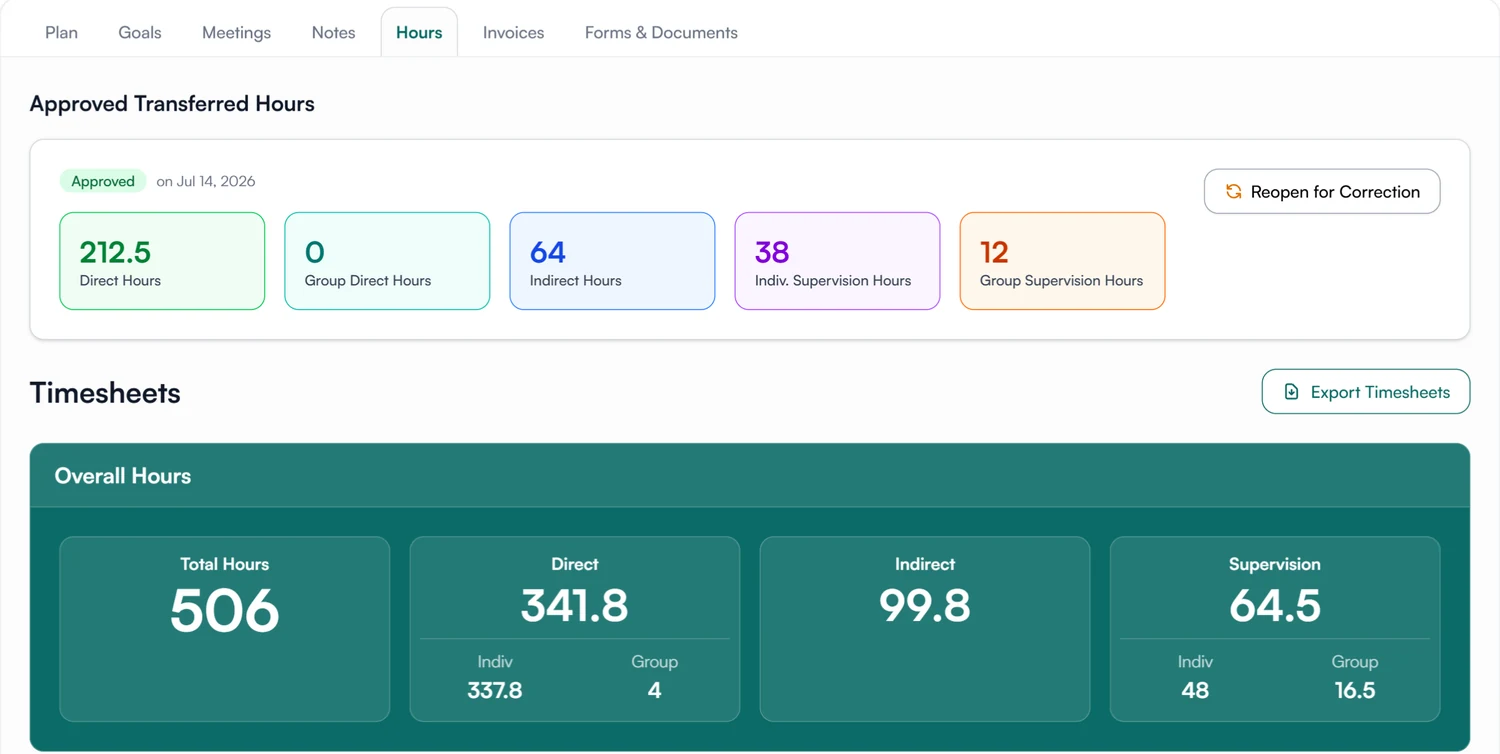
Supervisees enter the totals they tracked before joining, by category. Their supervisor reviews them once and signs, and from then on they count toward the running total.
Verification
A record anyone can check.
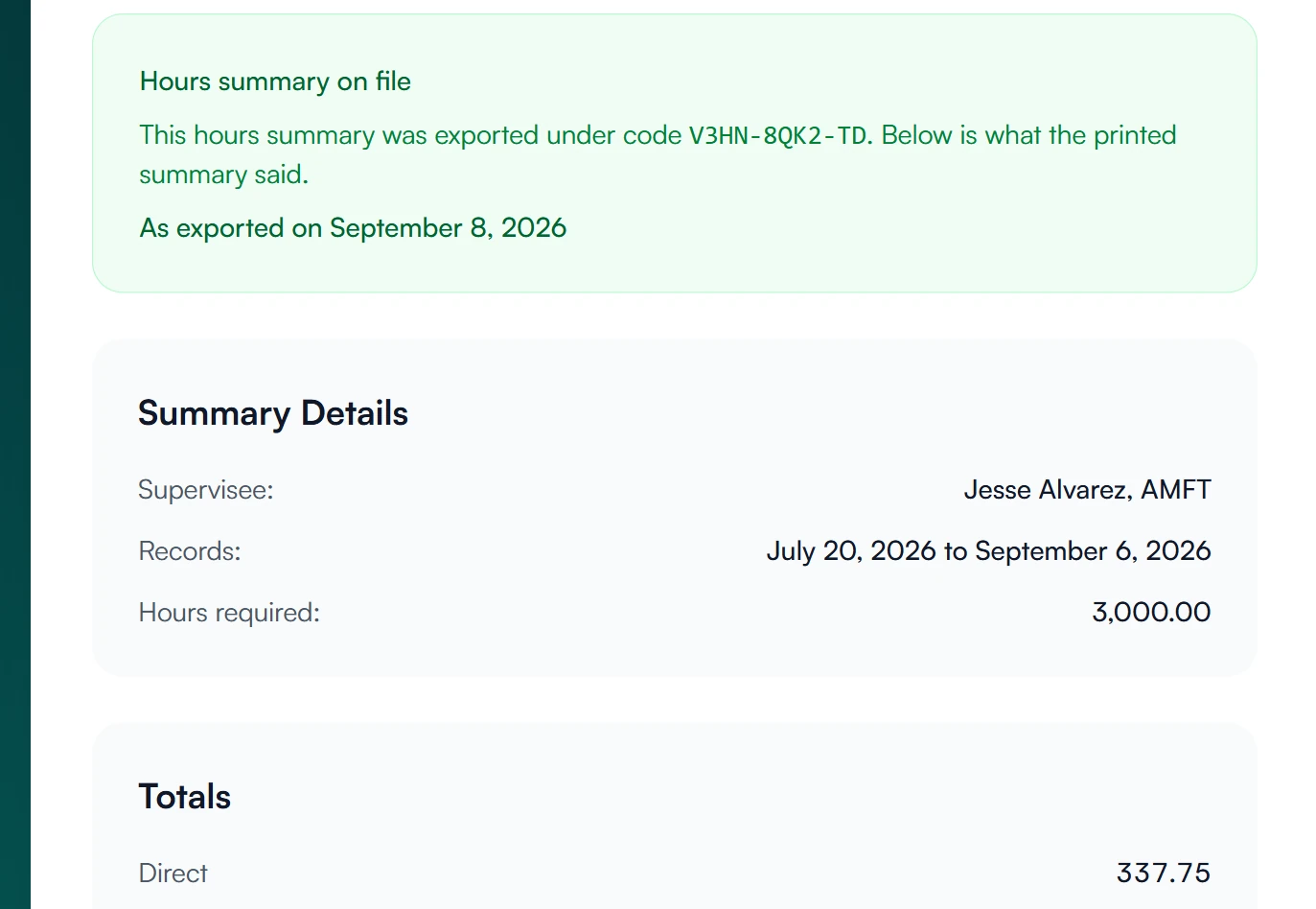
Every exported hours summary carries a code. Whoever receives it, such as a licensing board or a future supervisor, opens the link printed on it or scans its QR code and sees what the summary said.
Hour tracking for supervisees and supervisors
See your hours and each week's status.
Your current week, every past week with its status, and your approved total, on your Timesheets page.
- See which weeks are drafts, submitted or approved
- Export your hours whenever you need them
How approved hours are stored and protected
How Guidara protects your records- Signed approvals
- Every approved week carries the supervisor's signature and the date it was approved.
- Verifiable exports
- Exported hours summaries carry a verification code that can be checked on Guidara's site.
- No client health information
- Guidara records supervision: hours, meetings and documents. It never stores your clients' records.
- Secure by default
- Encrypted in transit and at rest, on SOC 2 certified infrastructure.
Works with the rest of Guidara
All features- Supervision plansSet the hours a supervisee needs, in a signed plan. Explore
- Transferred hoursBring earlier hours into the record, reviewed and approved. Explore
- ExportsHand over a complete, verifiable record of supervision. Explore
- SchedulingSupervision meetings, synced with your Google or Outlook calendar and sent to the supervisee as an invite. Explore
Questions about tracking hours
Start with this week's timesheet.
Hours you logged before Guidara can be added as prior hours.
30-day free trial. Always free for supervisees.