Dashboards
Your dashboard lists what needs you next.
A supervisor opens on what needs attention across their supervisees. A supervisee opens on their hours against the plan and the tasks waiting on them.
- 30-day free trial
- Always free for supervisees
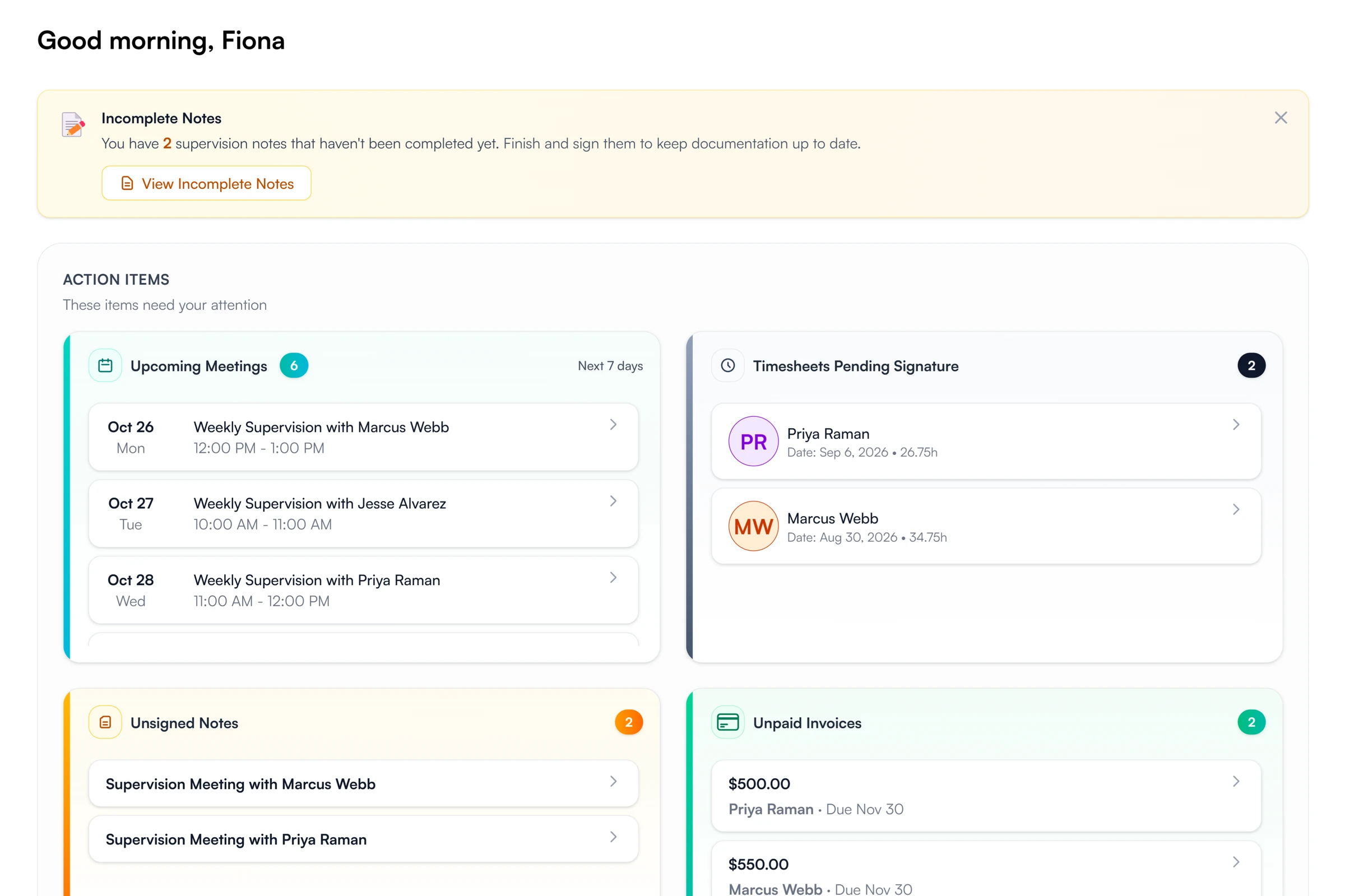
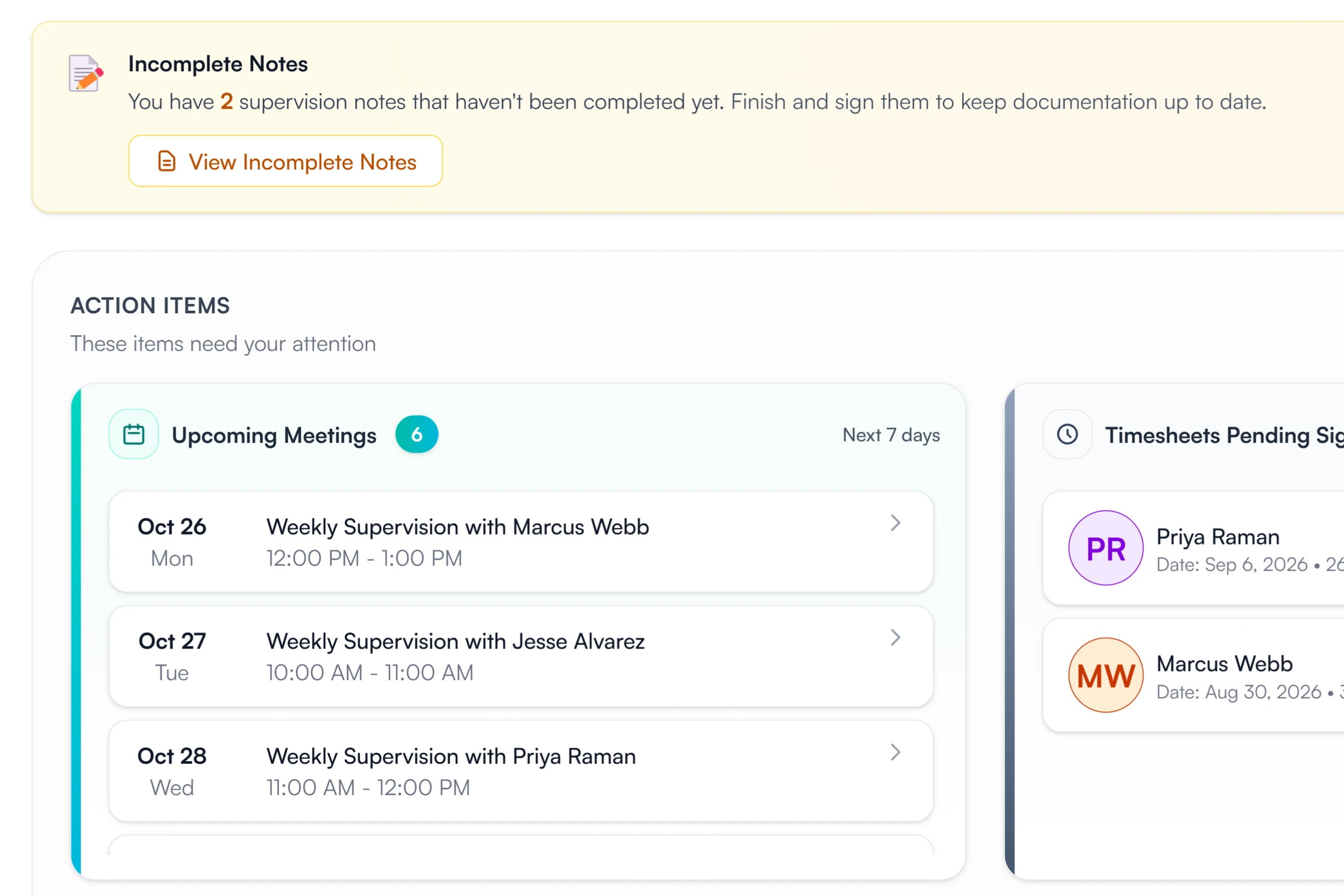
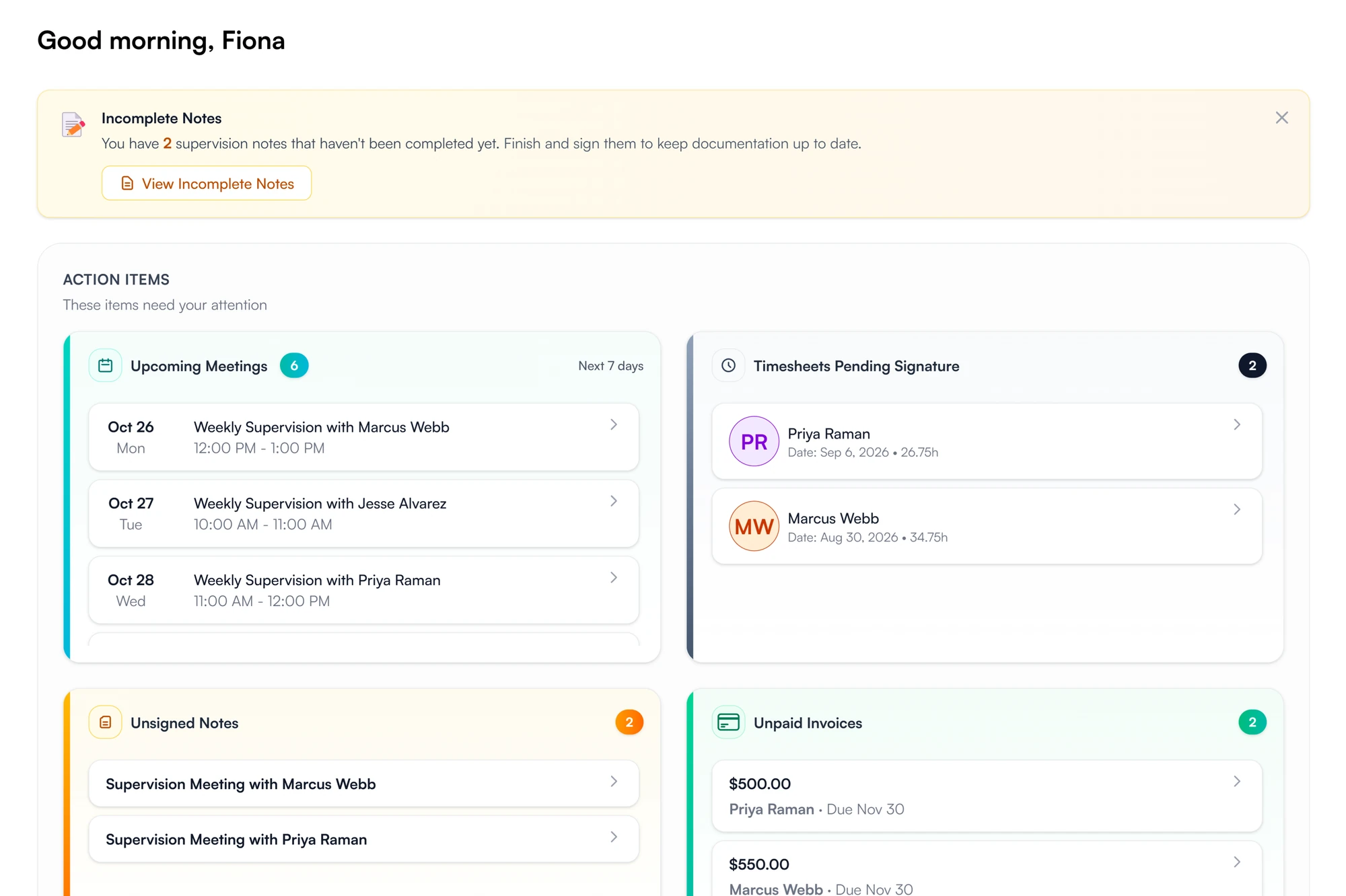
A supervisor's action items
- Upcoming meetings
- Timesheets pending signature
- Unsigned notes
- Unpaid invoices
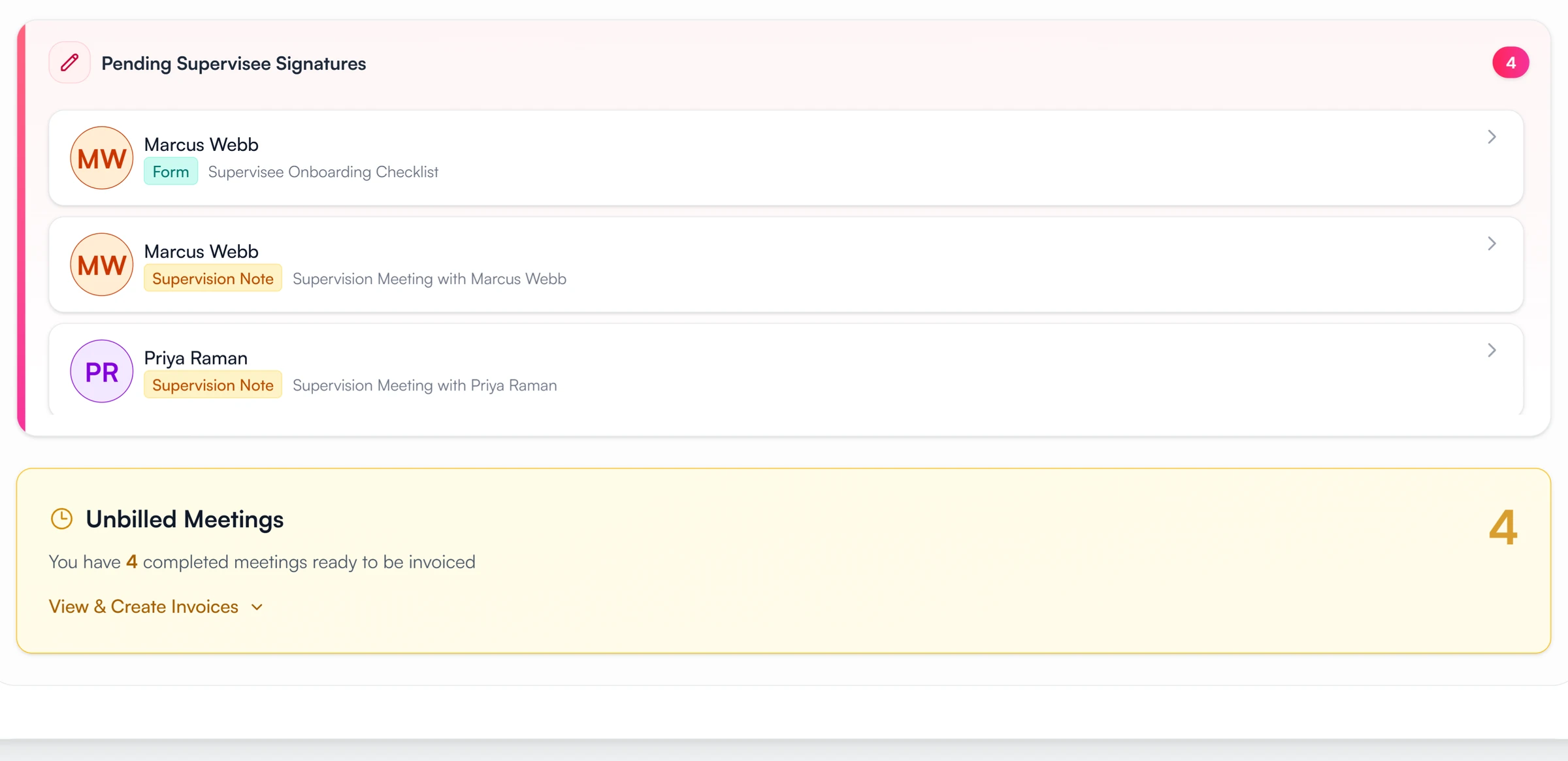
- Pending supervisee signatures
- Unbilled meetings
What each side sees on logging in
The supervisor's action items, the supervisee's progress, and the tasks still open.
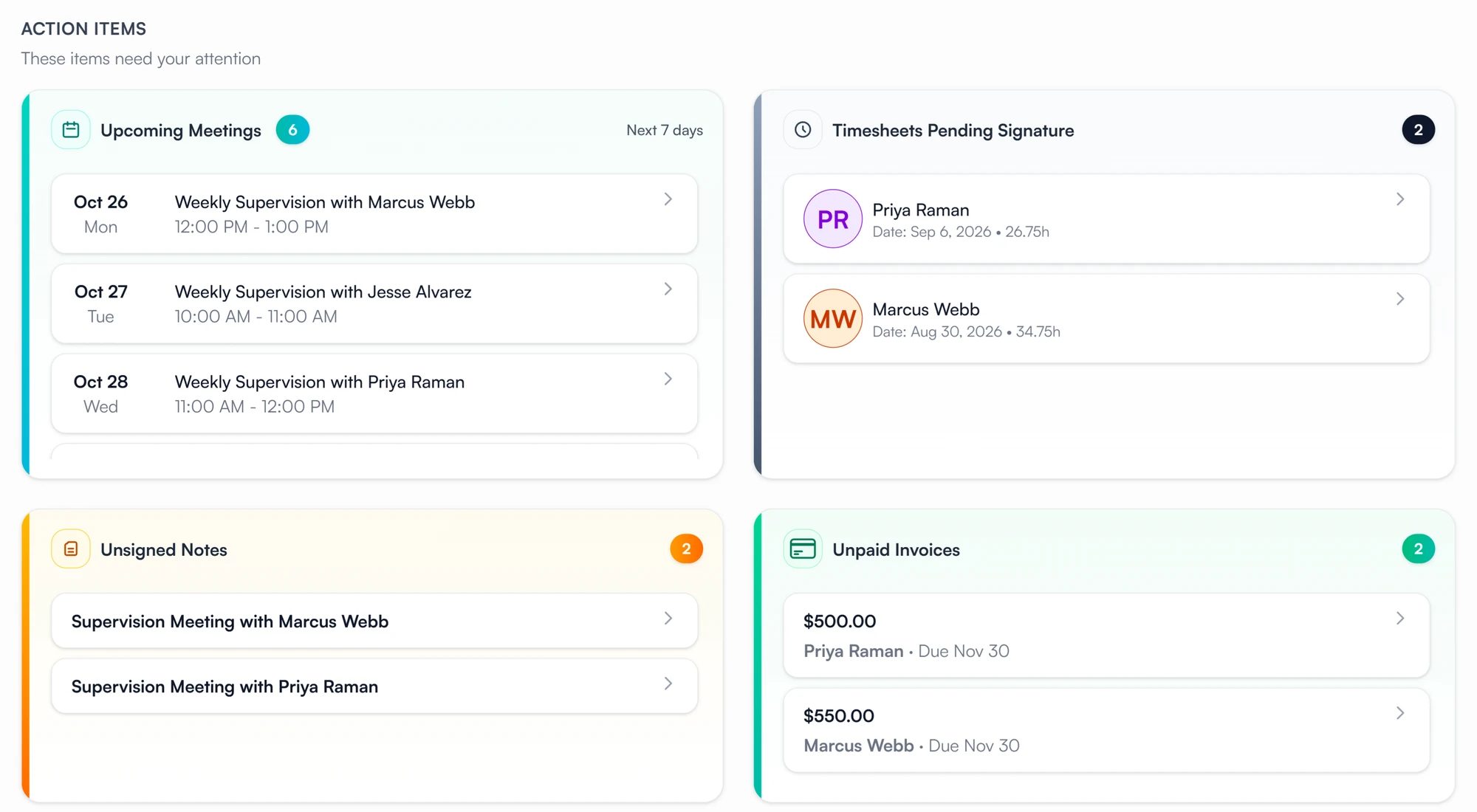
01 Act
Action items, grouped and counted.
- Timesheets pending your signature, with the week and hours
- Notes still unsigned, and supervisee signatures still pending
- Each item links to the note, meeting or supervisee it belongs to
02 Stand
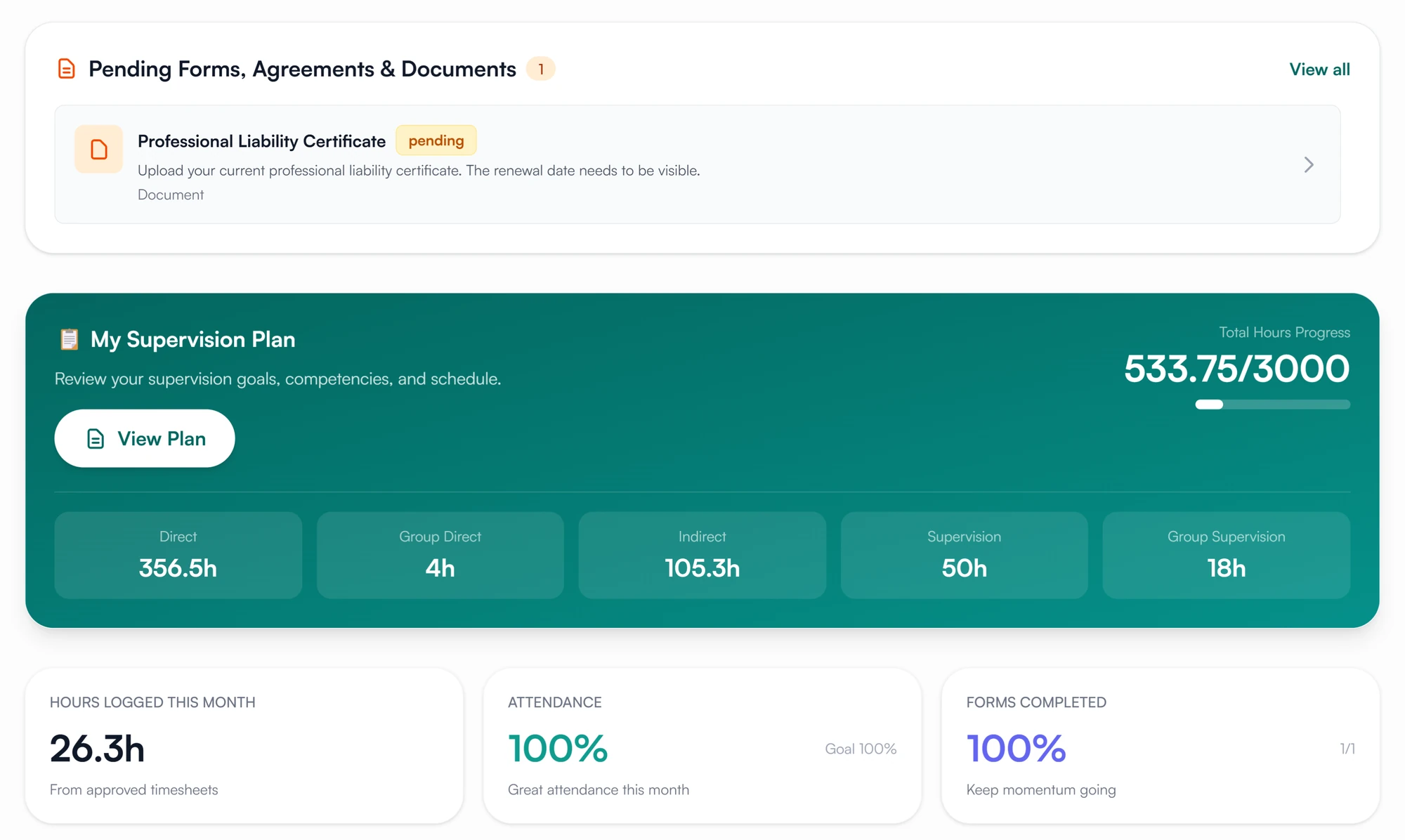
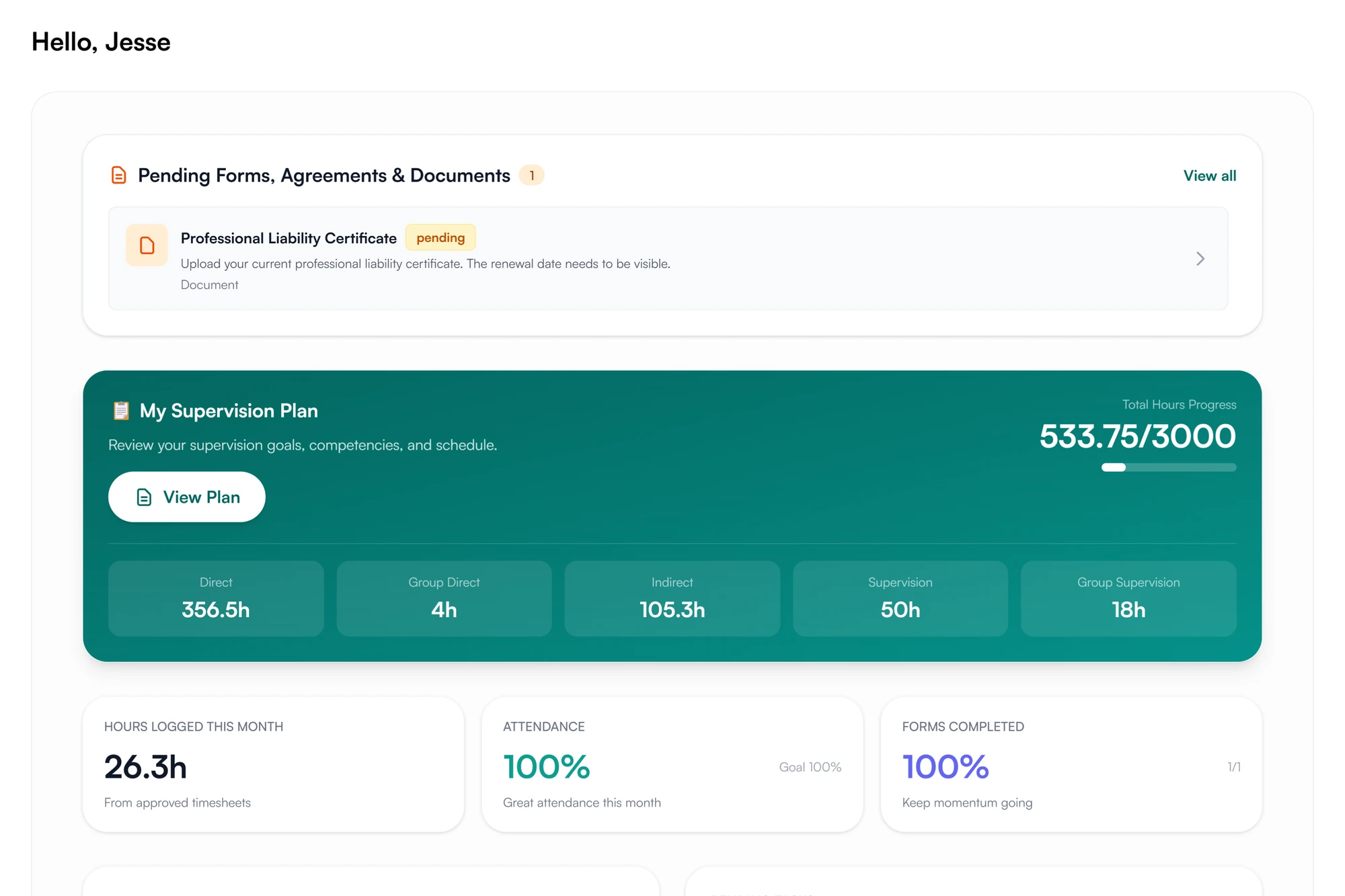
A supervisee sees exactly where they stand.
- Hours against the plan's requirement, by category
- This month's hours and attendance, and forms completed
- The next meetings, with the supervisor and length
03 Finish
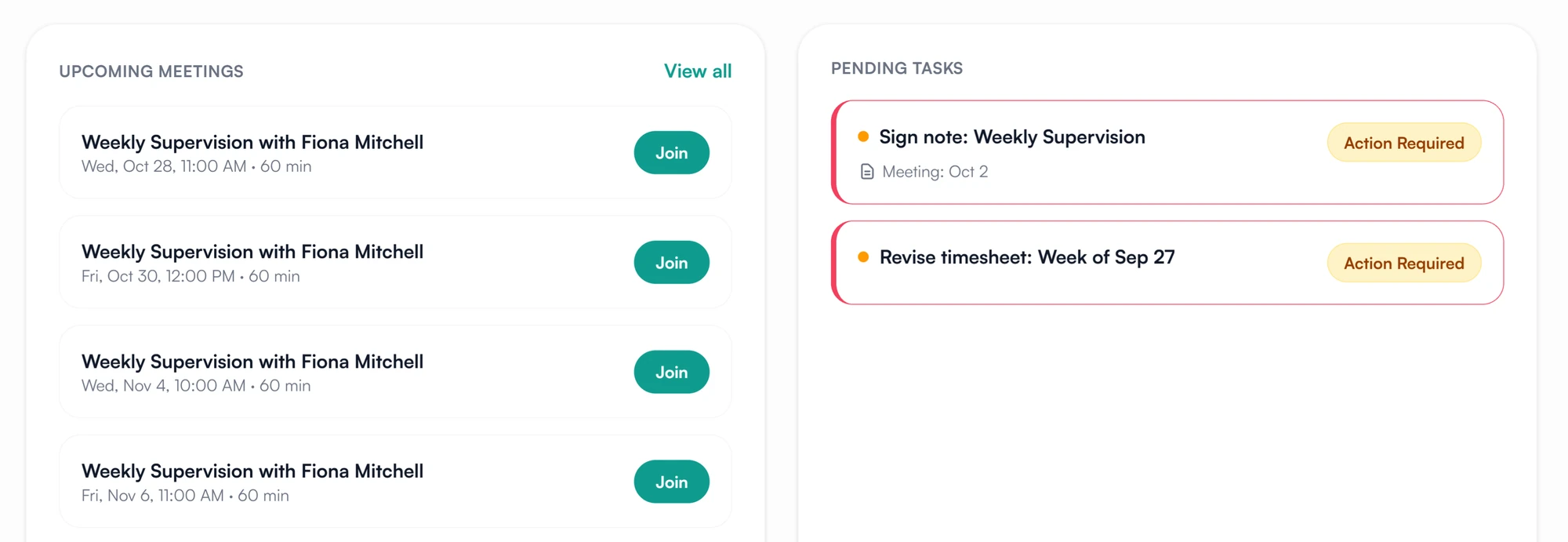
Pending tasks stay marked until they are done.
- Notes to sign and timesheets sent back, marked Action Required
- Forms, agreements and requested documents listed at the top
See what needs you as soon as you log in.
Action items for all your supervisees, on the first screen.
30-day free trial. Always free for supervisees.
A closer look at the dashboard
Reminders, signatures you are waiting on, and the supervisee's monthly figures.
Reminders
Unfinished notes are counted first.
Notes not yet finished and signed are counted above the action items, with a link straight to them. A profile missing credentials, a license or a saved signature gets its own reminder at the top.
Waiting on them
Signatures you are waiting for.
Every note, plan, agreement and form still waiting on a supervisee's signature, with the supervisee's name and a total count.
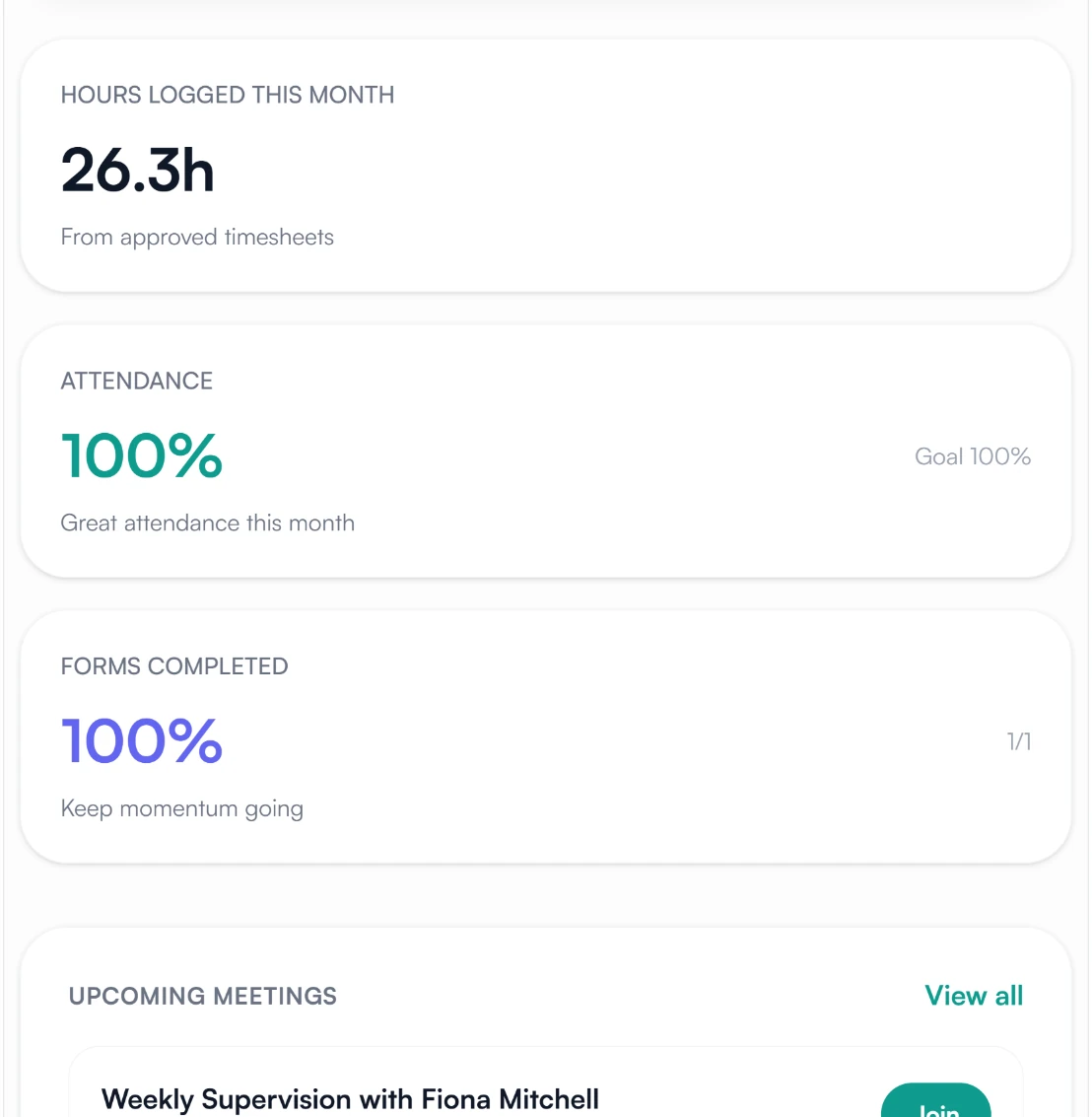
This month
Three figures on the supervisee's dashboard.
Hours logged this month from approved timesheets, attendance at this month's meetings against a goal, and the share of assigned forms completed.
Dashboards for supervisees and supervisors
Where you stand toward licensure.
Your plan with hours against the requirement, this month's numbers, your next meetings, and the tasks waiting on you. Pending forms, agreements and documents sit at the top until they are done.
- Hours by category against the plan
- Pending tasks marked until done
- Next meetings, with the supervisor
Where the dashboard numbers come from
How Guidara protects your records- Counted from the records
- Hour totals count approved timesheets only, and every other figure is counted from the records themselves. Nothing is entered by hand.
- Verifiable exports
- The same records export with a verification code that can be checked on Guidara's site.
- No client health information
- The dashboard shows supervision records only. Guidara never stores your clients' records.
- Secure by default
- Encrypted in transit and at rest, on SOC 2 certified infrastructure.
Works with the rest of Guidara
All featuresQuestions about dashboards
Start the day knowing what is left to do.
What is waiting on you, across your supervisees, on the first screen.
30-day free trial. Always free for supervisees.