Exports
A record anyone can check.
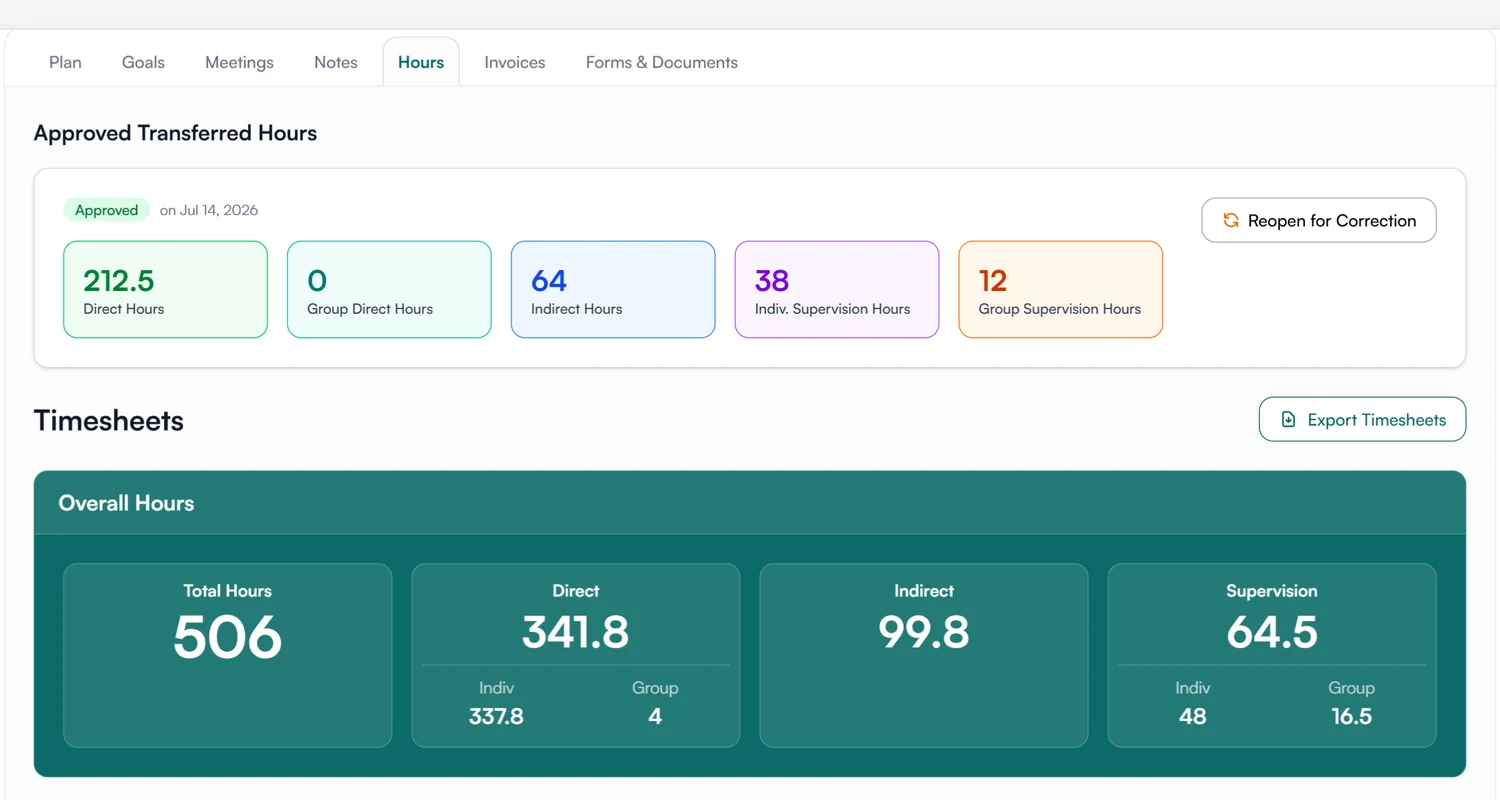
Export a supervisee's timesheets and hours summary, notes, plan, goals, forms and invoices as PDFs. Each PDF carries a verification code that whoever receives it can check on Guidara's site.
- 30-day free trial
- Always free for supervisees
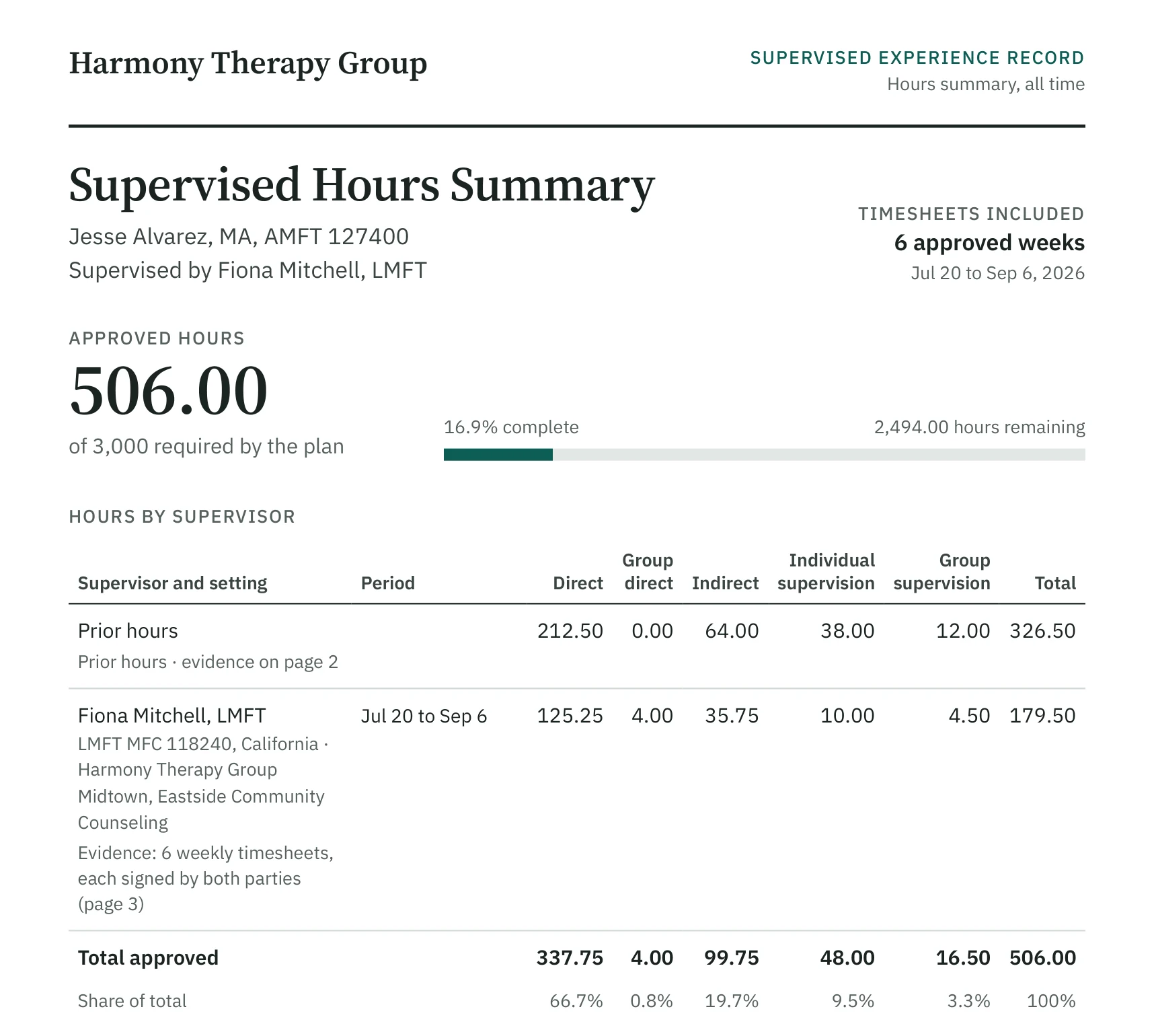
A full export can include
- Timesheets
- Meeting notes
- Supervision plan
- Goals
- Forms and agreements
- Invoices
- Uploaded files
How an export works
Three steps, for one supervisee at a time.
01 Choose
Pick what the export should contain.
- Timesheets, notes, plan, goals, forms, invoices, uploaded files
- A date range for notes, timesheets and invoices
- Supervisees can export their own record
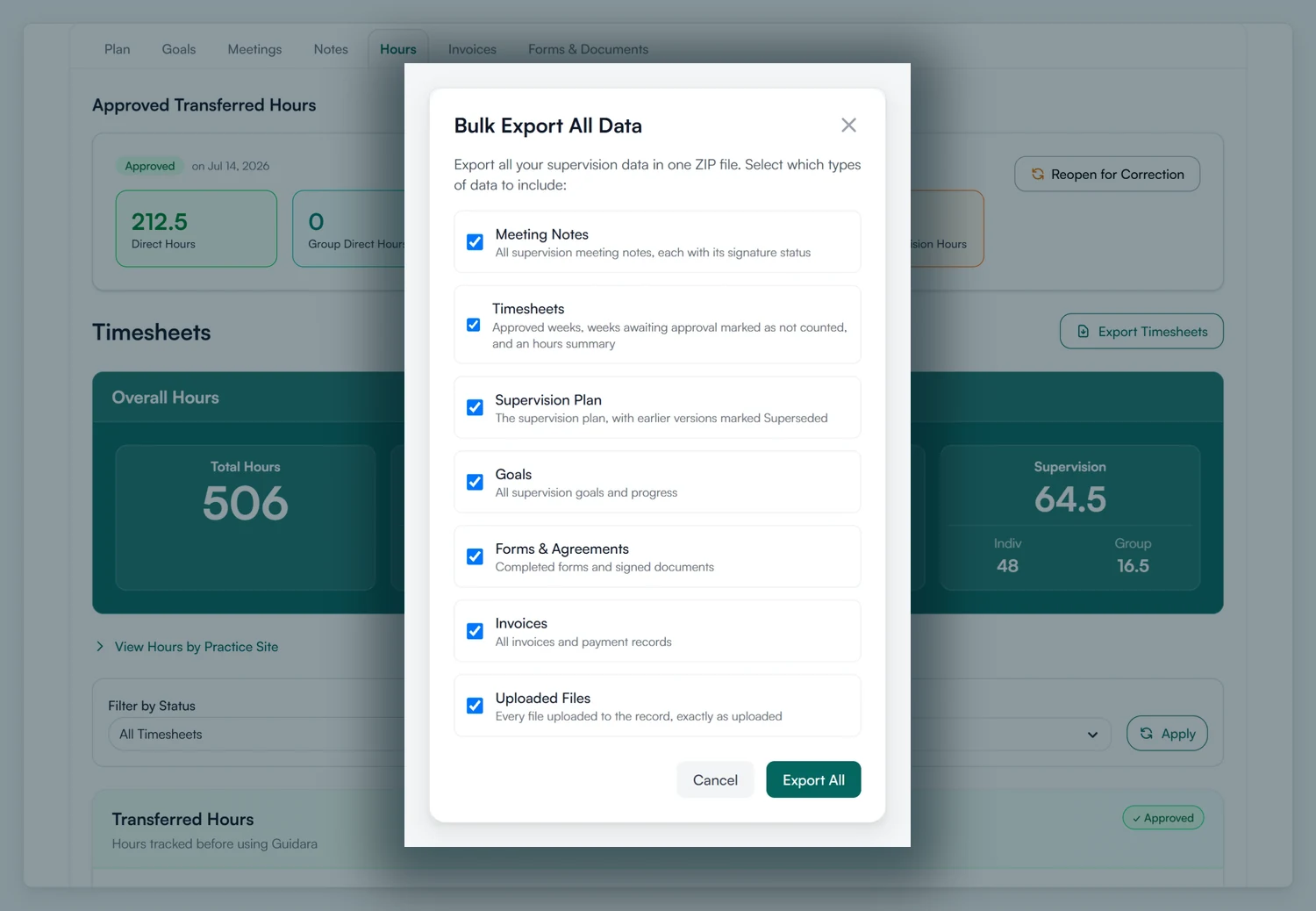
02 Download
A zip of PDFs, with a readme and the codes.
- One PDF per record
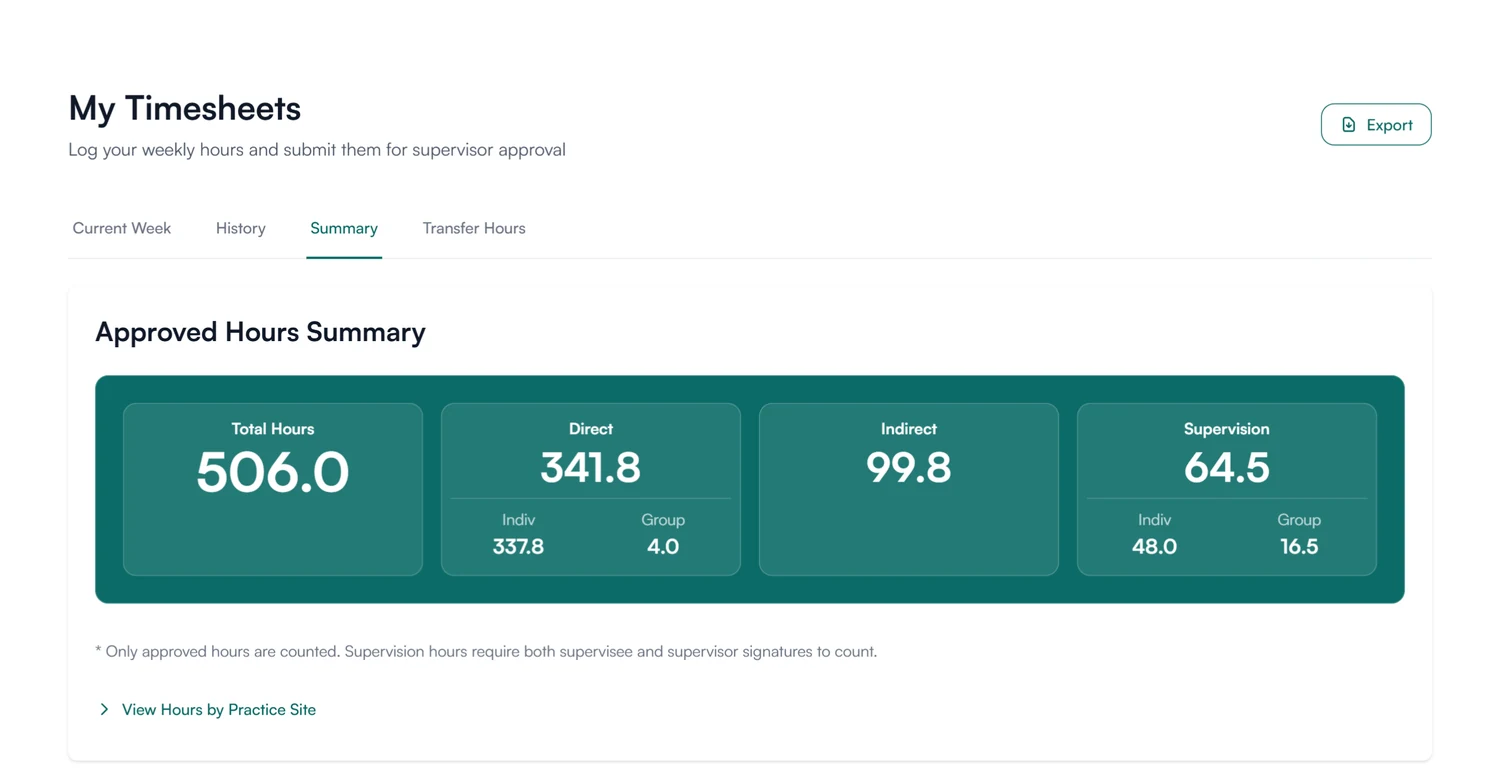
- An hours summary with the totals by category
- Available for about a week
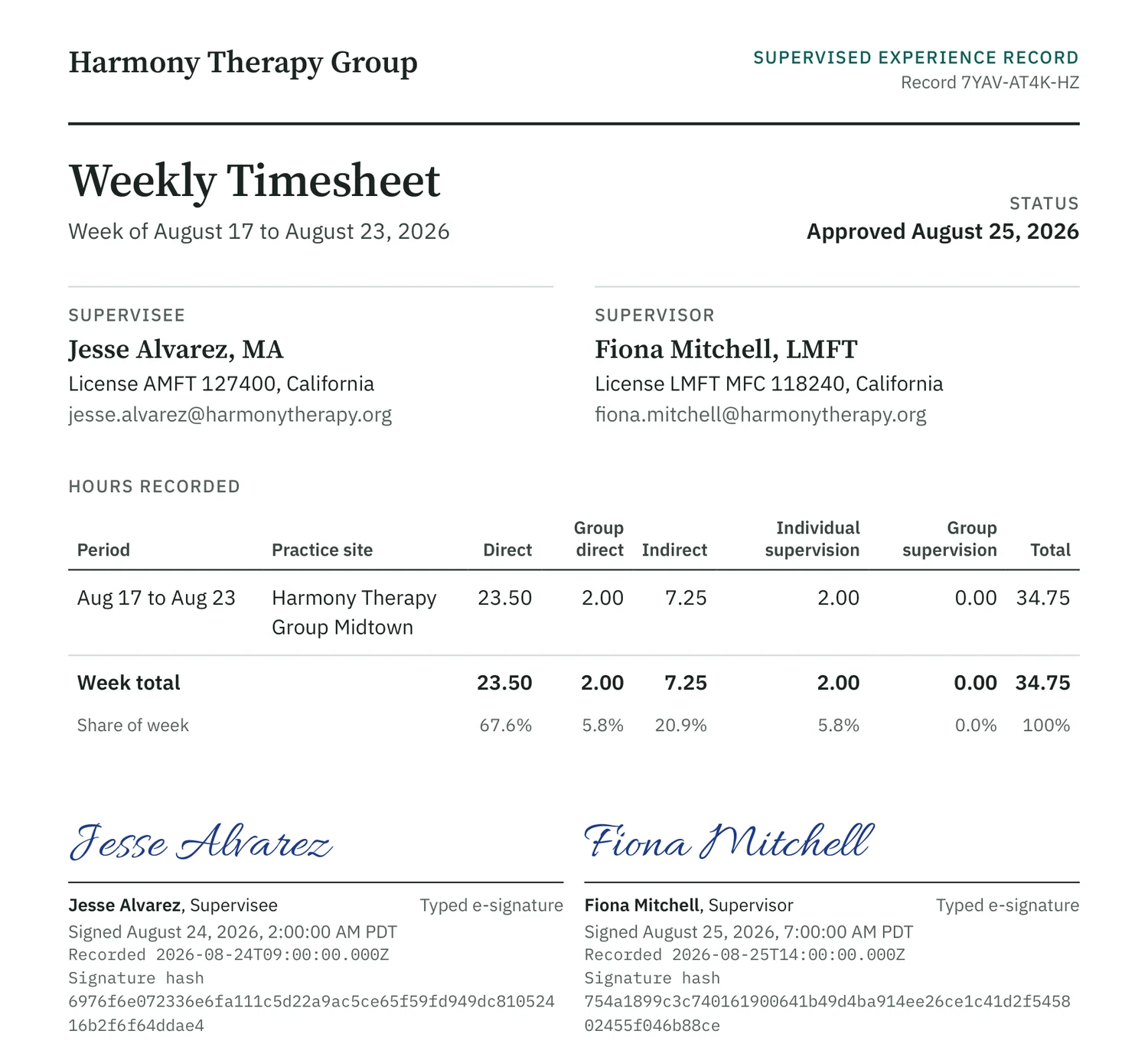
03 Verify
Whoever receives it can check it.
- A short code, link and QR code on every generated PDF
- The verification page shows the signatures and whether the record has changed
- Each week in a summary has a code of its own
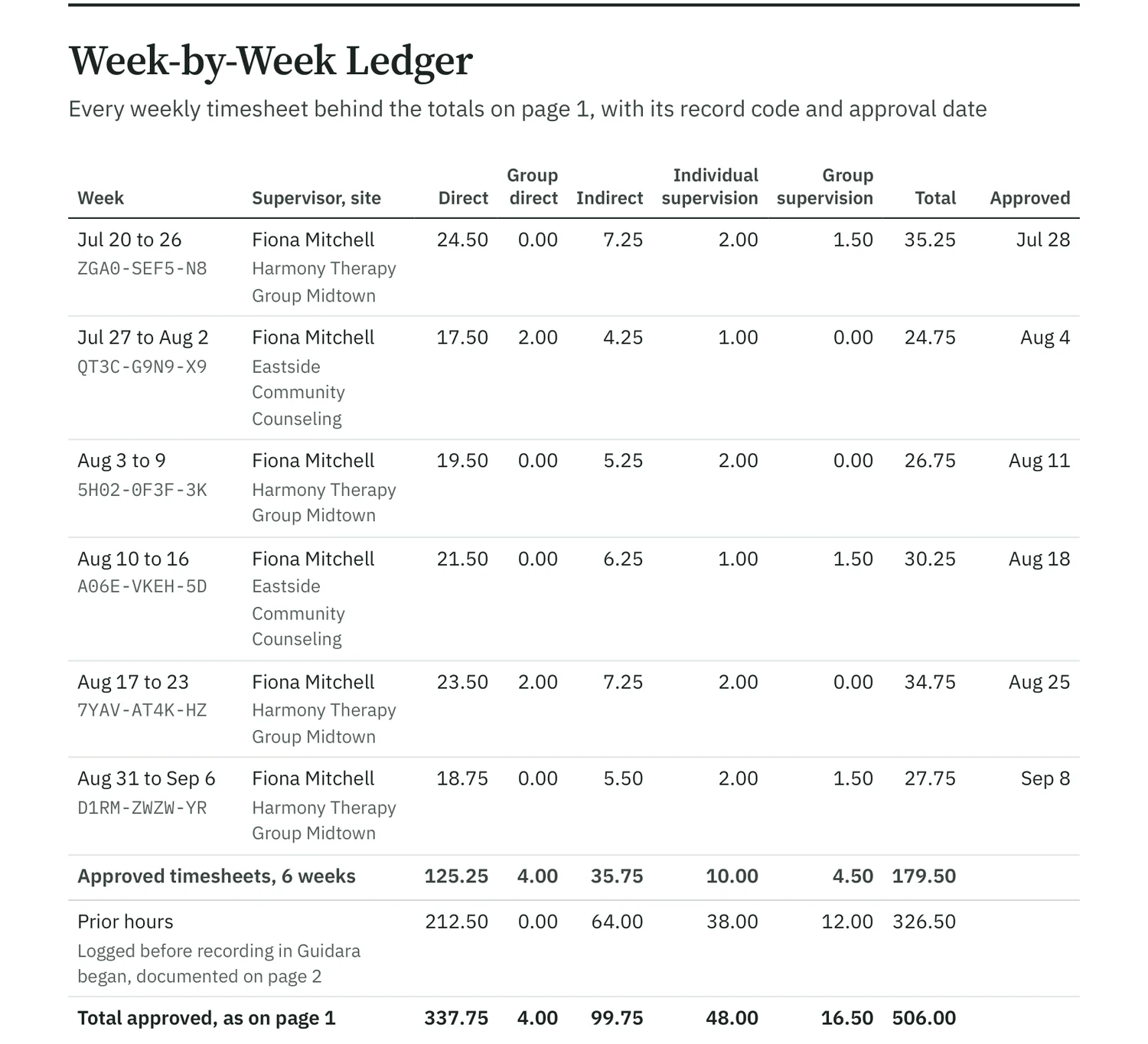
Export the record when someone asks for it.
Run one export for the sections you need. Each PDF in it can be verified.
30-day free trial. Always free for supervisees.
A closer look at exports
Sections, signatures, prior hours and how long an export is kept.
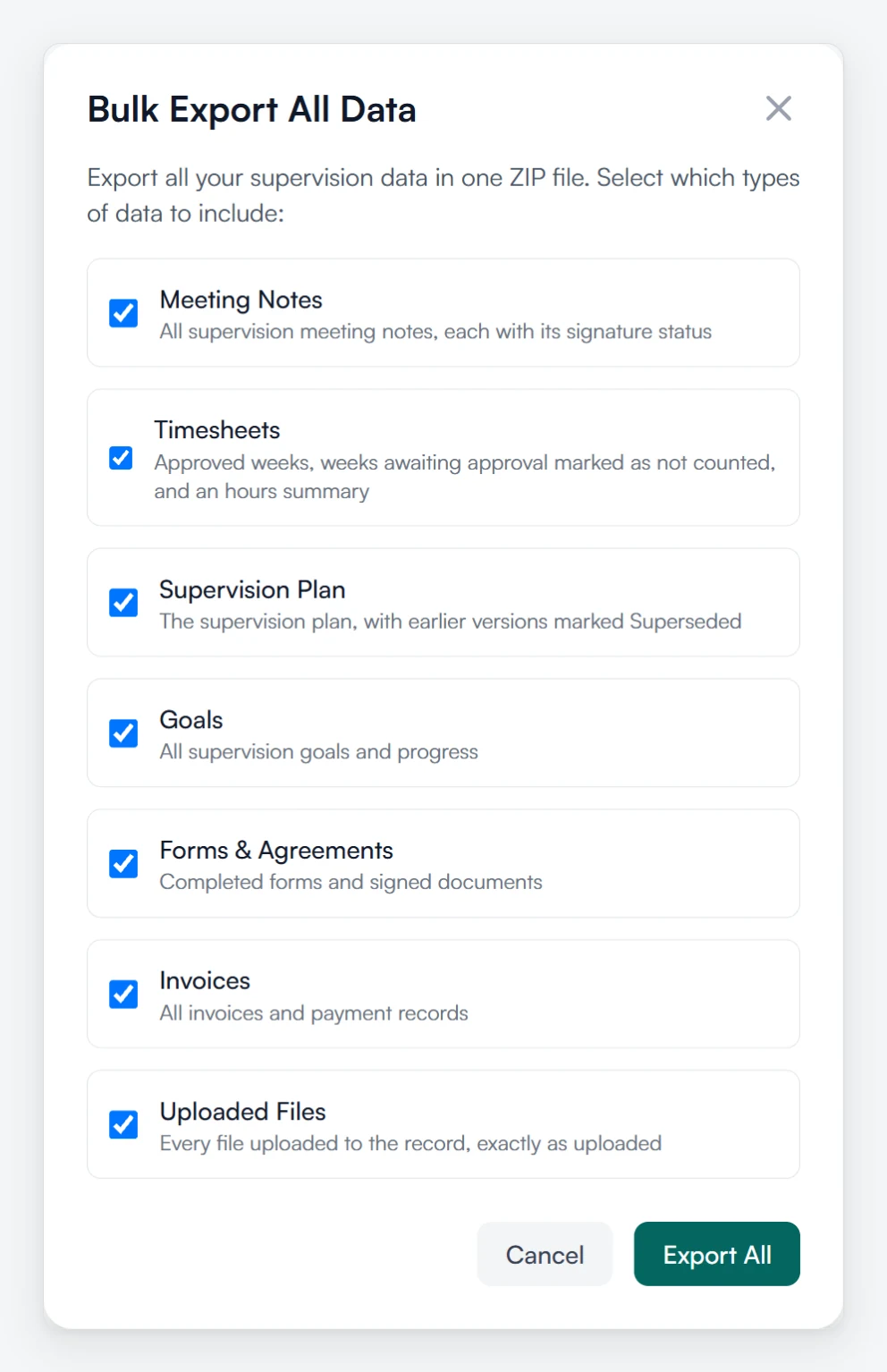
Pick the sections
Choose what goes in, one checkbox each.
Meeting notes, timesheets with the hours summary, the plan, goals, forms and agreements, invoices and uploaded files. Untick what the reader does not need.
Signatures
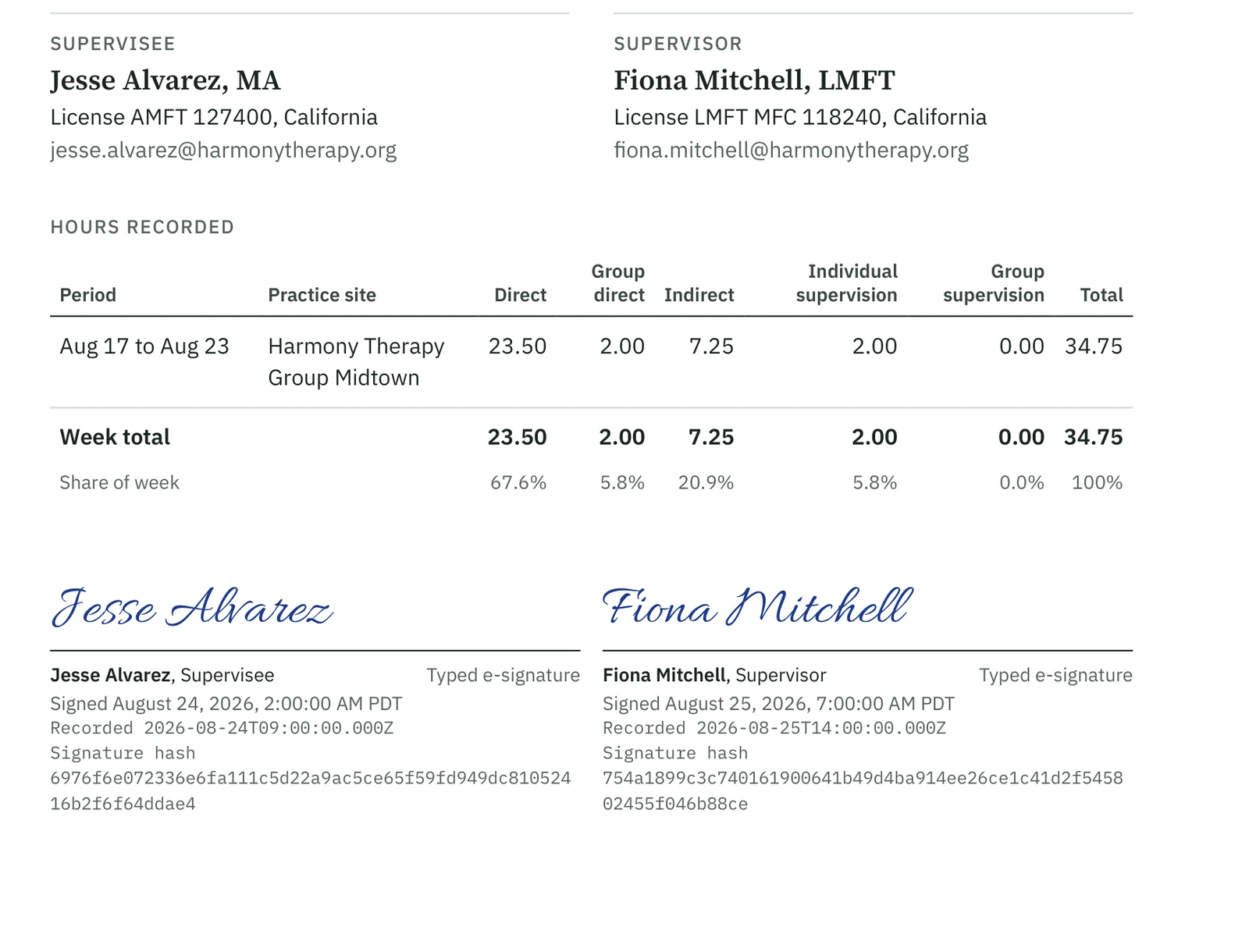
Signatures are printed on the page.
Signed timesheets and notes carry each signature printed on the page, with the time it was recorded.
Prior hours
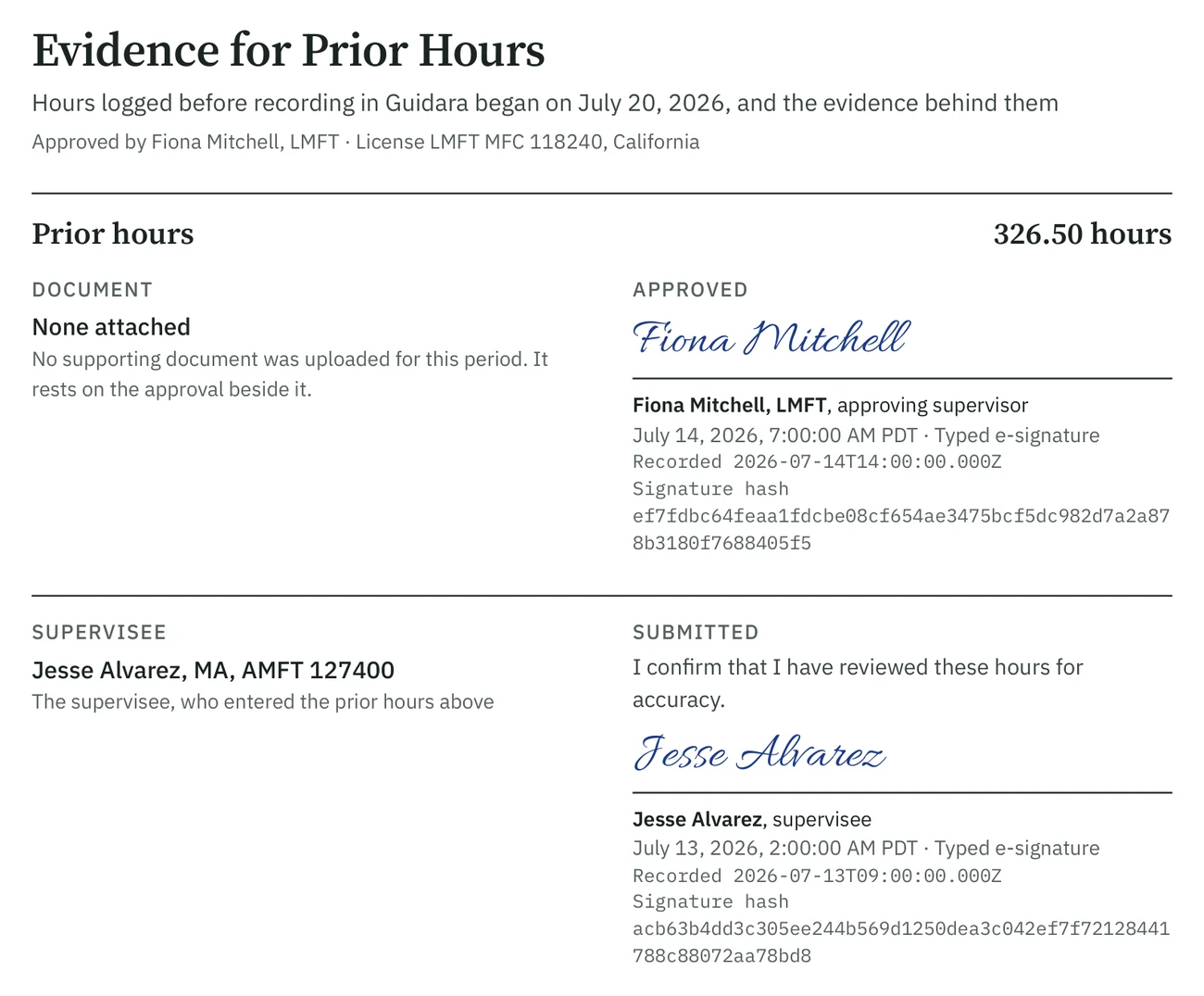
Prior hours come with their approval.
In a full hours summary, transferred hours get their own page: the total, the supervisor who approved them and when, and the supervisee's confirmation.
Seven days
Download it within the week.
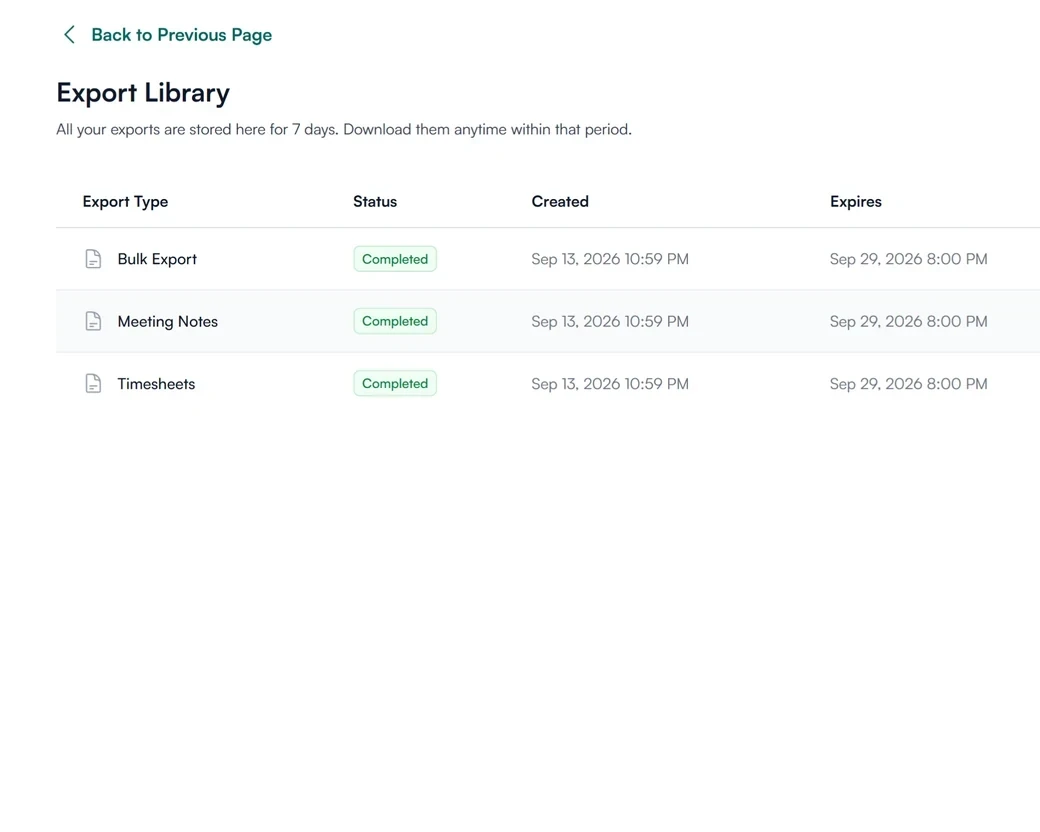
Finished exports sit in your library with the date they were made and the date they expire. After about a week the file is cleared, and you can run the export again.
What supervisees and supervisors export
Export your own record.
Export your own timesheets, hours summary and documents without waiting on anyone. When you apply for licensure or move to a new supervisor, the record is yours to hand over.
- Export from your timesheets and documents pages
- The same verification codes on every file
How exports are verified and protected
How Guidara protects your records- A code on every document
- Each generated PDF carries a verification code that can be checked on Guidara's site.
- Signatures included
- Signed timesheets and notes export with their signatures and the record of who signed when.
- No client health information
- An export is the supervision record. Guidara never stores your clients' records.
- Secure by default
- Encrypted in transit and at rest, on SOC 2 certified infrastructure. Export files are cleared after seven days.
Works with the rest of Guidara
All features- Hour trackingThe approved weeks and totals the summary is built from. Explore
- Transferred hoursEarlier hours, approved and counted in the summary. Explore
- Digital signaturesWho signed, when, and from which IP address. Explore
- Supervision notesMeeting notes, signed by whoever the note requires. Explore
Questions about exports
The record is ready before anyone asks for it.
Every approved week and signed note is already in it.
30-day free trial. Always free for supervisees.