Goals
Goals for each supervisee, and the progress made on them.
Give each goal a category, a priority, a due date and objectives to complete. Progress notes from you and your supervisee, and the meetings where it came up, stay attached to it.
- 30-day free trial
- Always free for supervisees
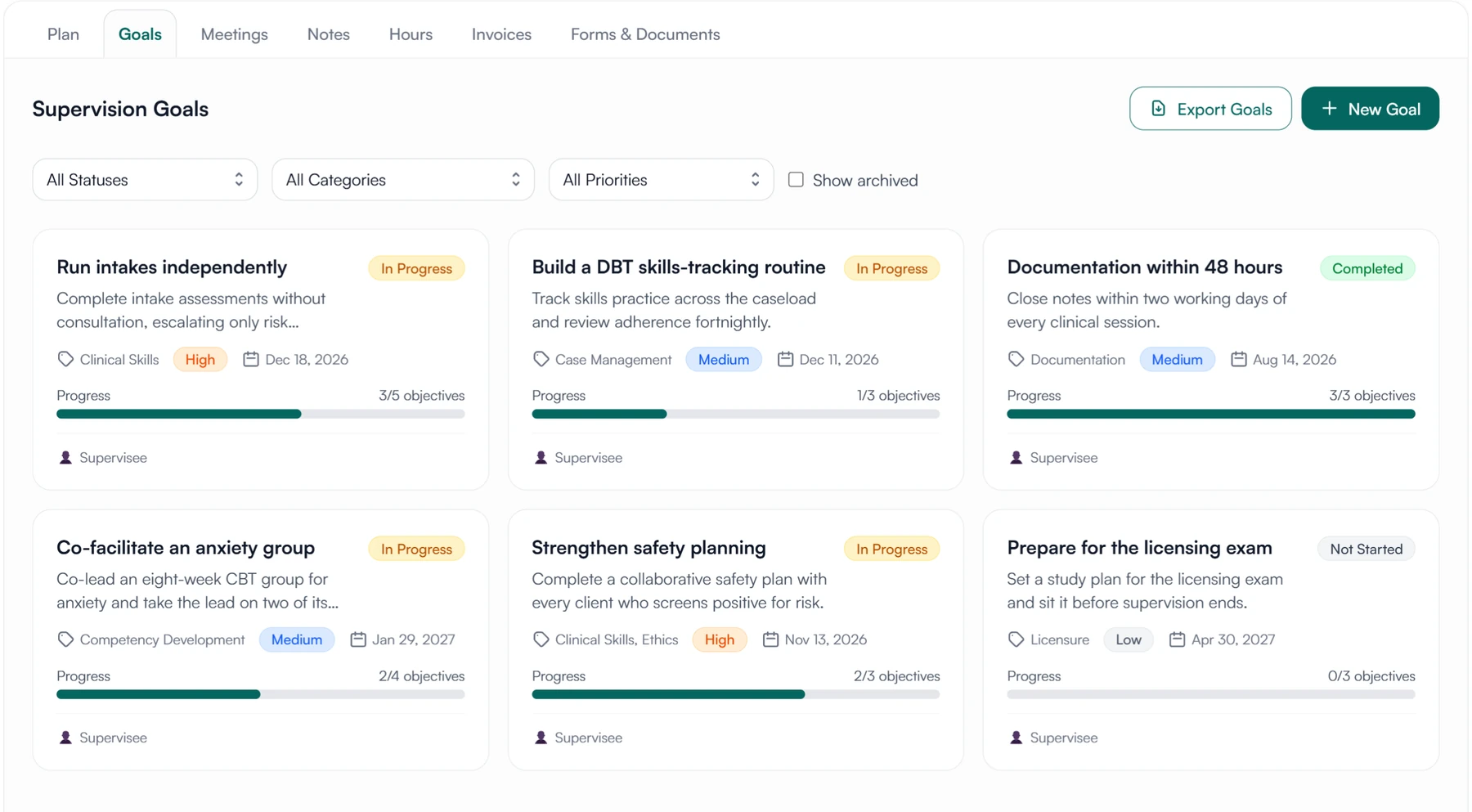
What a goal can hold
- Category
- Priority
- Due date
- Objectives
- Progress notes
- Activity log
- Linked meeting notes
Setting a goal and working toward it
Progress moves as objectives are completed. You and your supervisee each write down how it went.
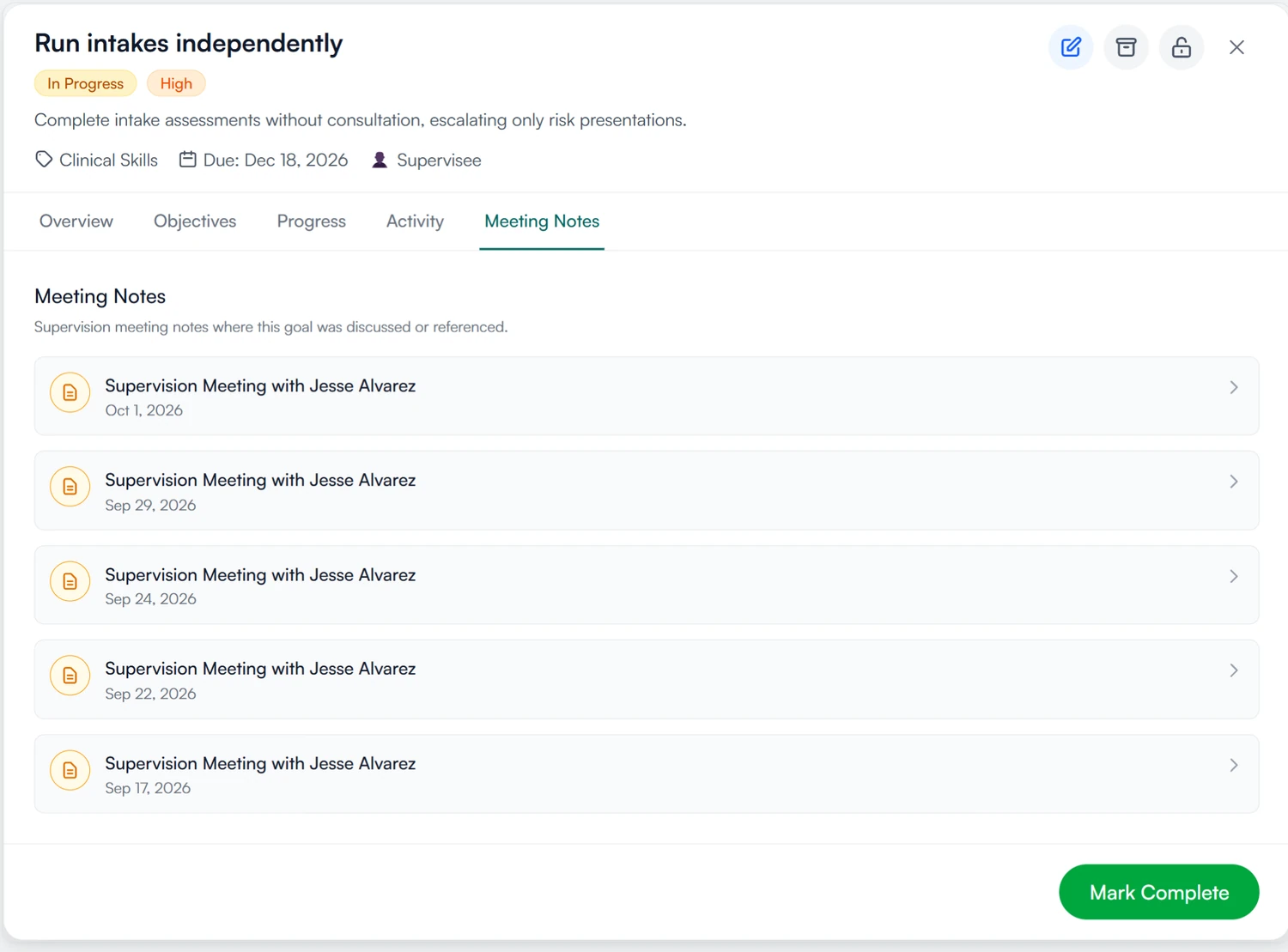
01 Set
Break a goal into objectives you can tick off.
- One or more of nine categories
- A priority and an optional due date
- Objectives with their own target dates
- Progress is the share of objectives completed
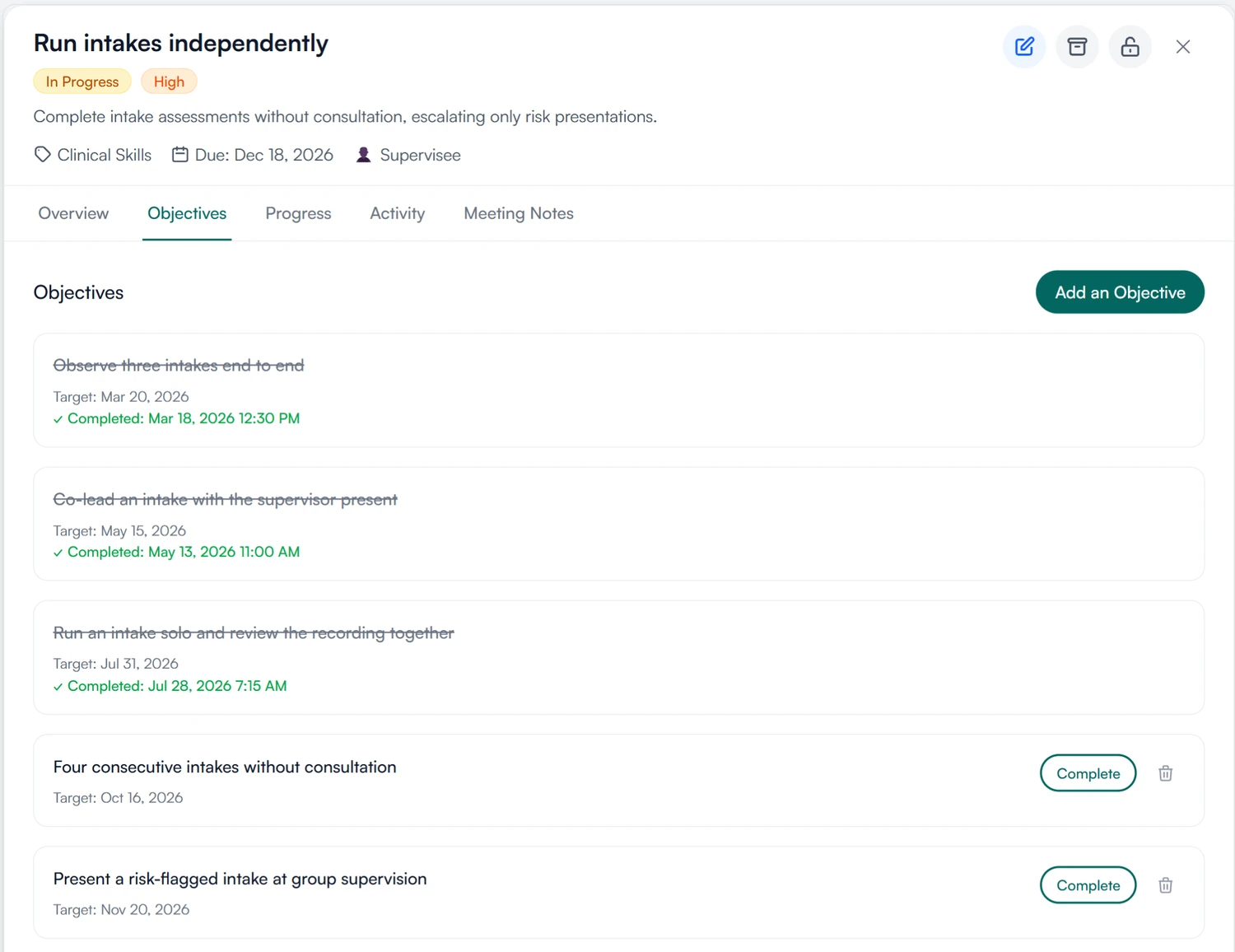
02 Progress
Progress notes from supervisee and supervisor.
- Supervisee and supervisor both add notes
- Supervisor notes are marked as such
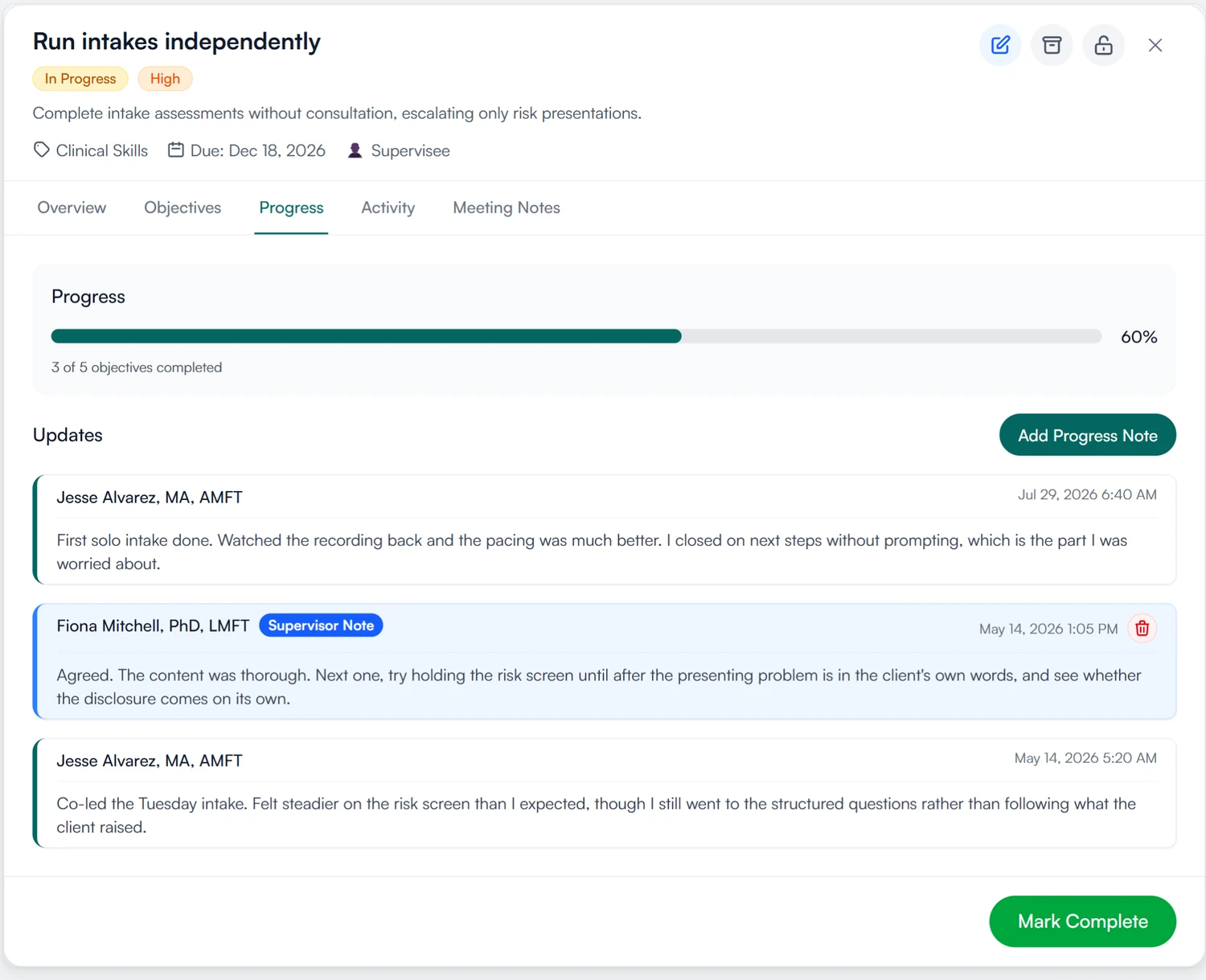
03 Meetings
See every meeting where the goal came up.
- Linked from the supervision note, listed on the goal
- An activity log of every change to the goal
- Mark it complete when the evidence is there
Write down each supervisee's goals.
Set goals for each supervisee, break them into objectives, and mark each one complete when it is met.
30-day free trial. Always free for supervisees.
A closer look at goals
The goal card, objectives, and the notes supervisors add.
The goal card
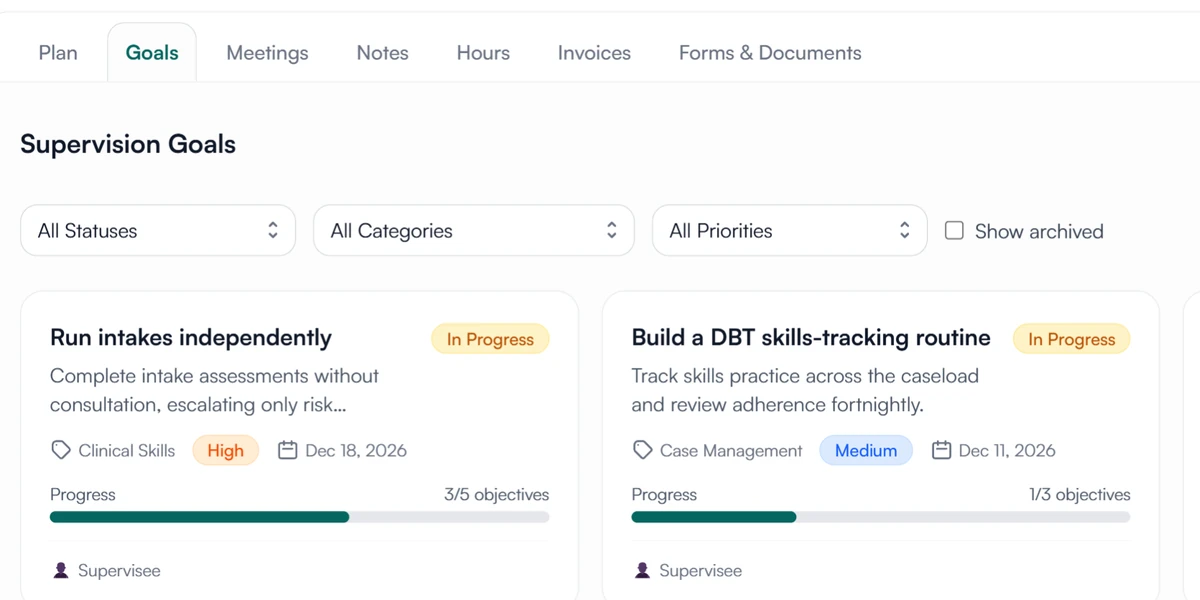
What a goal card shows.
Status, category, priority, due date and progress as objectives completed. A supervisee's goals sit side by side, and the list filters by any of them.
Objectives
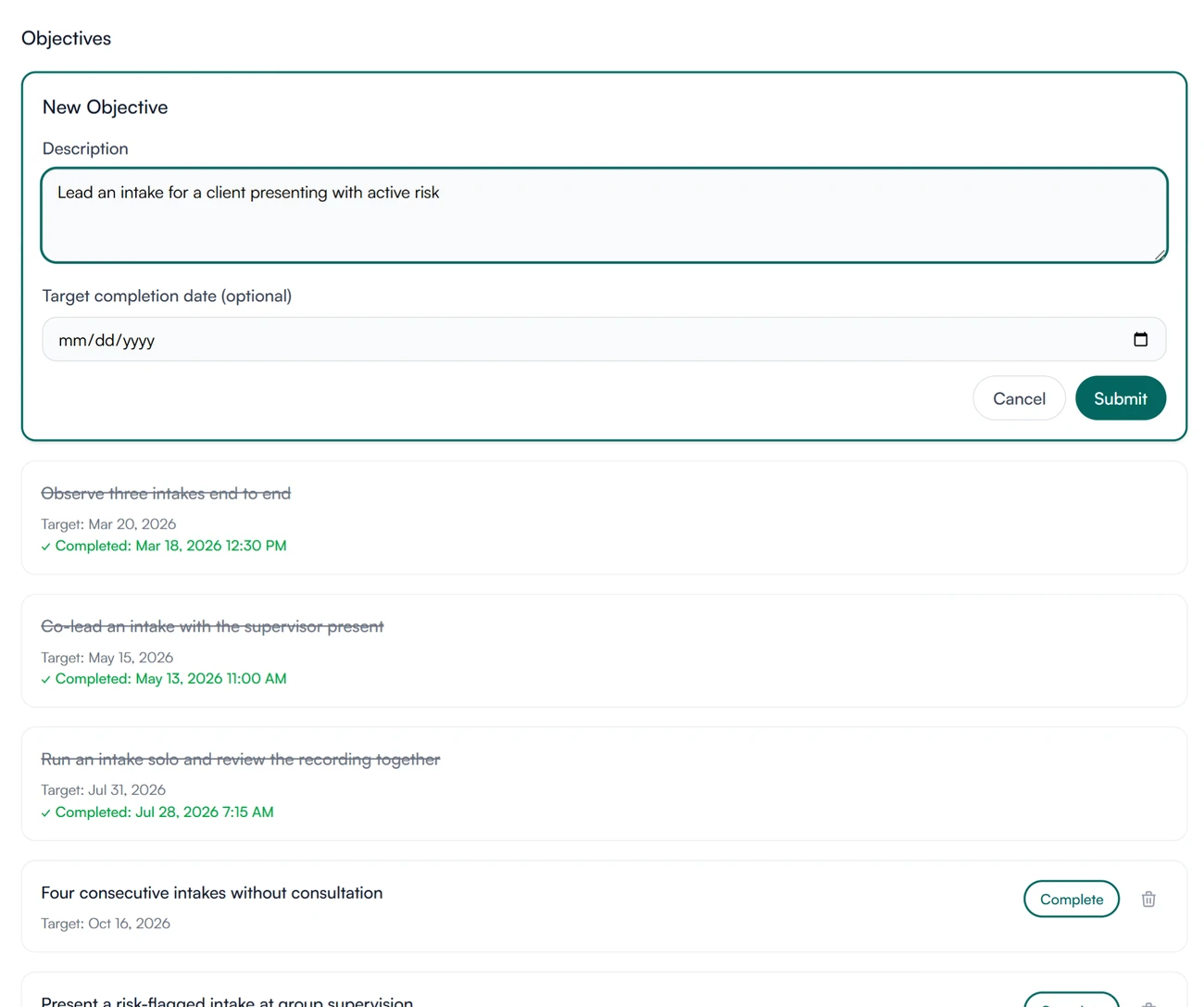
Add an objective in a line.
A description and an optional target date. Completed objectives are struck through with the date they were done, and open ones have a Complete button.
Supervisor notes
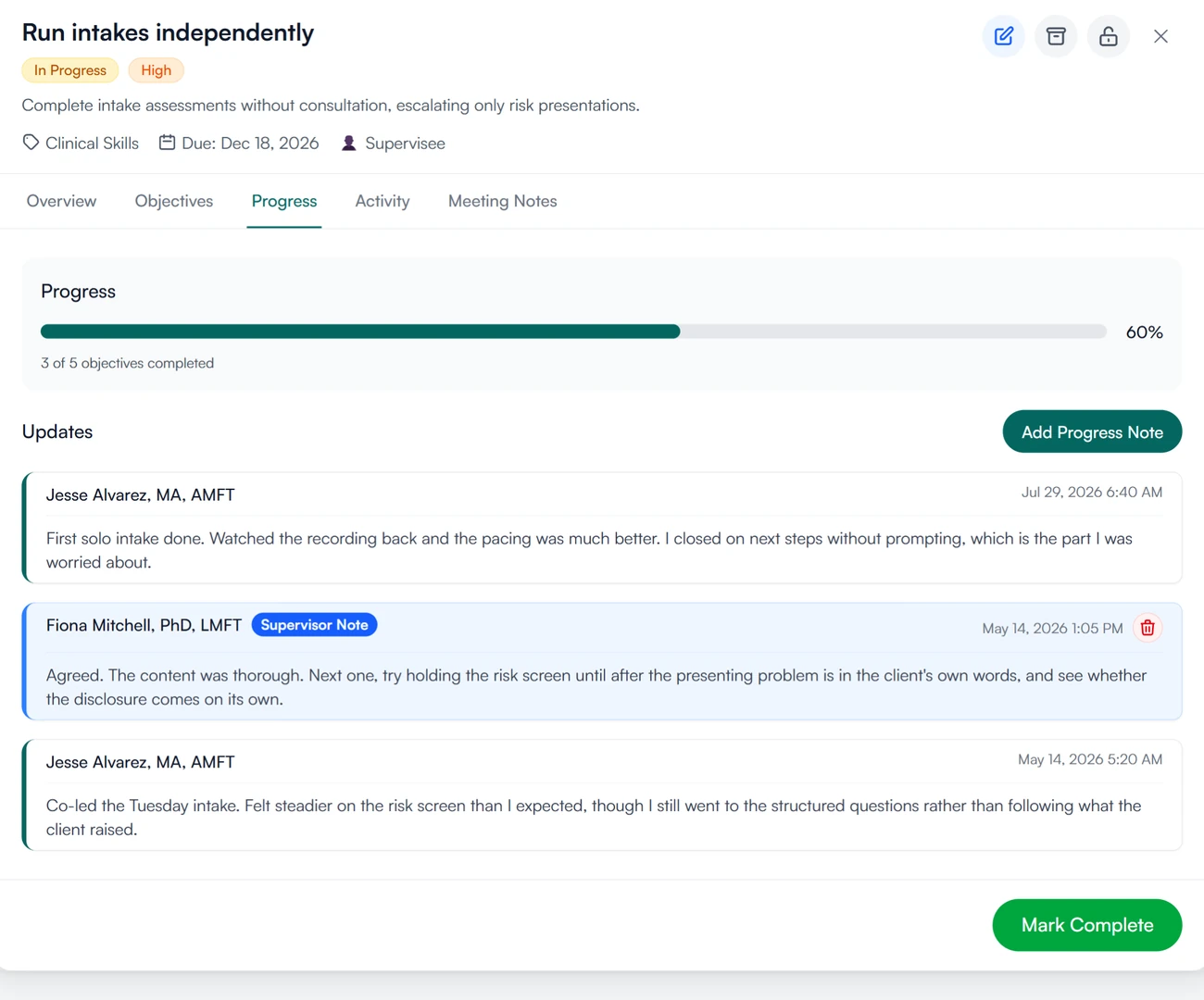
Your progress notes are labeled as the supervisor's.
Progress notes from the supervisor carry a Supervisor Note badge, so anyone reading the record later knows who saw what.
Goals for supervisees and supervisors
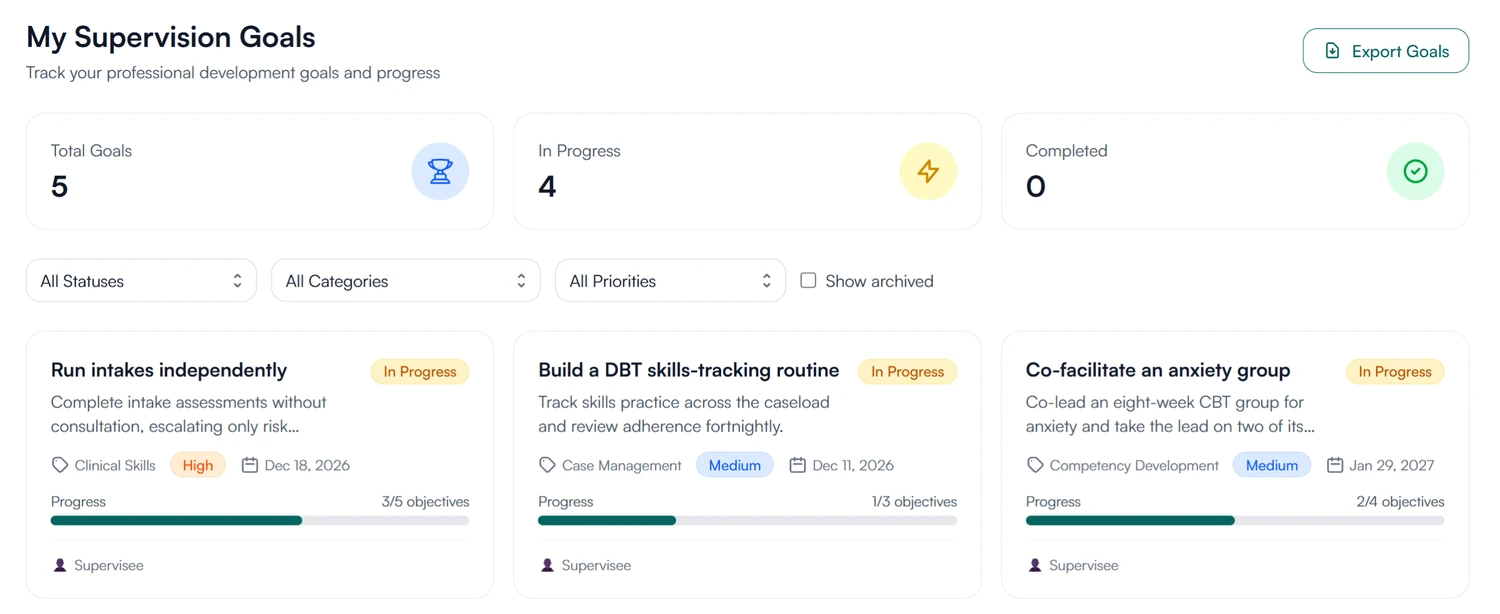
Know what you are working toward.
Your goals, their objectives and their due dates. Add a progress note when you have done something worth recording, and see objectives marked off as your supervisor completes them.
- Your goals with their objectives and due dates
- Add your own progress notes
How goals are stored and protected
How Guidara protects your records- A dated record
- Every objective, progress note and change to a goal is dated and attributed in its activity log.
- Verifiable exports
- Exported supervision records carry a verification code that can be checked on Guidara's site.
- No client health information
- Goals are about the supervisee's development. Guidara never stores your clients' records.
- Secure by default
- Encrypted in transit and at rest, on SOC 2 certified infrastructure.
Works with the rest of Guidara
All features- Supervision notesAttach the goals you discussed to the note on the meeting. Explore
- Supervision plansThe objectives and competency areas the goals serve. Explore
- DashboardsWhat needs attention today, for you and for each supervisee. Explore
- ExportsHand over a complete, verifiable record of supervision. Explore
Questions about goals
Agree on the first goal this week.
Add it with your supervisee, then check on it at each supervision meeting.
30-day free trial. Always free for supervisees.