Scheduling
Schedule supervision and sync it to your calendar.
Schedule one-on-one and group supervision in Guidara and it goes onto your Google or Outlook calendar with the video link attached. Supervisees get a calendar invite by email.
- 30-day free trial
- Always free for supervisees
Syncs with
- Google Calendar
- Microsoft Outlook
- Google Meet
- Microsoft Teams
- Zoom
From your calendar to a documented meeting
Connect Google Calendar or Outlook, then book and record supervision meetings in Guidara.
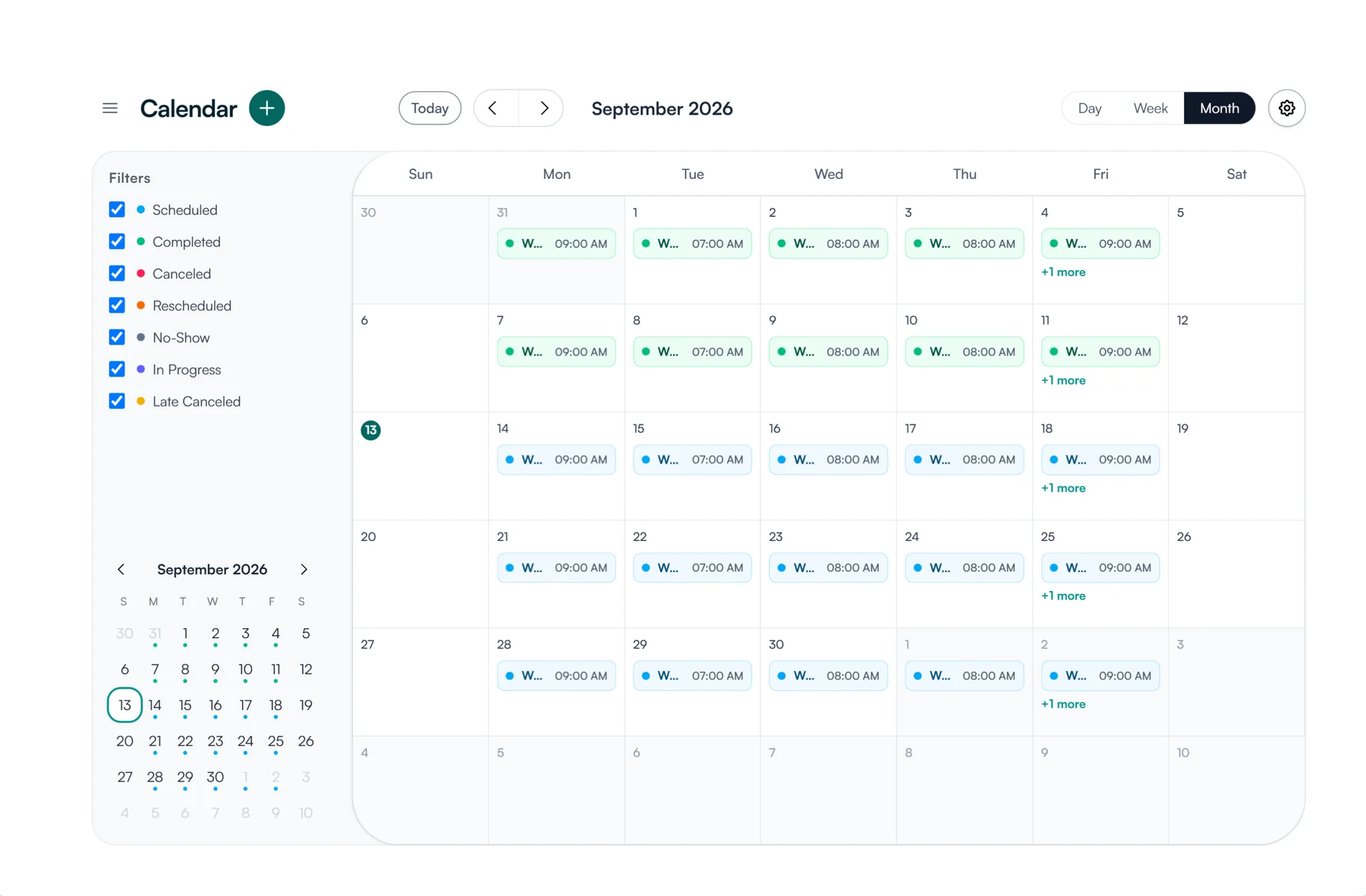
01 Sync
Connect the calendars and video tools you already use.
- Google Calendar or Microsoft Outlook
- Video links from Google Meet, Microsoft Teams or Zoom
- Busy times on your calendar blocked when you book
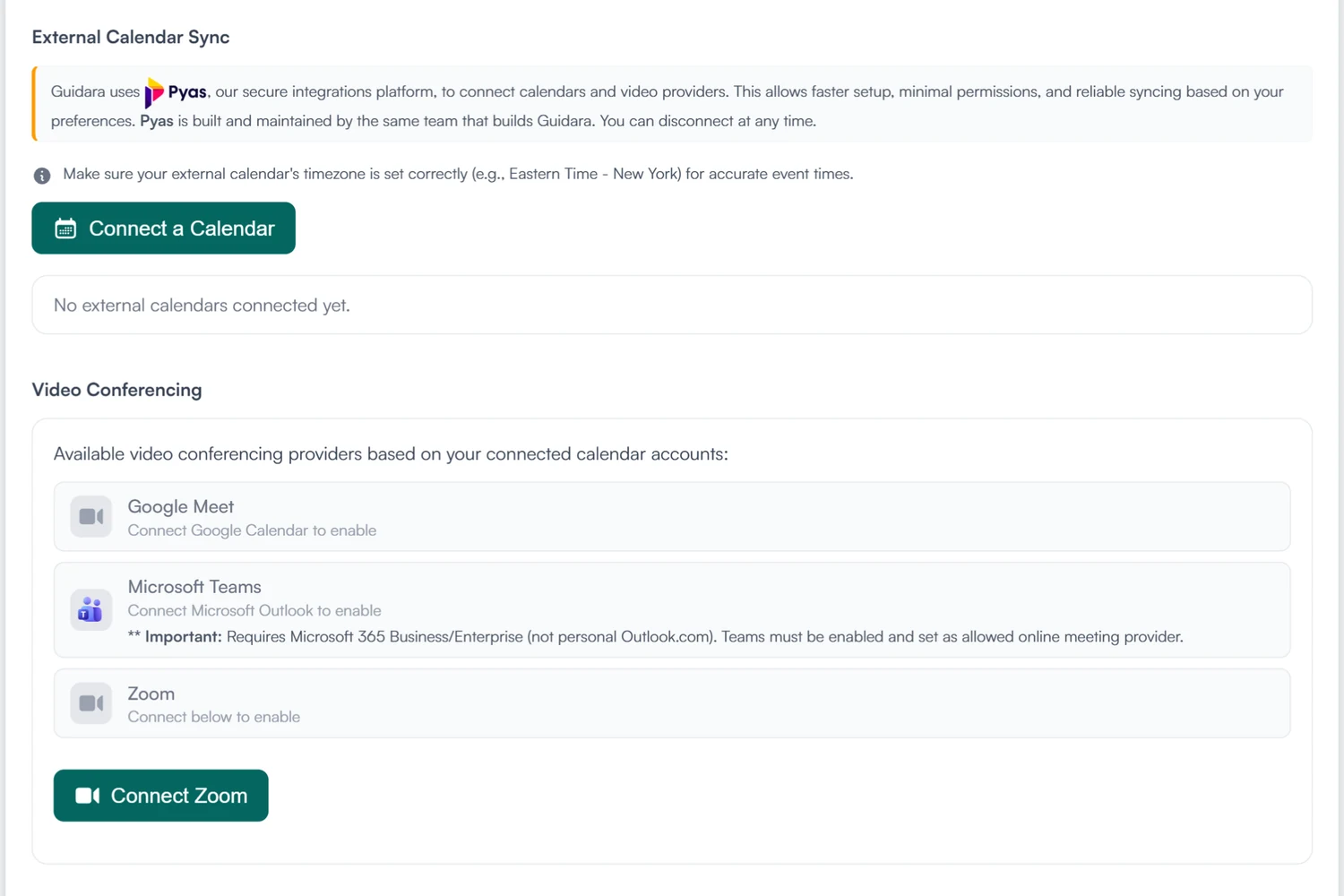
02 Schedule
Book the meeting inside the hours you keep.
- One-on-one or group, once or on a repeating schedule
- Each meeting carries the supervisee, the length and its status
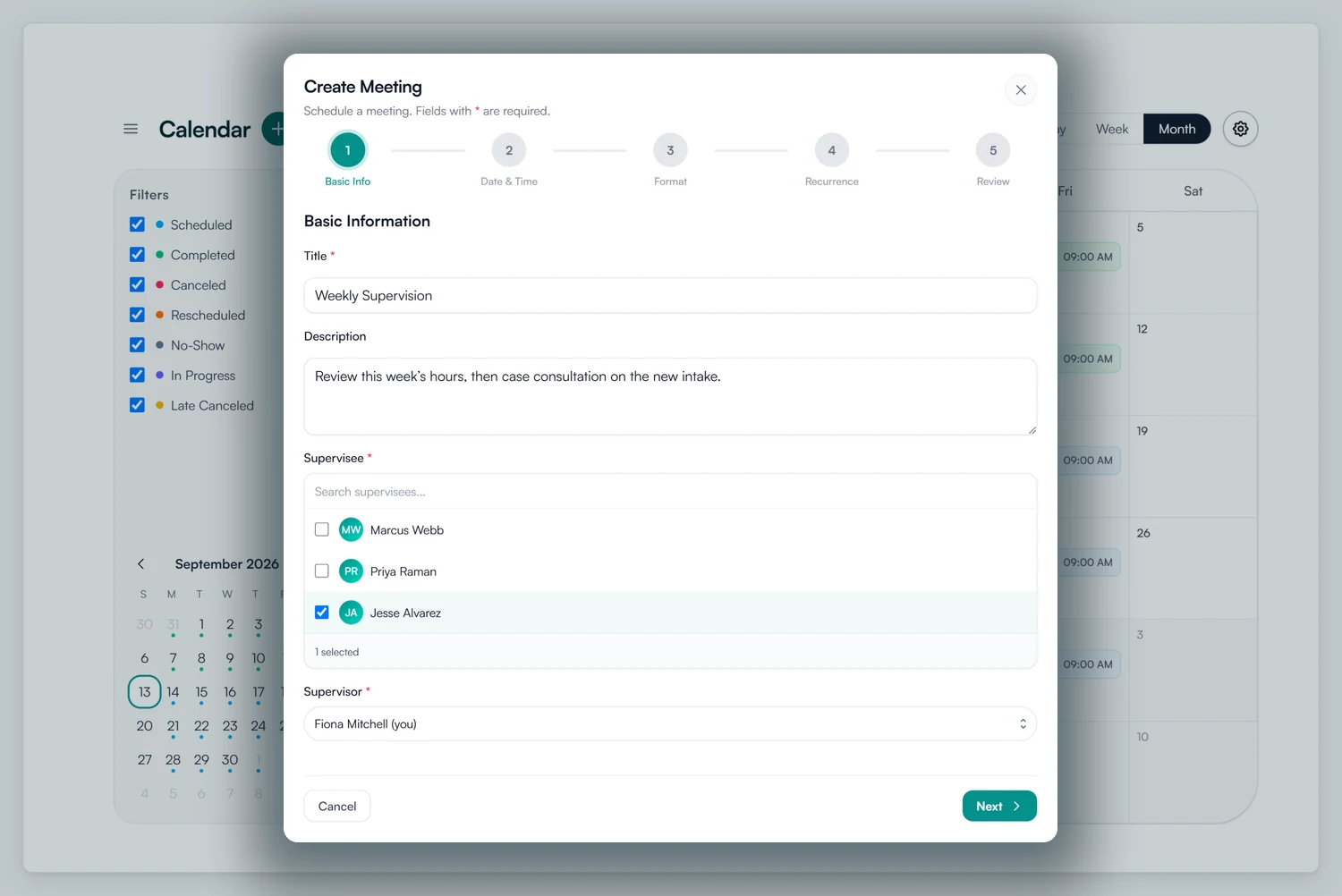
03 Record
Each meeting has a status, notes and an invoice.
- Scheduled, completed, rescheduled, canceled, late canceled or no-show
- Private prep notes before, supervision notes after
- Invoiced from its own screen once Stripe or Square is connected
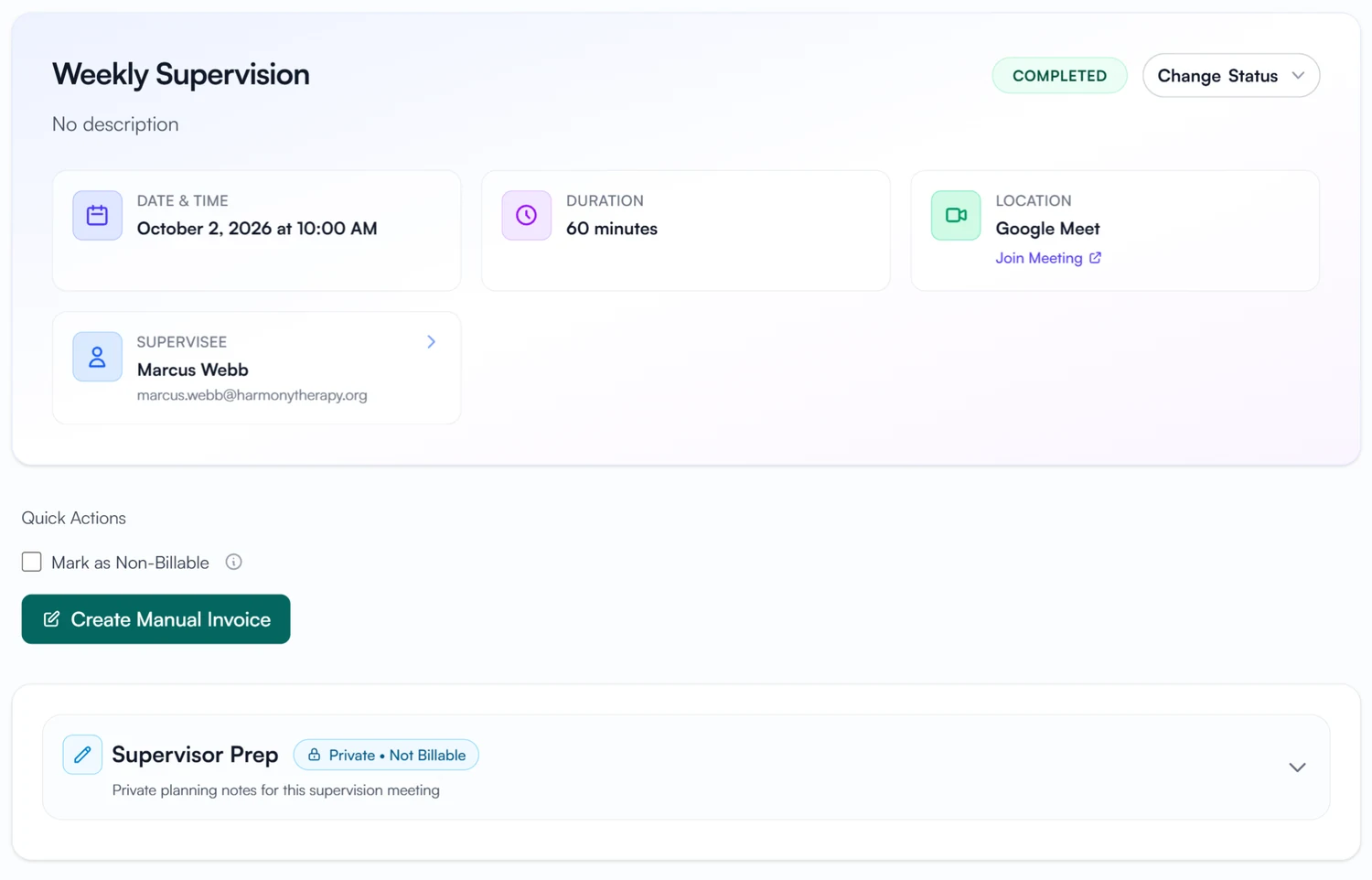
Stop copying meeting times between calendars.
Your calendar updates on its own, and supervisees get a calendar invite by email when a meeting is booked, moved or canceled.
30-day free trial. Always free for supervisees.
A closer look at scheduling
Working hours, video links and meeting statuses.
Working hours
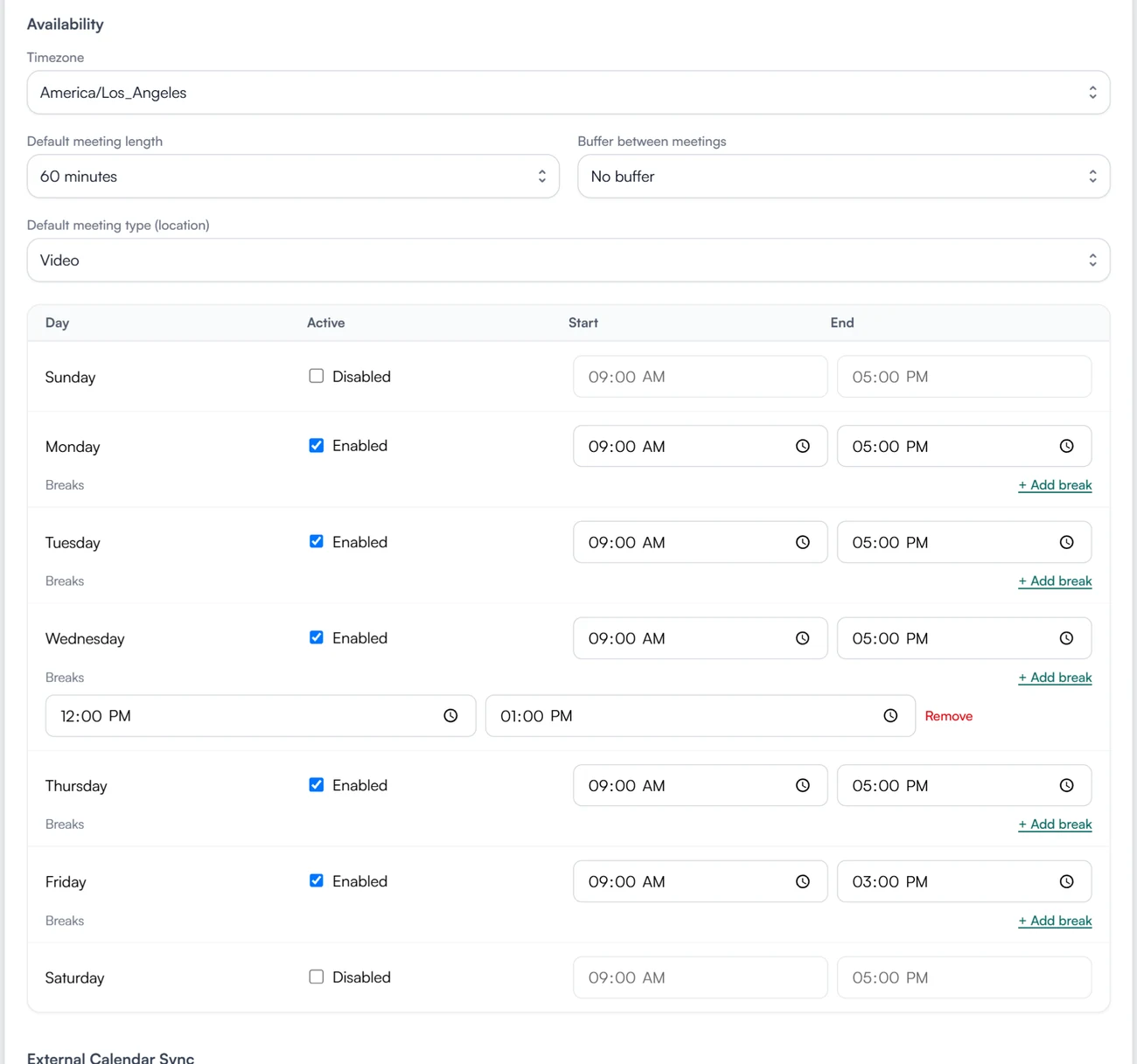
Set your working hours.
Set your hours day by day, add breaks, and choose a default meeting length and a buffer between meetings. Guidara books inside those limits.
Video
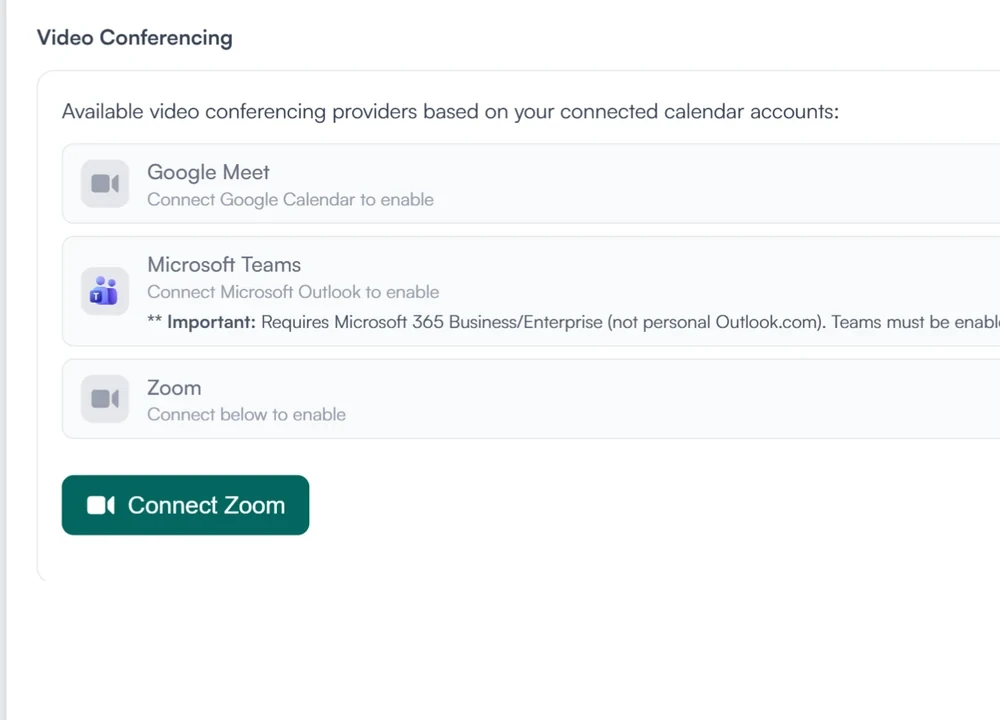
The meeting link comes from your provider.
Google Meet, Microsoft Teams or Zoom, depending on what you connect. The link is created with the meeting and added to the calendar event.
Status
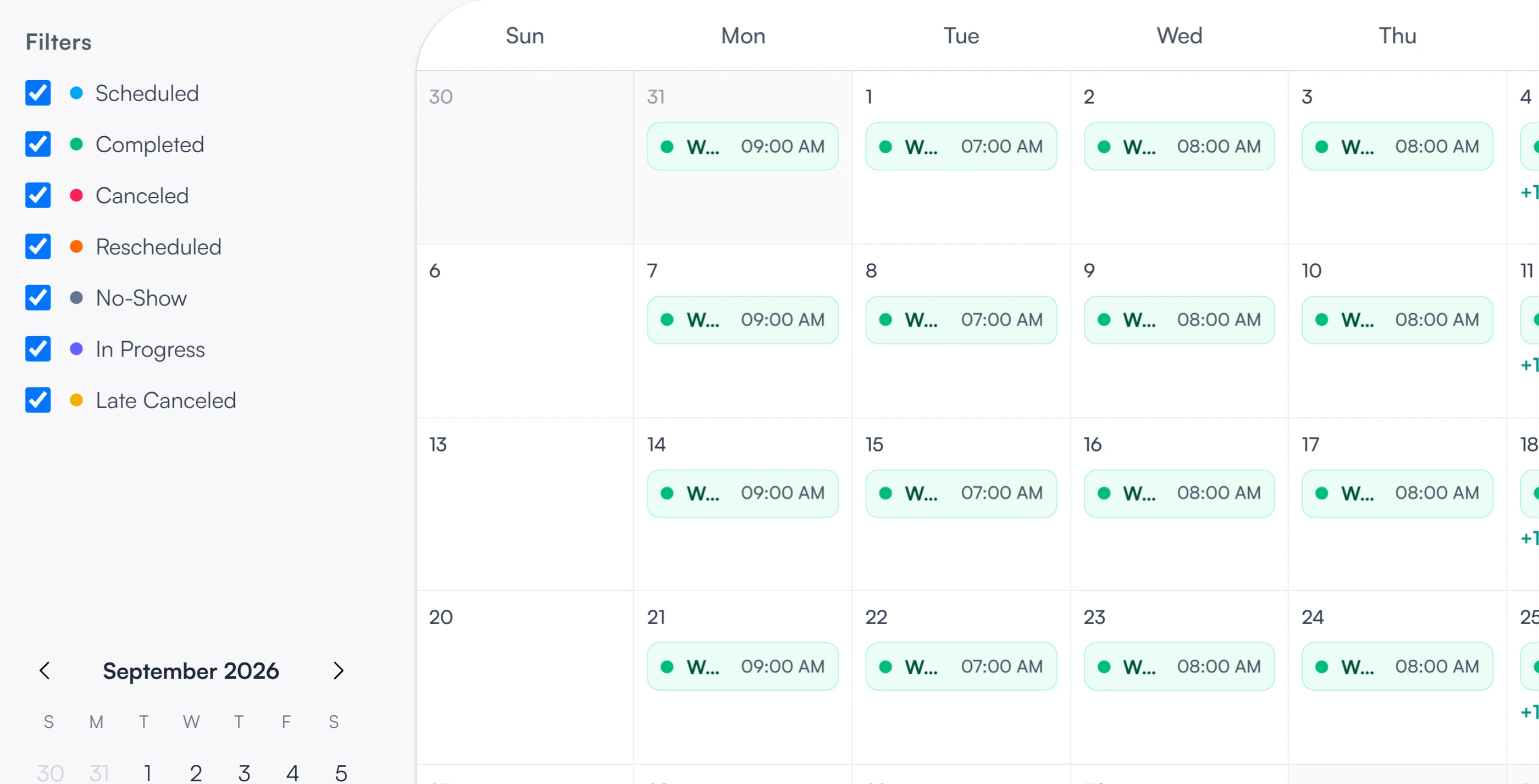
Mark what happened to each meeting.
Scheduled, in progress, completed, rescheduled, canceled, late canceled or no-show. Each status has its own color on the calendar, and you can filter down to any of them.
What supervisees and supervisors see
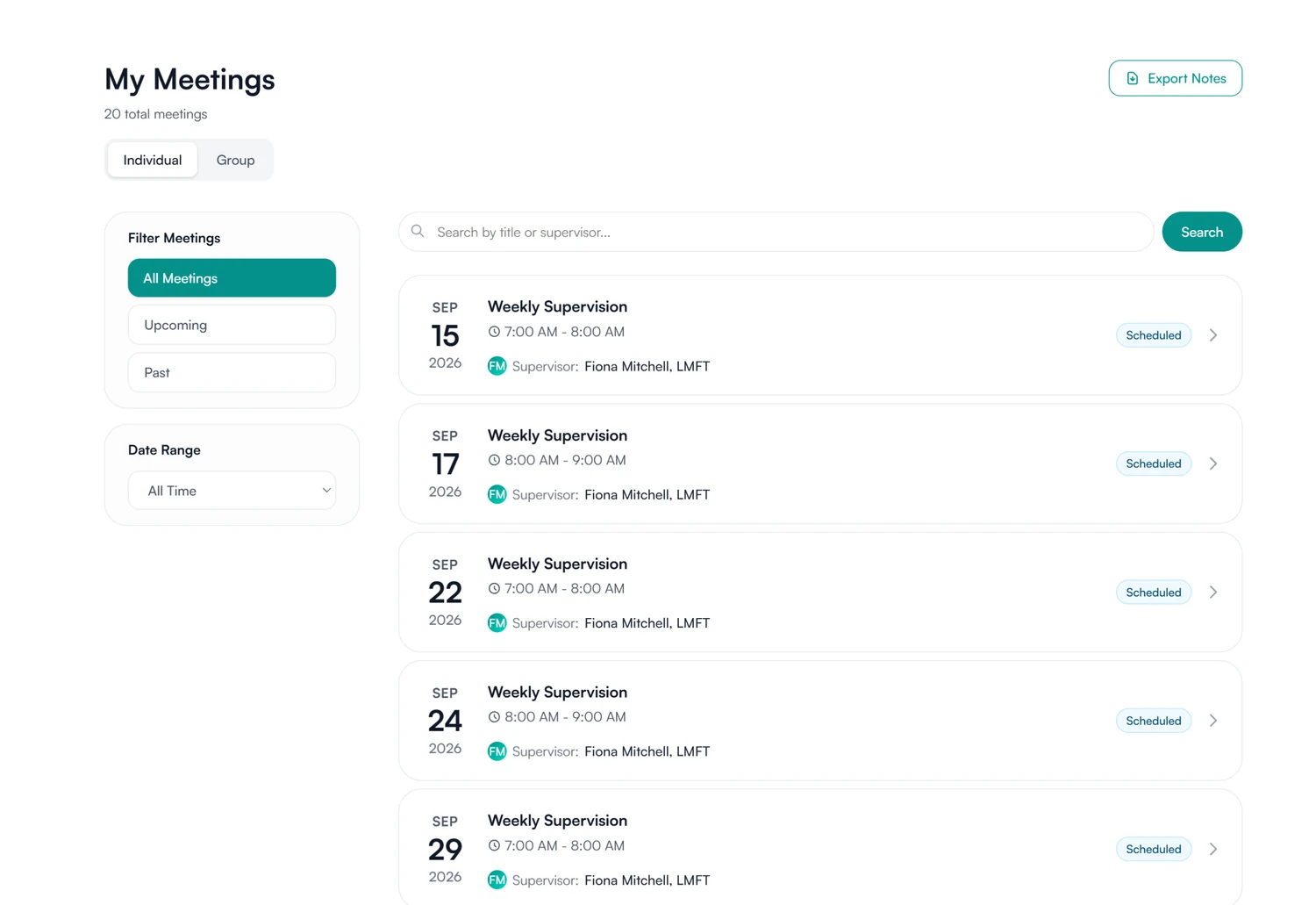
Your meetings, with the video link inside each one.
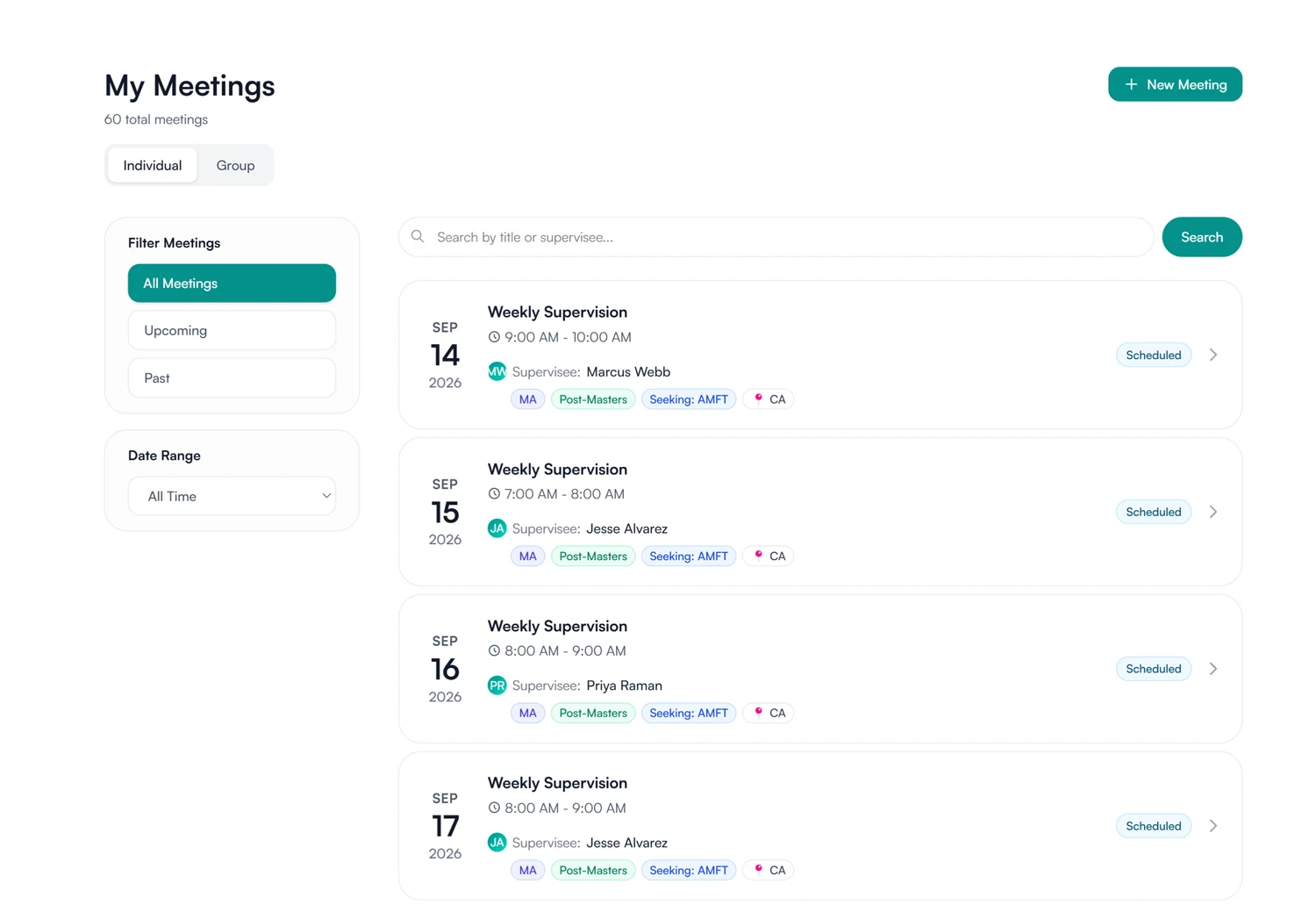
See what is coming up and what has passed, join from the video link inside the meeting, and open any past meeting for its notes. Your next meetings are on your dashboard too.
- Upcoming and past meetings, individual and group
- The video link on every meeting
How meeting records are stored and protected
How Guidara protects your records- Meeting records
- Every meeting keeps its date, status and notes, with signatures where the note requires them.
- Verifiable exports
- Exported supervision records carry a verification code that can be checked on Guidara's site.
- No client health information
- Guidara holds supervision records only. It never stores your clients' records.
- Secure by default
- Encrypted in transit and at rest, on SOC 2 certified infrastructure. Calendar connections ask for the minimum permissions and can be disconnected at any time.
Works with the rest of Guidara
All features- Supervision notesStructured notes on every meeting, signed by you and your supervisee. Explore
- Hour trackingWeekly timesheets, signed approvals and a running total. Explore
- BillingInvoice completed meetings through your own Stripe or Square. Explore
- DashboardsWhat needs your attention today, across every supervisee. Explore
Questions about scheduling
Book your next supervision meeting in Guidara.
Connect Google Calendar or Outlook, and each meeting goes onto it as you book it.
30-day free trial. Always free for supervisees.