Supervision notes
Supervision notes, written on each meeting.
Structured notes on every supervision meeting, signed by the supervisor, the supervisee, both or neither as you choose, and kept with the supervisee's record.
- 30-day free trial
- Always free for supervisees
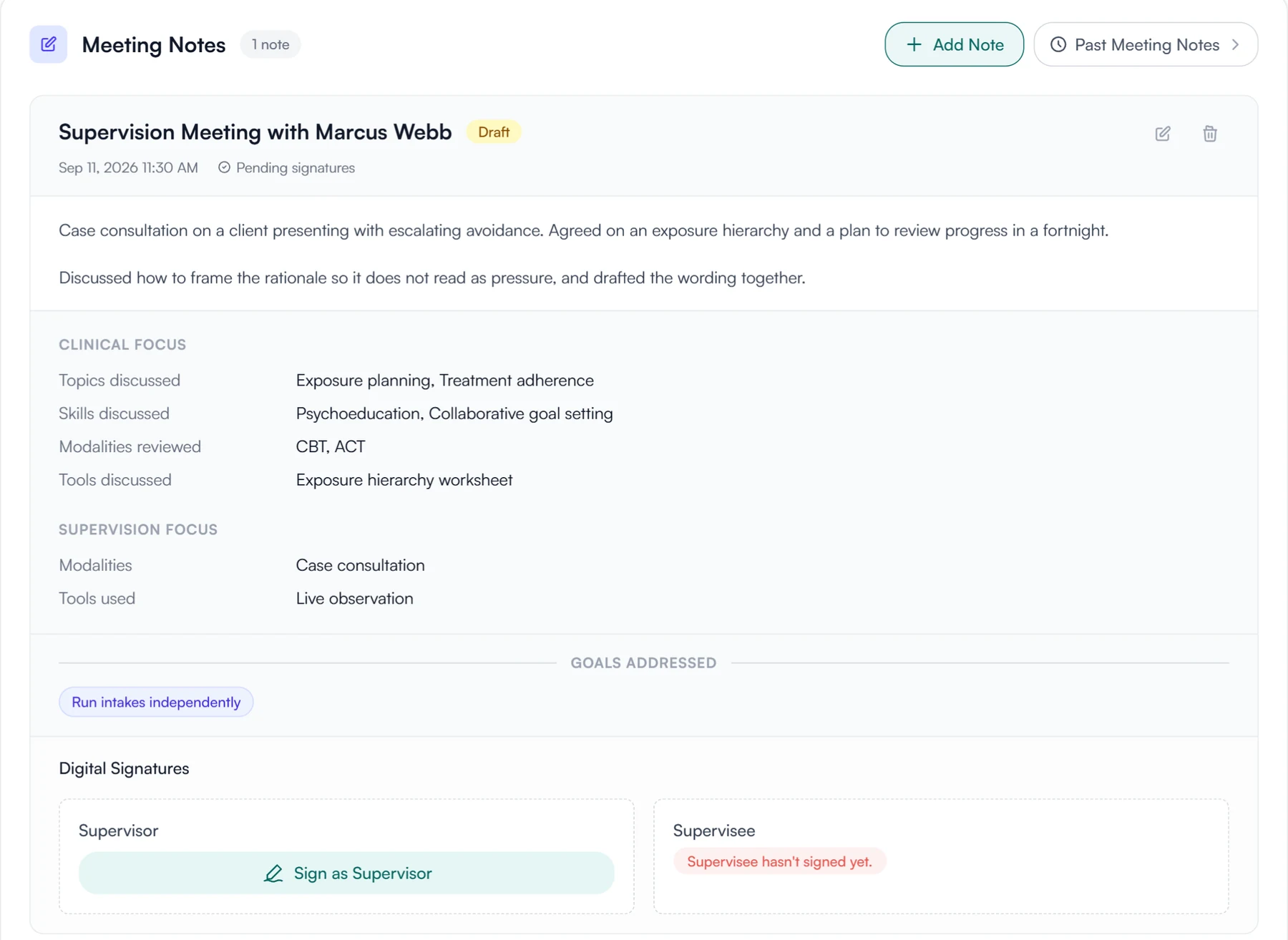
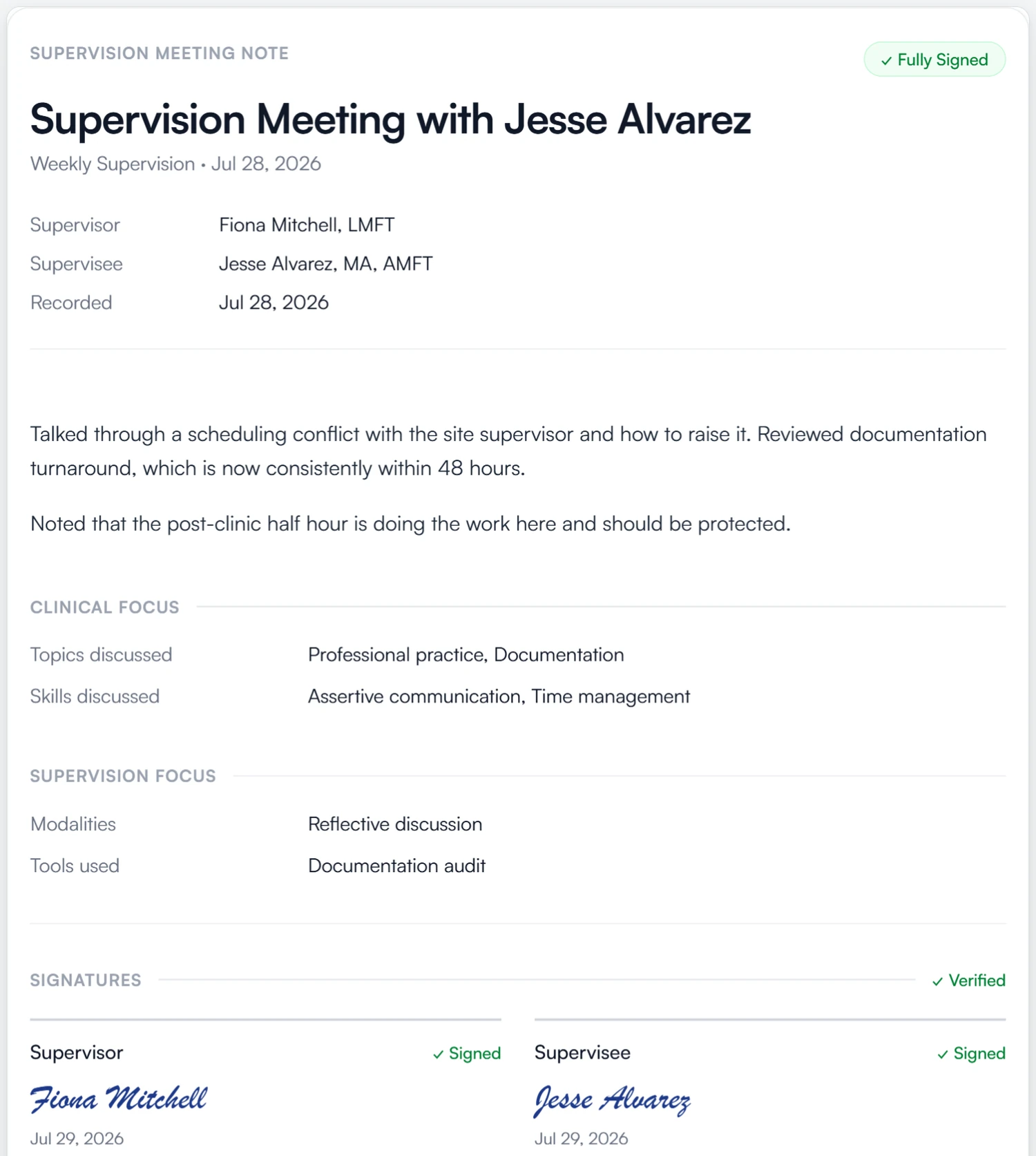
What a note can record
- Clinical topics
- Clinical skills
- Modalities reviewed
- Tools discussed
- Supervision focus
- Goals addressed
- Signatures
From a meeting to a signed record
Each note is written on its meeting, and a new supervisor in your practice sees every earlier note.
01 Write
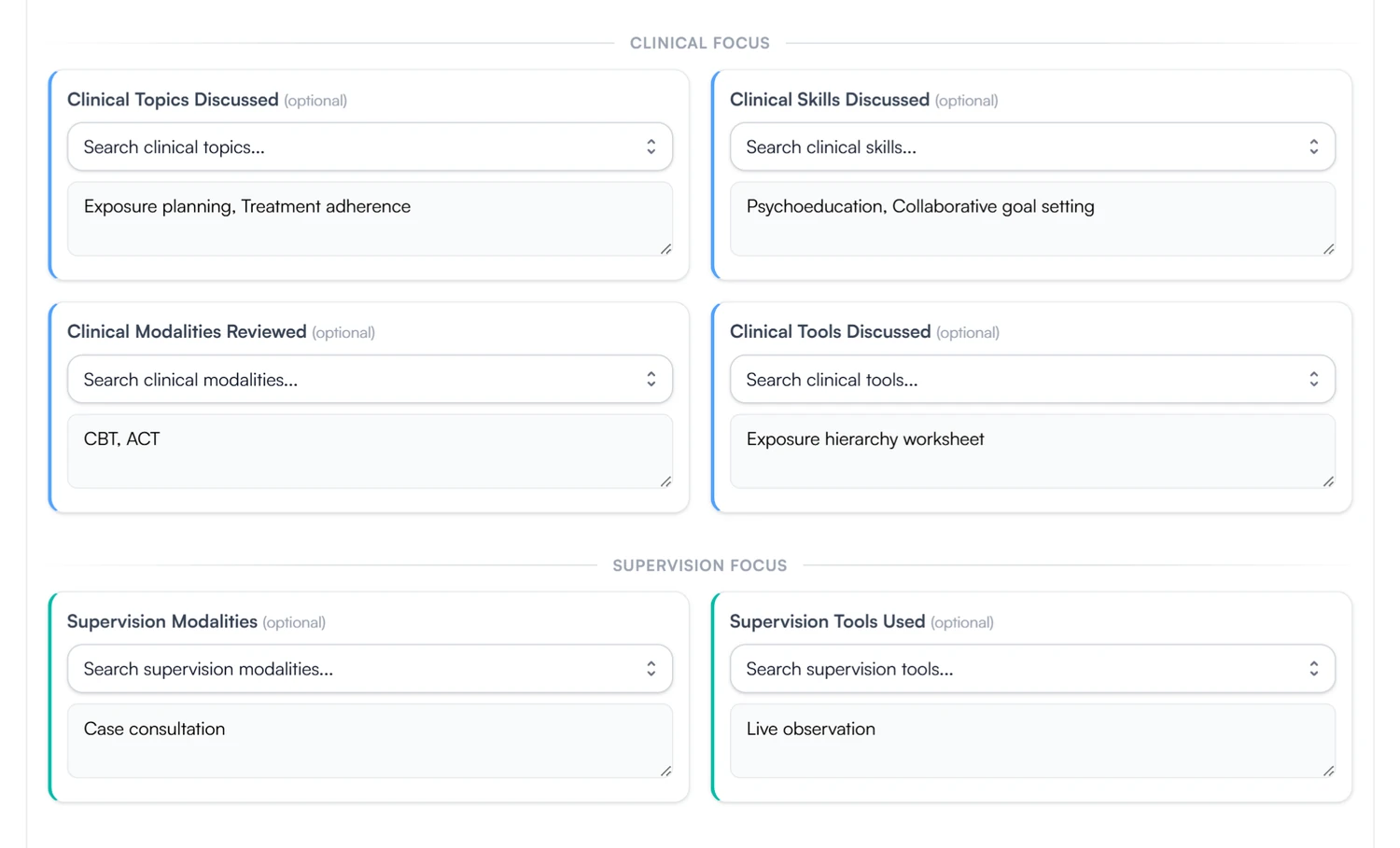
Write the note on the meeting.
- Structured fields plus a free-text write-up
- Goals discussed are linked to the note
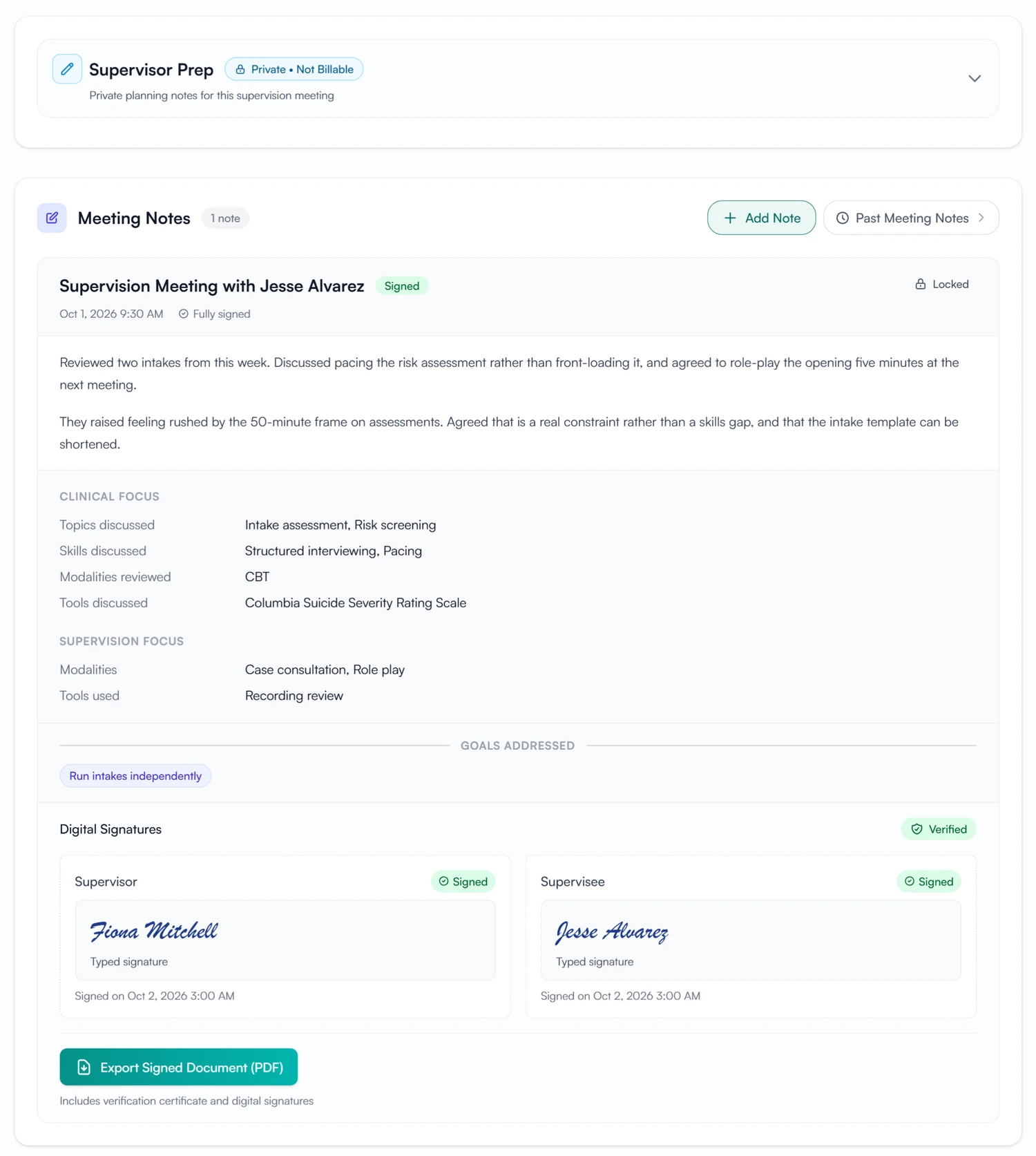
- Your own prep notes stay private to you
02 Sign
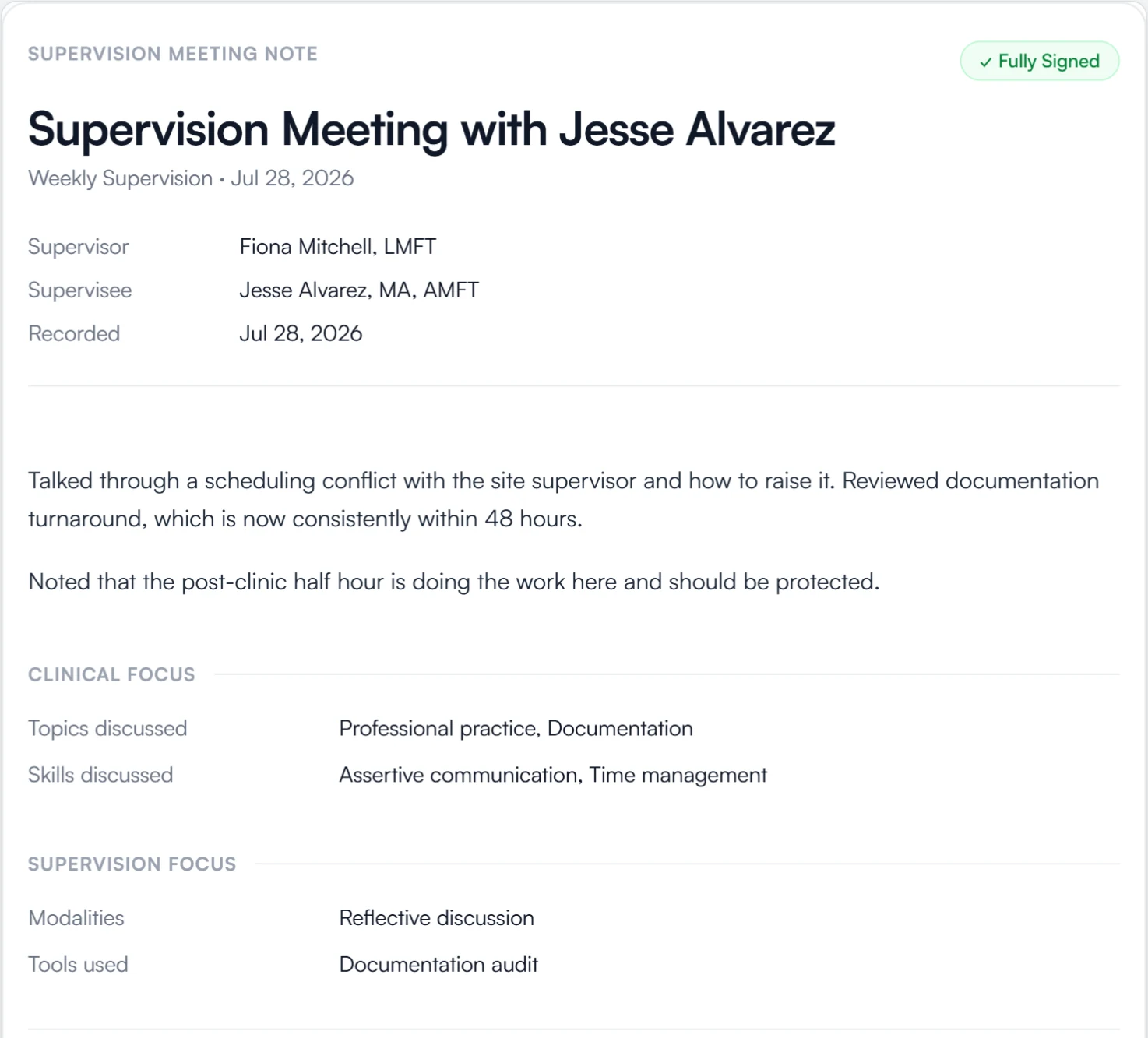
Signed by whoever the note requires, then locked.
- Supervisor, supervisee, both or neither, note by note
- Signed notes are locked, with who signed and when
- Export a fully signed note as a PDF with its verification certificate
03 Record
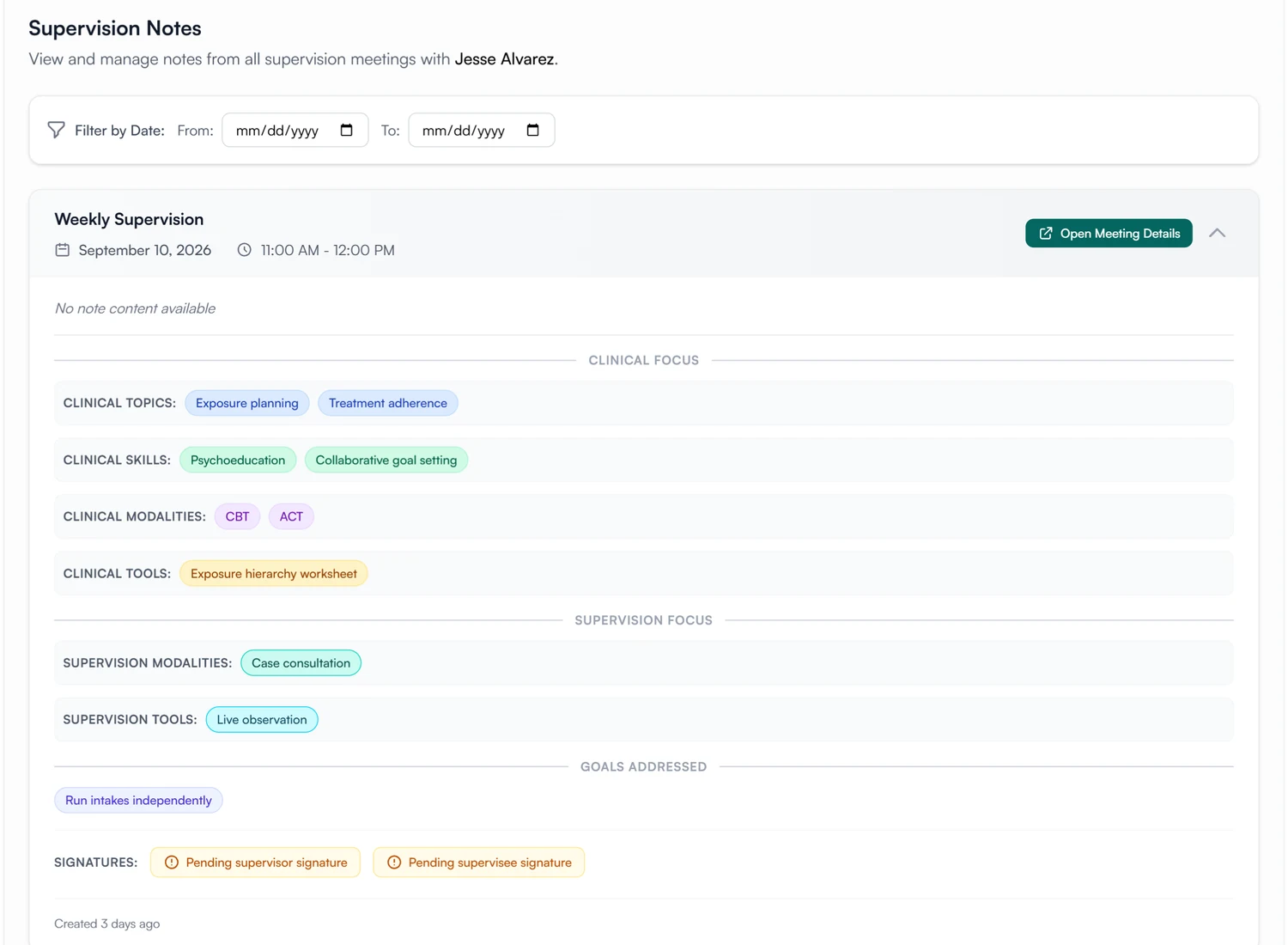
All of a supervisee's notes, in their record.
- Every meeting's note, filterable by date
- Signature status at a glance
- Each note opens the meeting it came from
- A new supervisor in the practice sees every earlier note
Write supervision notes with structure.
Use the same fields on every note, collect signatures, and keep each note on its meeting.
30-day free trial. Always free for supervisees.
A closer look at supervision notes
Prep notes, past notes, goals and signatures.
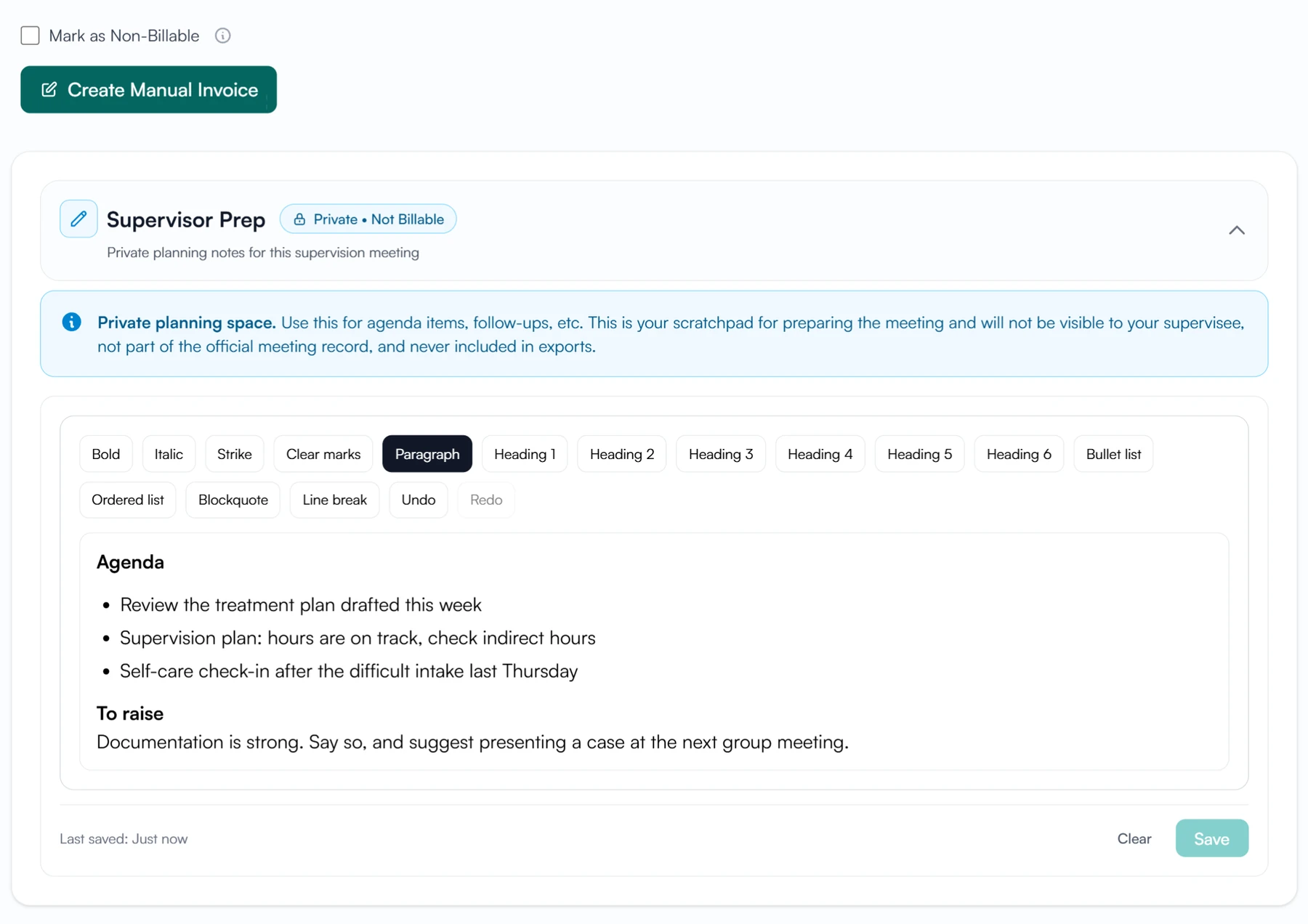
Private prep
Plan the meeting where only you can see it.
Every meeting you run has a private Supervisor Prep note. It is never billable, so you can be candid about what to raise. Supervisees never see it.
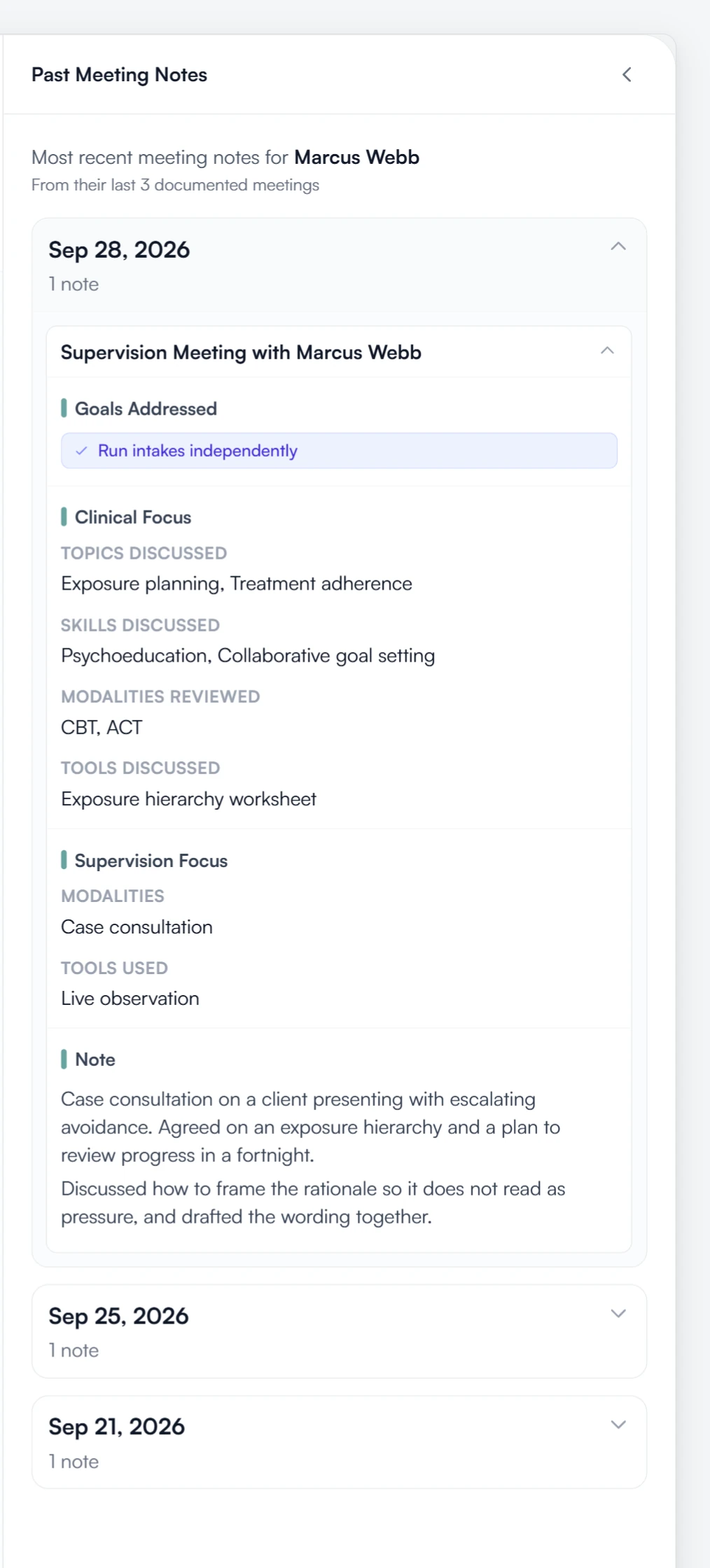
Past notes
Your last three notes, beside the one you are writing.
While you write, the notes from the last three meetings with this supervisee are open in a side panel. They are read-only.
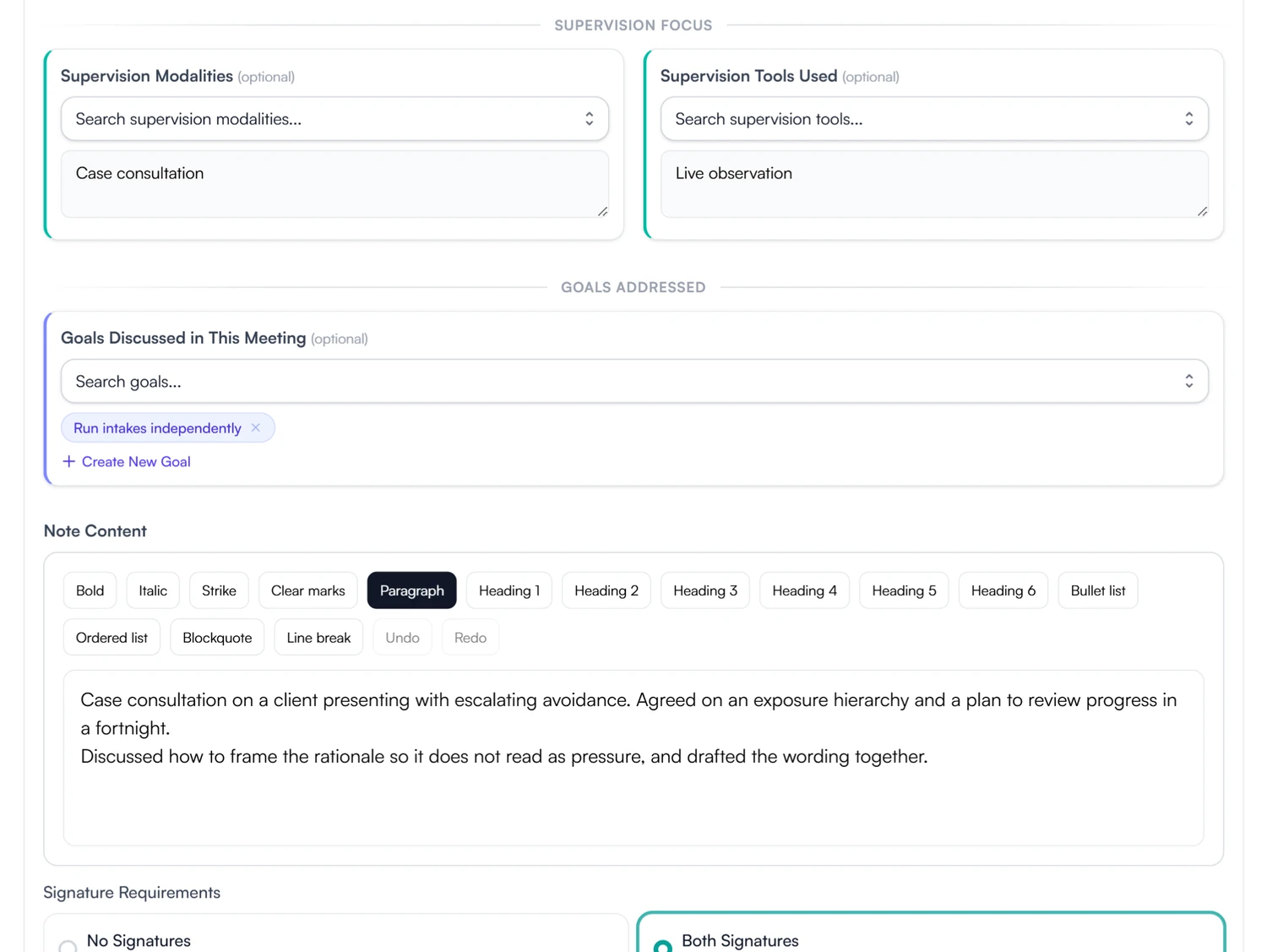
Goals
Attach the goals you discussed.
Search the supervisee's goals and attach the ones you discussed, or create a new one on the spot. Each goal then lists every meeting it came up in.
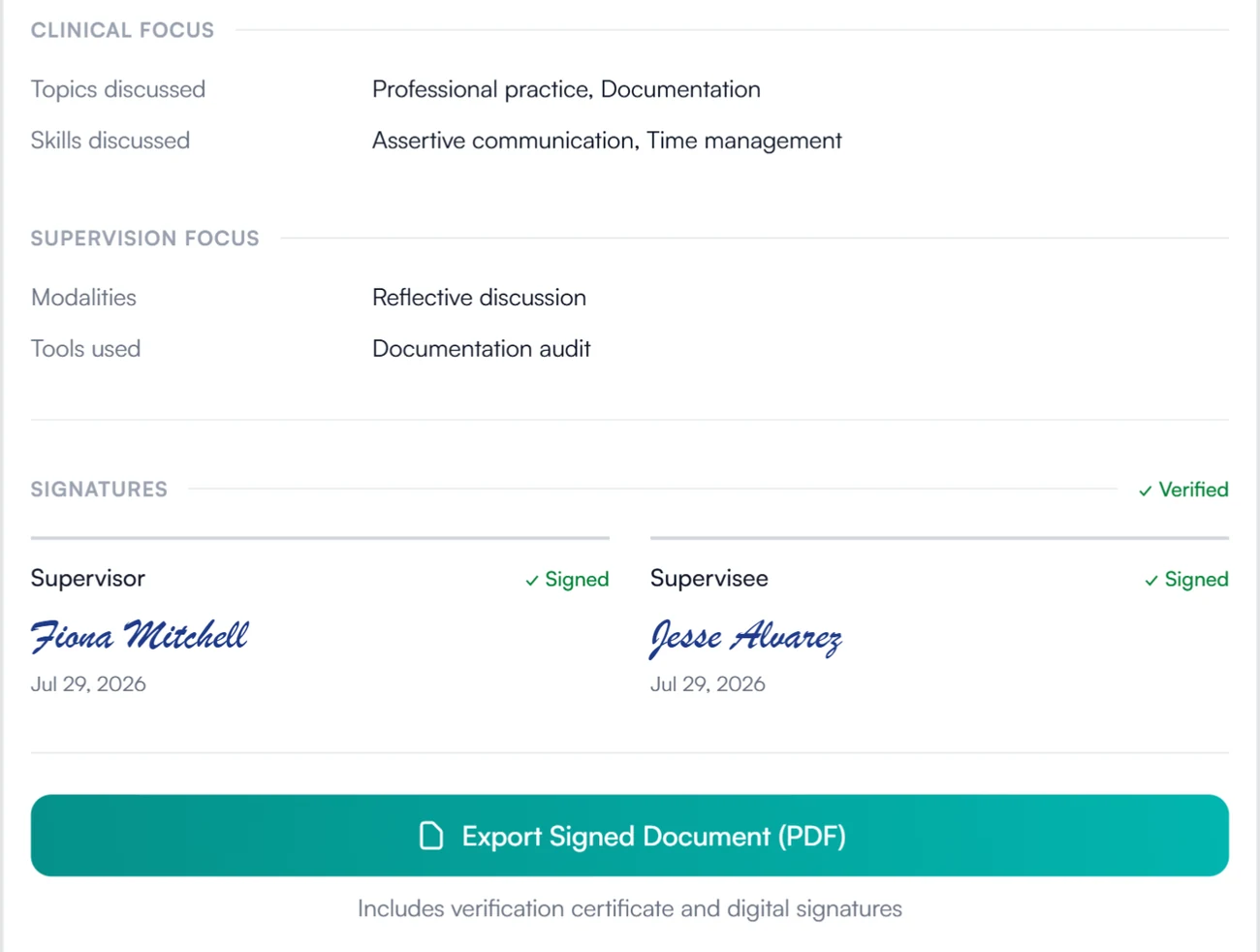
Verified
Signed notes can be verified and exported.
A signed note shows each signature with its date and a verified mark. Export it and the PDF carries a verification certificate.
Supervision notes for supervisees and supervisors
Read and sign your supervision notes.
Every meeting you attend carries its note. Read it, sign it when it needs your signature, and find it again by opening the meeting in My Meetings. Your supervisor's prep notes are never shown to you.
- Notes on every meeting you attended
- Sign from the meeting itself
How supervision notes are stored and protected
How Guidara protects your records- Signed notes
- A signed note carries each signature and its date, and is locked from then on.
- Verifiable exports
- Exported notes carry a verification certificate that can be checked on Guidara's site.
- No client health information
- Supervision notes are about the supervisee's work. Guidara never stores your clients' records.
- Secure by default
- Encrypted in transit and at rest, on SOC 2 certified infrastructure.
Works with the rest of Guidara
All features- SchedulingThe meetings the notes are written on, synced to your calendar. Explore
- GoalsGoals linked from the note, with every meeting they came up in. Explore
- Supervision plansThe plan the supervision follows, signed by you and your supervisee. Explore
- ExportsHand over a complete, verifiable record of supervision. Explore
Questions about supervision notes
Signed notes you can export and verify.
Write your next one in Guidara. It stays on the supervisee's record from then on.
30-day free trial. Always free for supervisees.