Transferred hours
The hours from before Guidara count too.
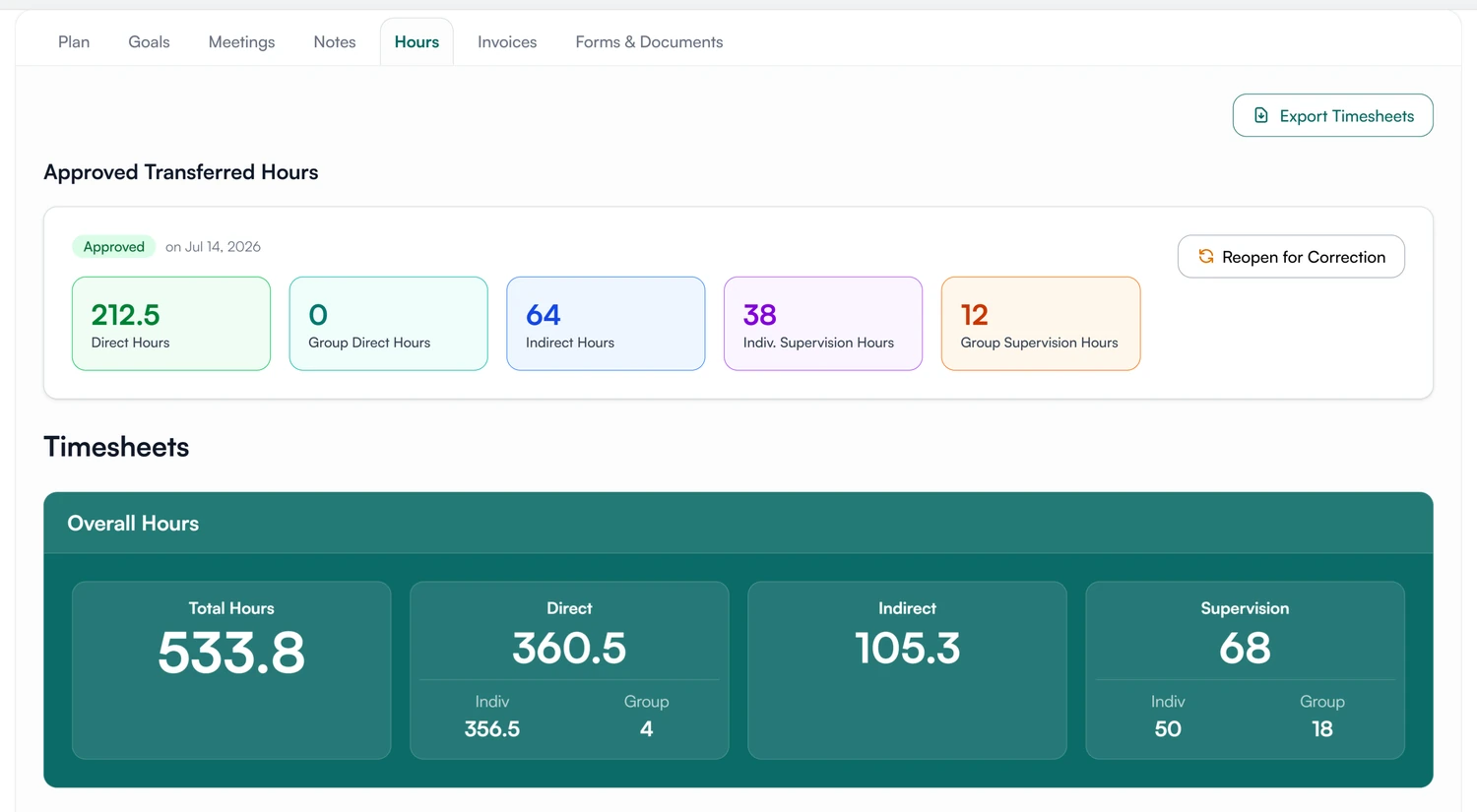
A supervisee enters the hours they tracked under a previous supervisor, by category, with the paperwork attached. Their supervisor approves them once, and they join the running total.
- 30-day free trial
- Always free for supervisees
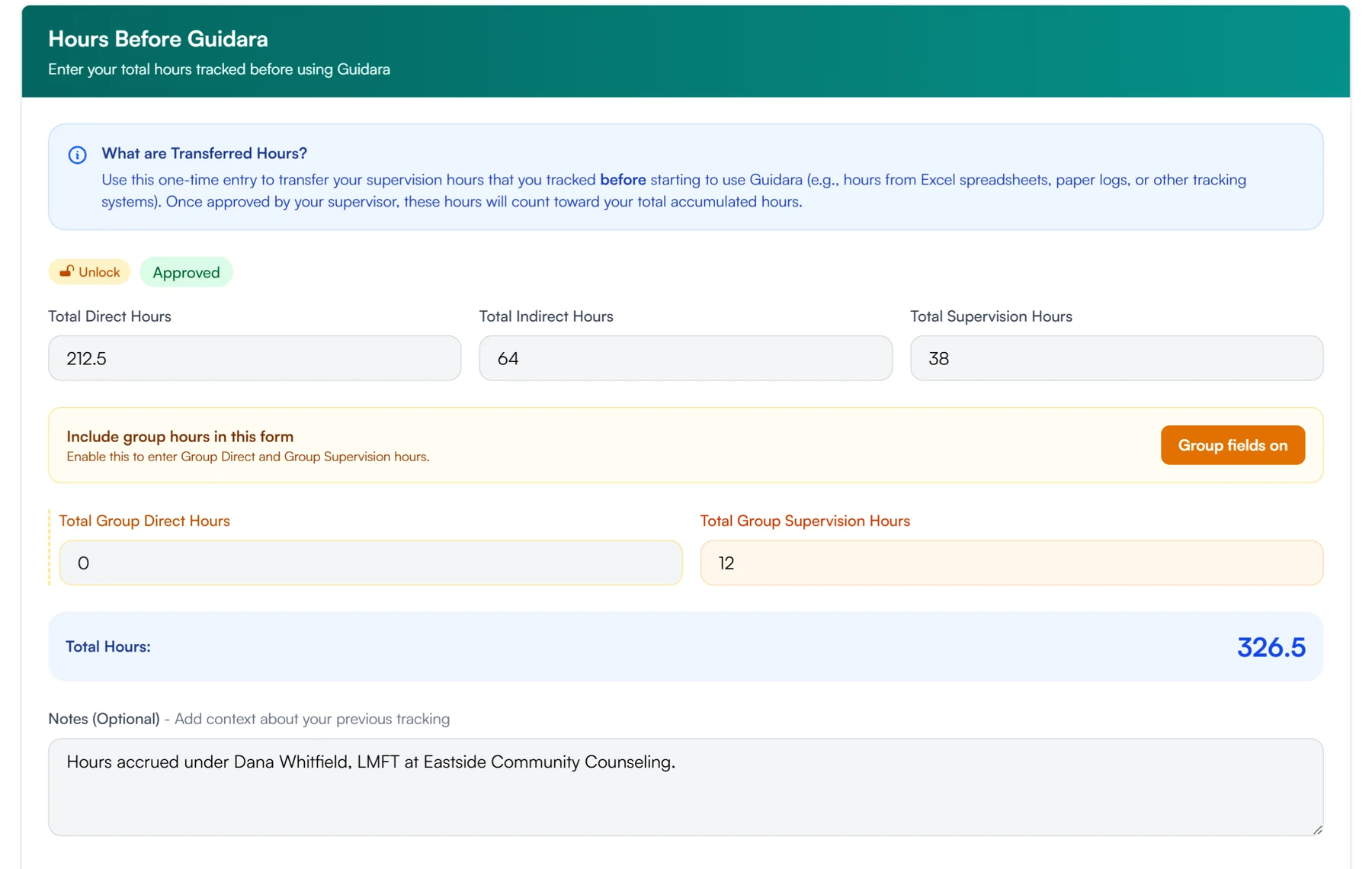
Entered in the same five categories as every timesheet
- Direct
- Group direct
- Indirect
- Individual supervision
- Group supervision
Entering earlier hours and having them approved
Three steps, done once per supervisee.
01 Enter
The supervisee enters what they tracked before.
- One total per category, group hours optional
- A note on where the hours came from
- Supporting documents uploaded alongside
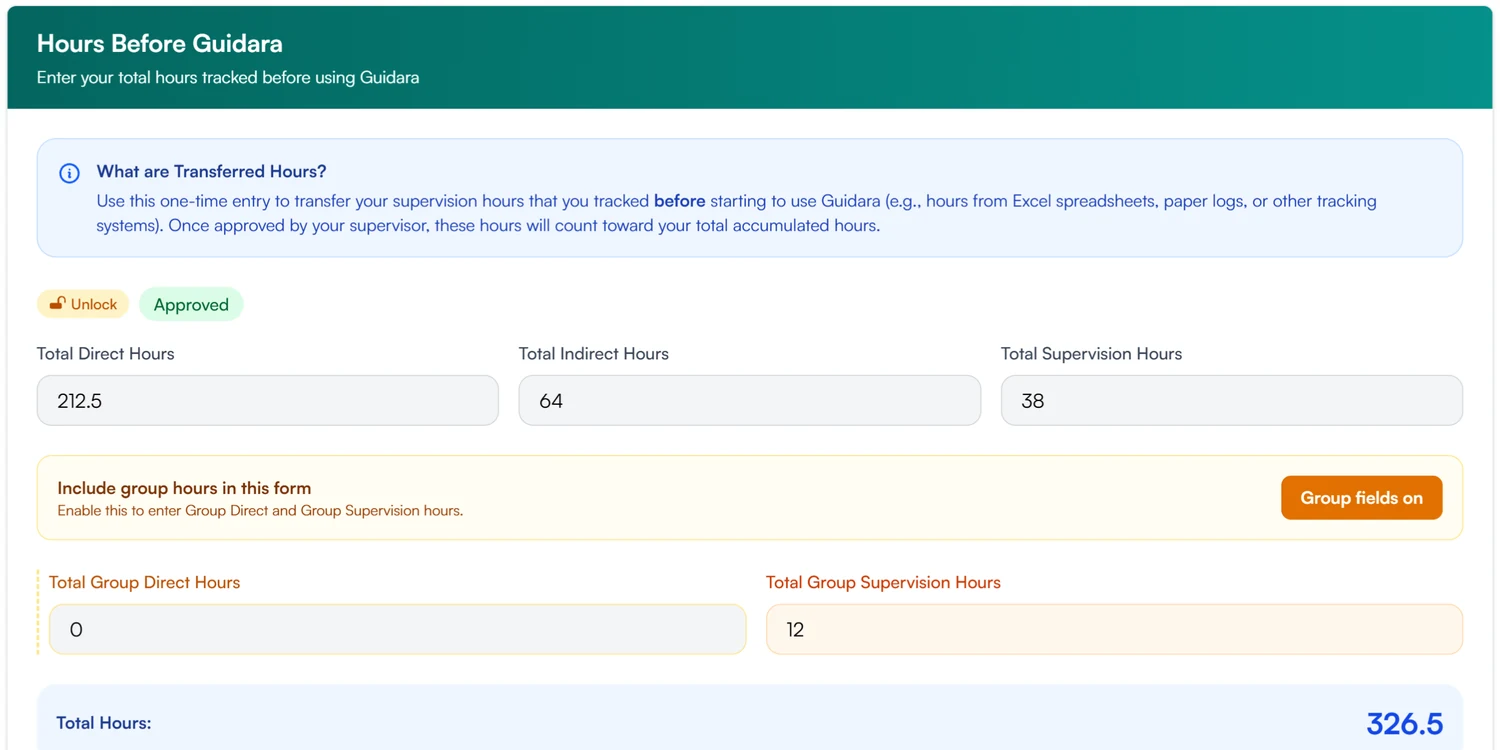
02 Approve
The supervisor approves them once.
- Approve or reject, with the documents to hand
- The approval is dated and signed by both
- Reopen for correction if something was wrong
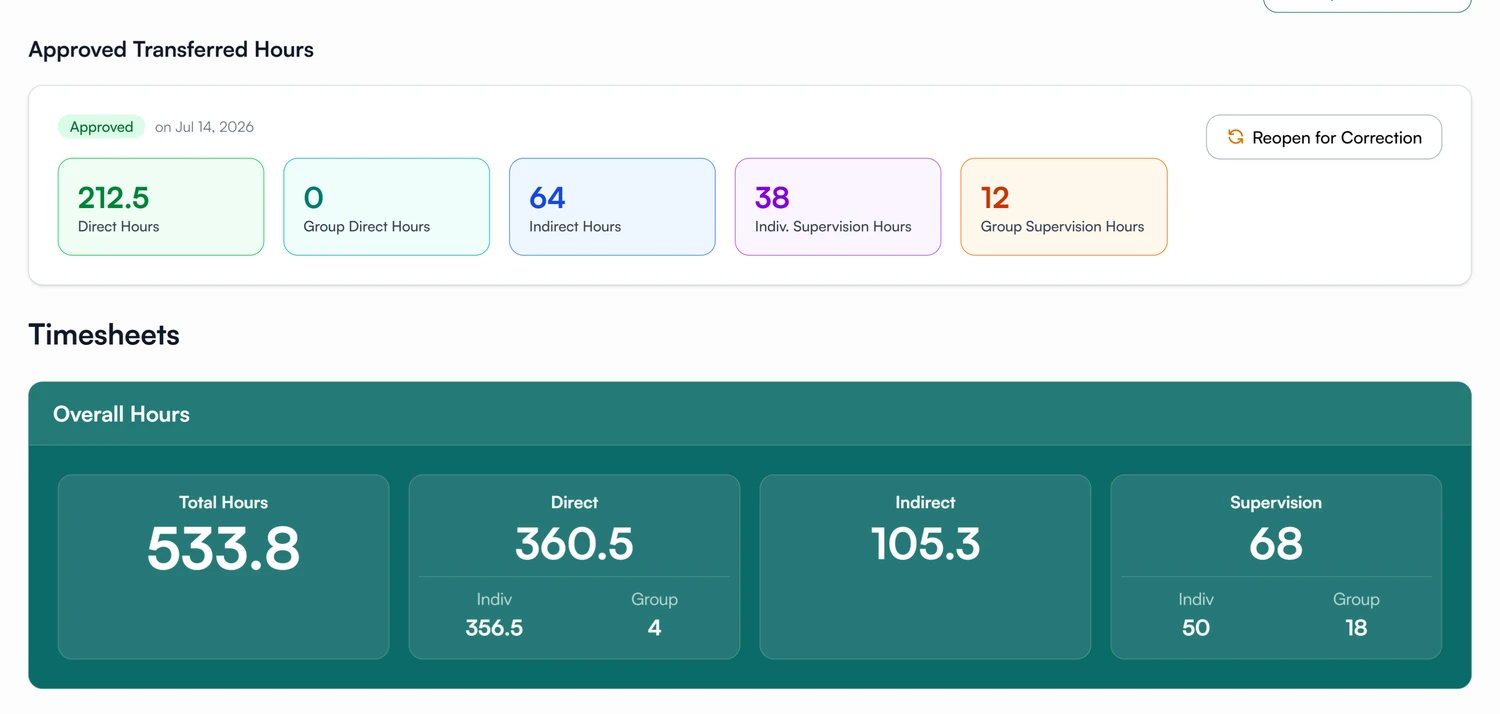
03 Count
Approved hours are added to the total, on their own line.
- Counted in the overall hours and on the dashboard
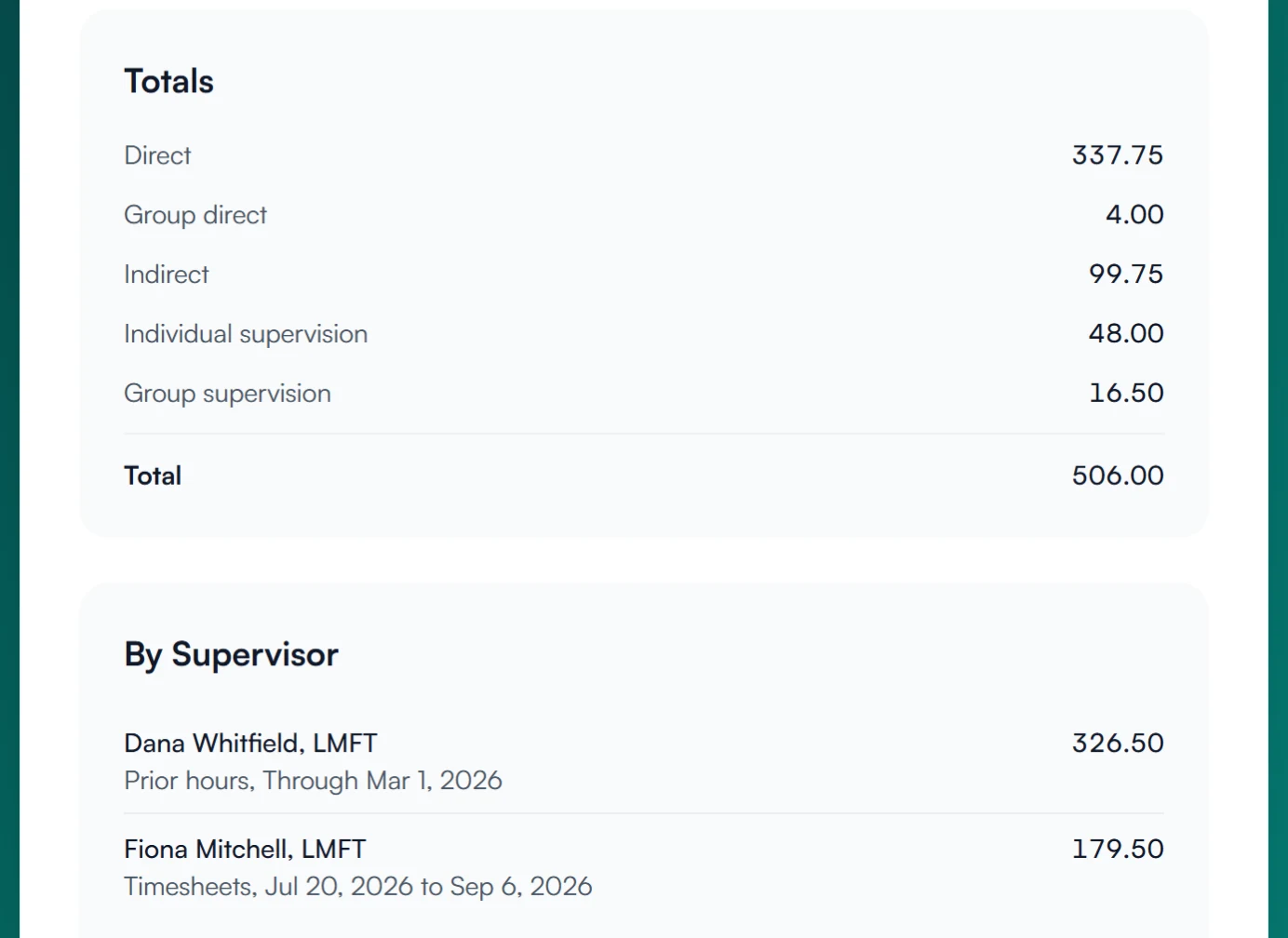
- Shown as their own line in the hours summary
- Listed as Before Guidara in the practice-site breakdown
Add the hours you logged before Guidara.
Enter them, have your supervisor approve them, and they count in your total.
30-day free trial. Always free for supervisees.
A closer look at transferred hours
Approval, corrections, and where the hours came from.
Locked once approved
Approved entries are read-only.
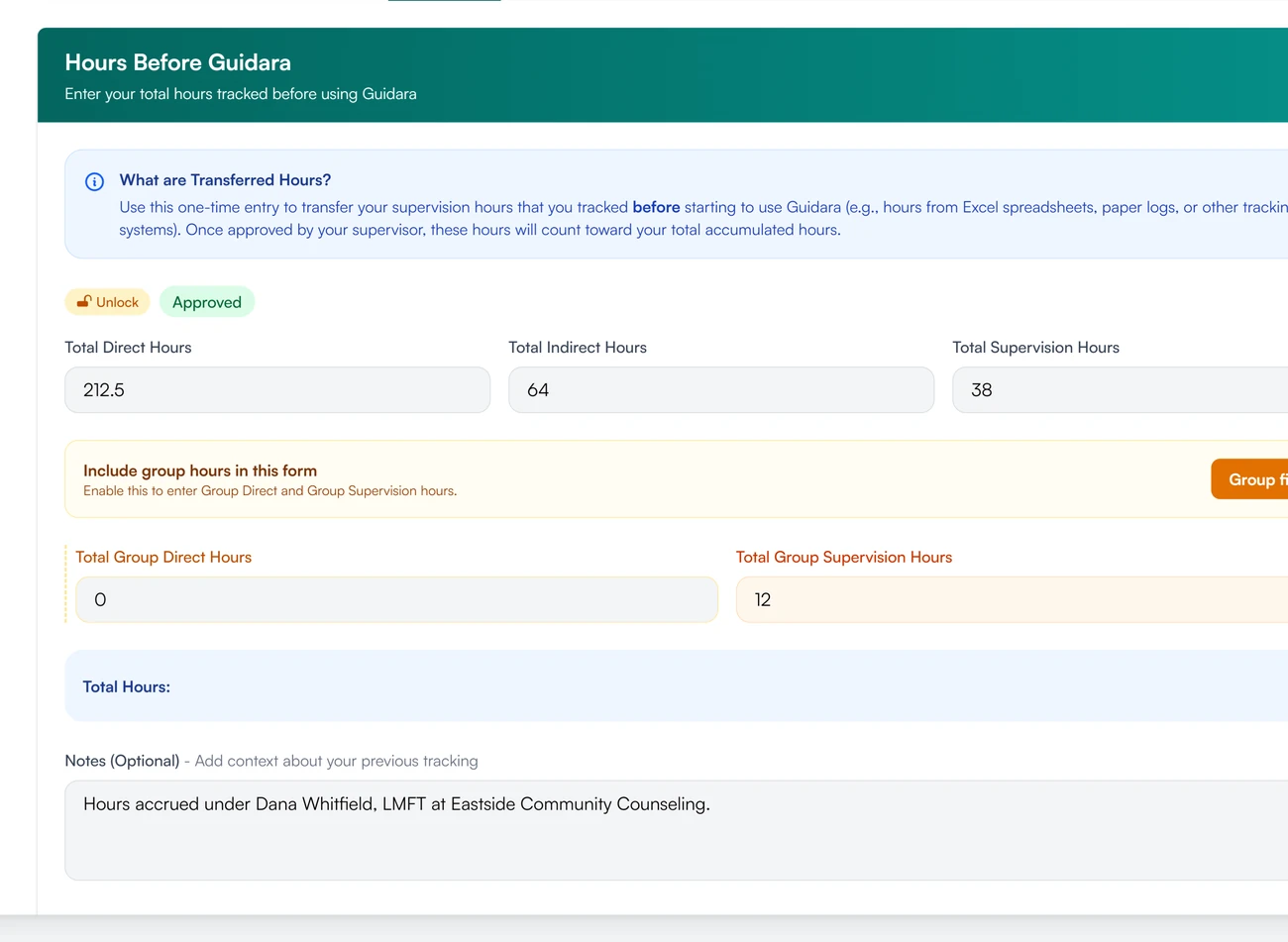
An approved entry cannot be edited. To correct it, the supervisee or the supervisor unlocks it, which clears both signatures and sends it back for approval.
Reopen for correction
Correct a wrong number and approve it again.
Reopening clears both signatures and the approval date. The supervisee corrects the totals and signs again, and the supervisor approves the entry again.
Where they came from
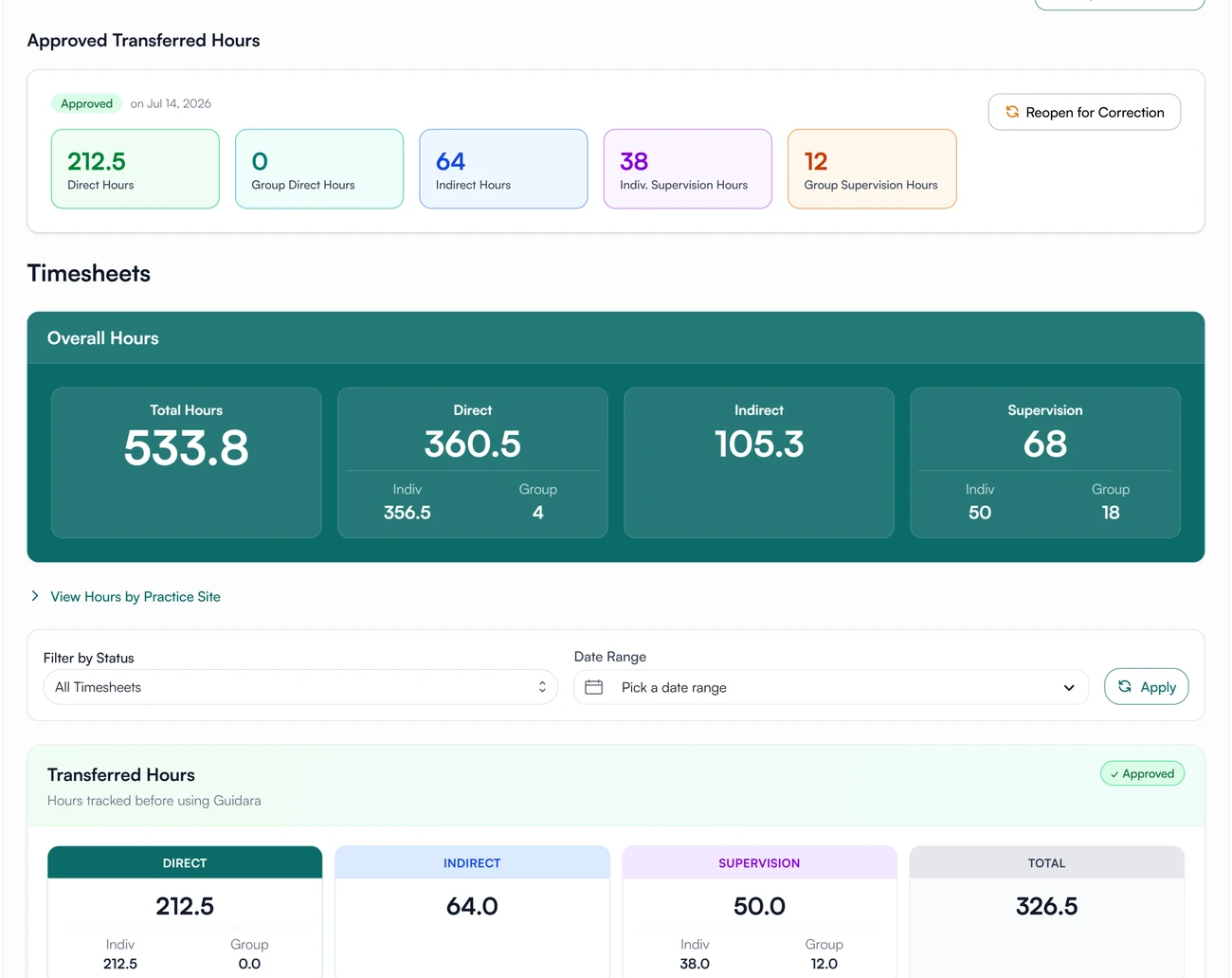
A note on the previous supervisor.
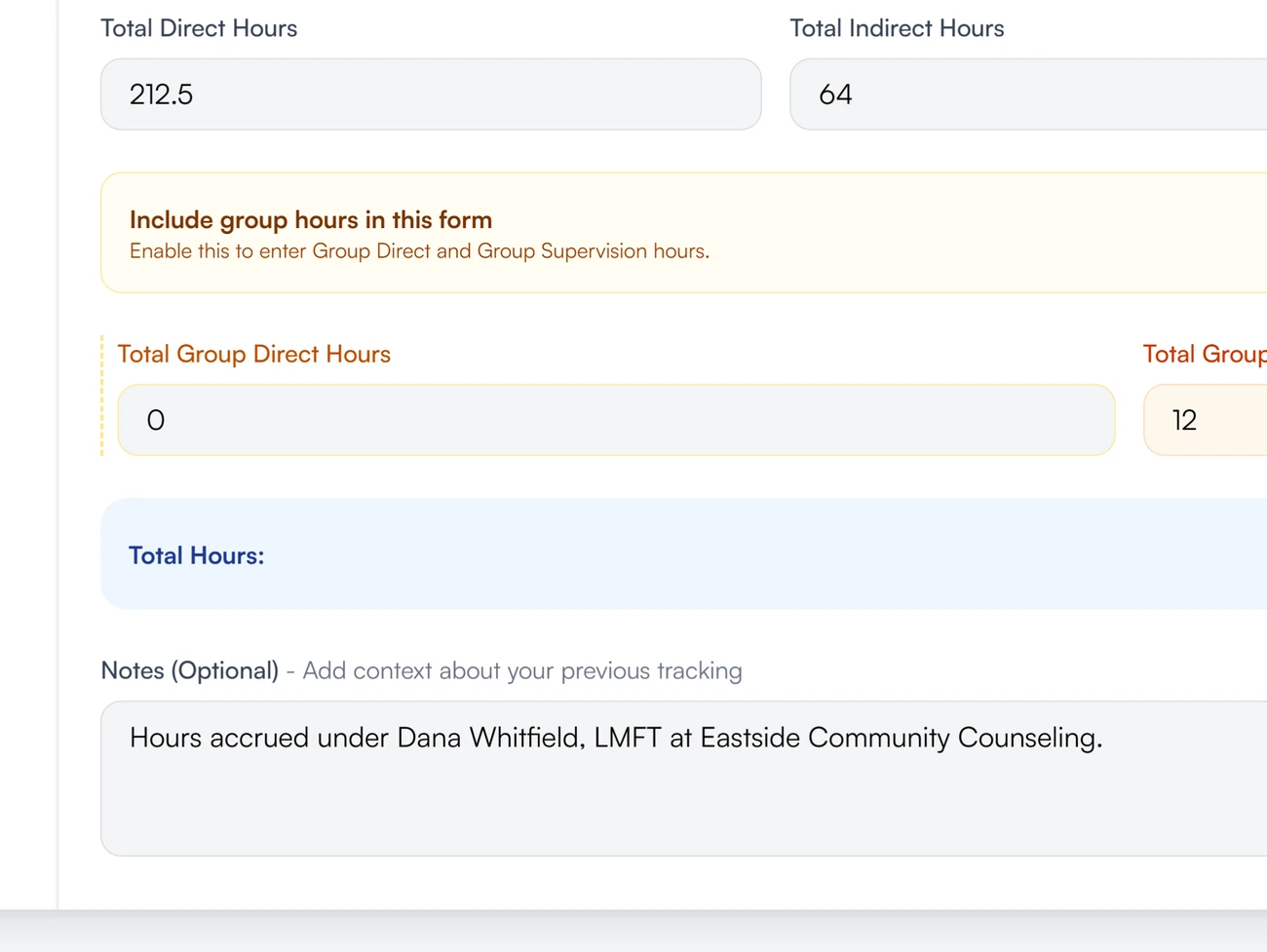
An optional source breakdown records each previous supervisor, site and date range. A full hours summary lists the prior hours under each supervisor named there.
Transferred hours for supervisees and supervisors
Bring your hours with you.
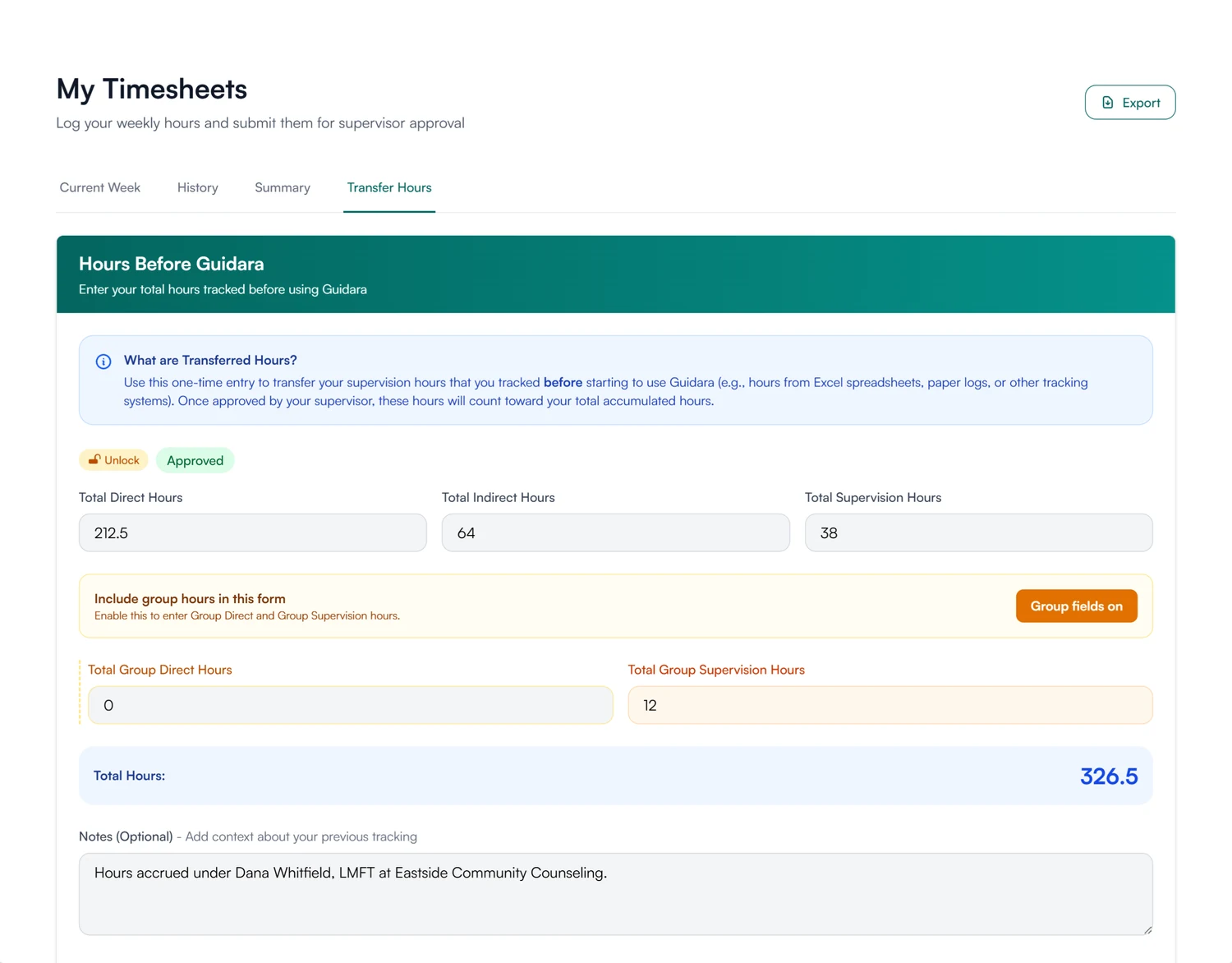
Enter the totals from before, in the same five categories, and upload the paperwork from the same tab. Once your supervisor approves them, they count in your total and in your full hours summary.
- One-time entry on the Transfer Hours tab
- Supporting documents attached to the entry
How transferred hours are stored and protected
How Guidara protects your records- Signed approval
- An approved entry carries both signatures and the date it was approved.
- Verifiable exports
- Exported hours summaries list prior hours on their own line and carry a verification code.
- No client health information
- Transferred hours are totals and paperwork. Guidara never stores your clients' records.
- Secure by default
- Encrypted in transit and at rest, on SOC 2 certified infrastructure.
Works with the rest of Guidara
All featuresQuestions about transferred hours
Your earlier hours, counted with the rest.
Enter your earlier hours when you join Guidara.
30-day free trial. Always free for supervisees.