Onboarding
Set up a new supervisee before the first meeting.
Invite a supervisee by email. They create their own free account, and their dashboard shows the agreement and plan you assign them to sign, the documents you request, and their first timesheet.
- 30-day free trial
- Always free for supervisees
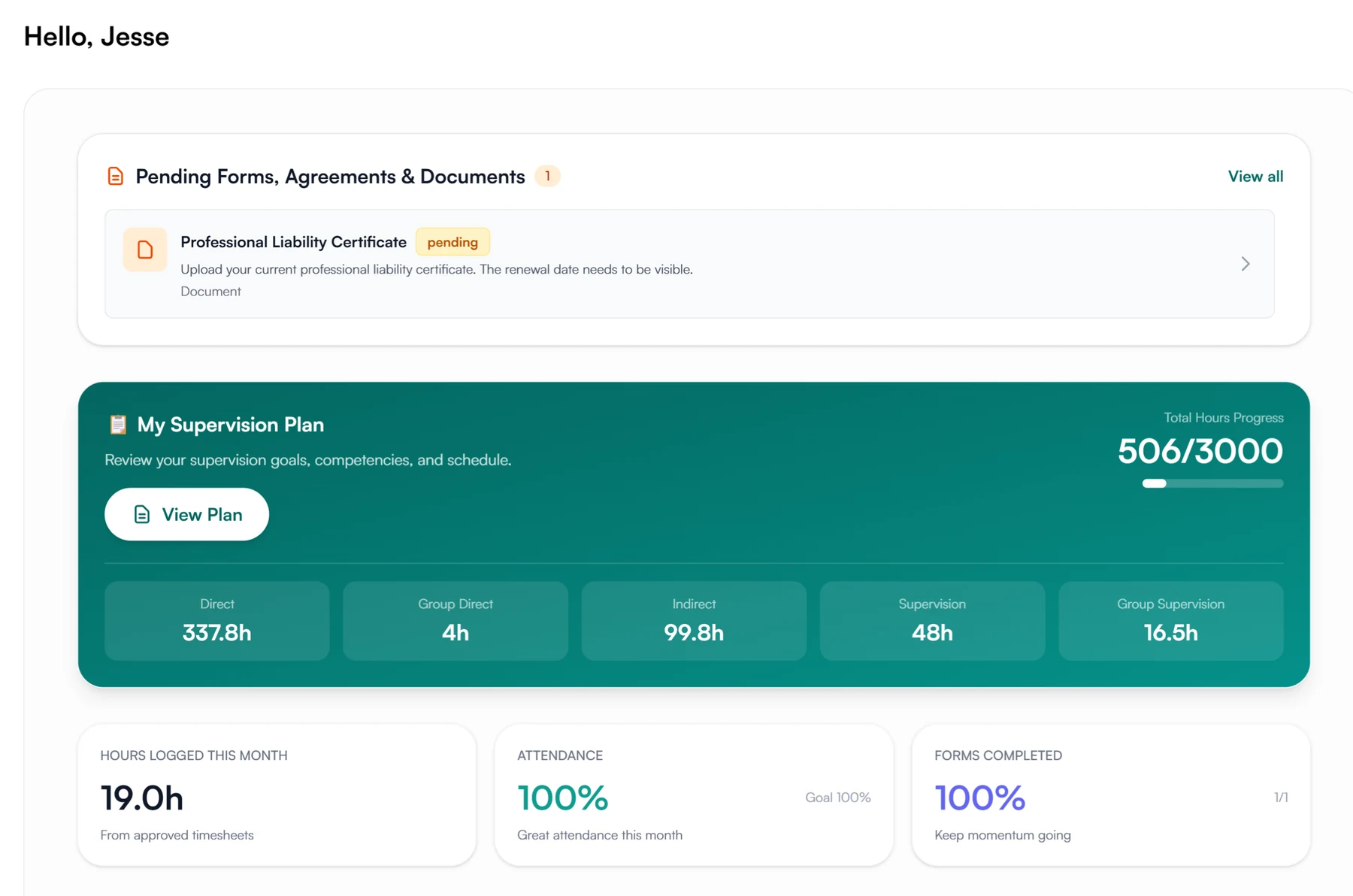
What a new supervisee finds waiting
- The agreement
- The supervision plan
- Document requests
- Assigned forms
- The first timesheet
Setting up a new supervisee
Send the invitation and have the agreement and plan signed before the first supervision meeting.
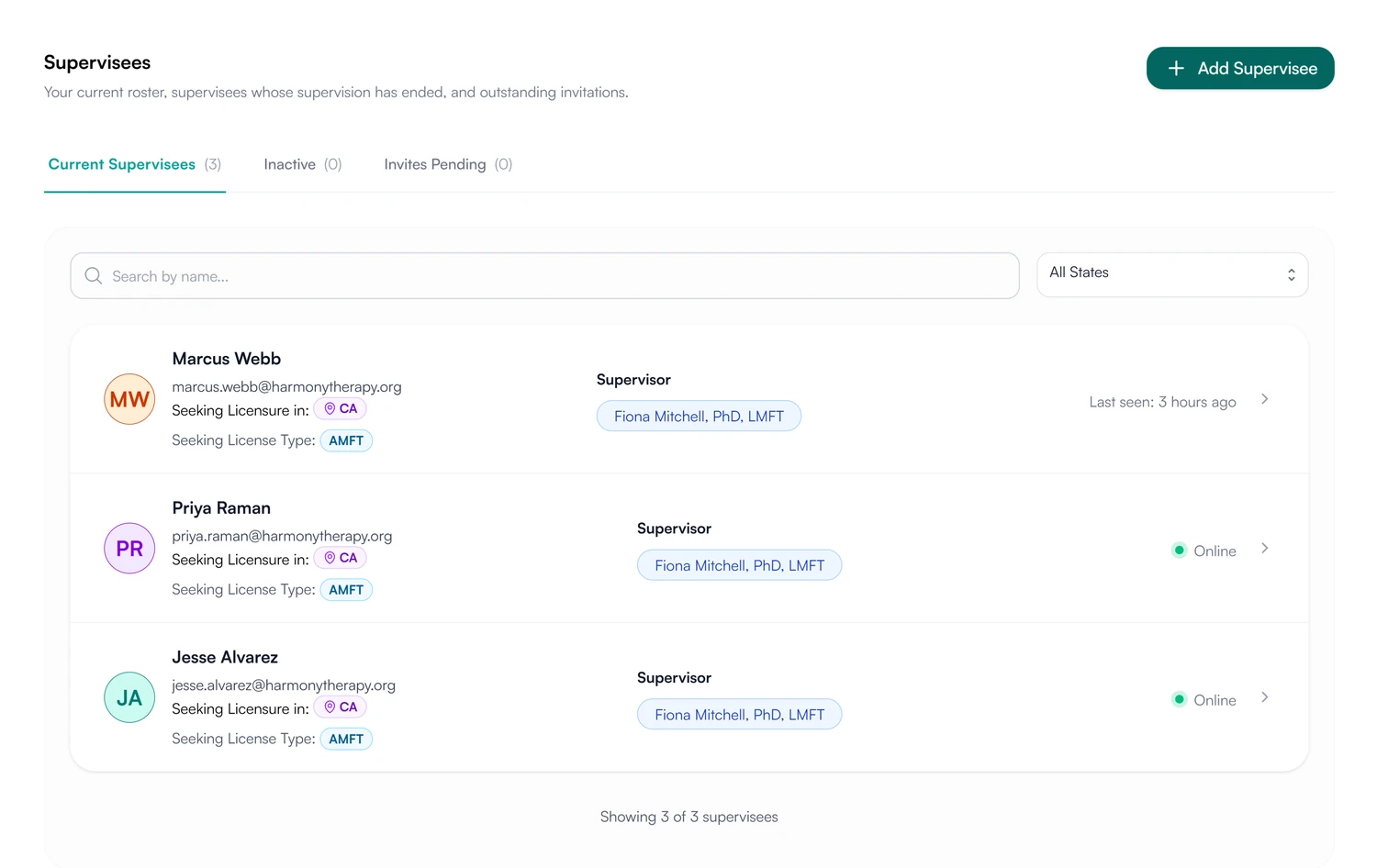
01 Invite
Send the invitation from your supervisees list.
- An email invitation; the supervisee creates their own account
- Pending invitations listed until they accept
- Supervisee accounts are always free
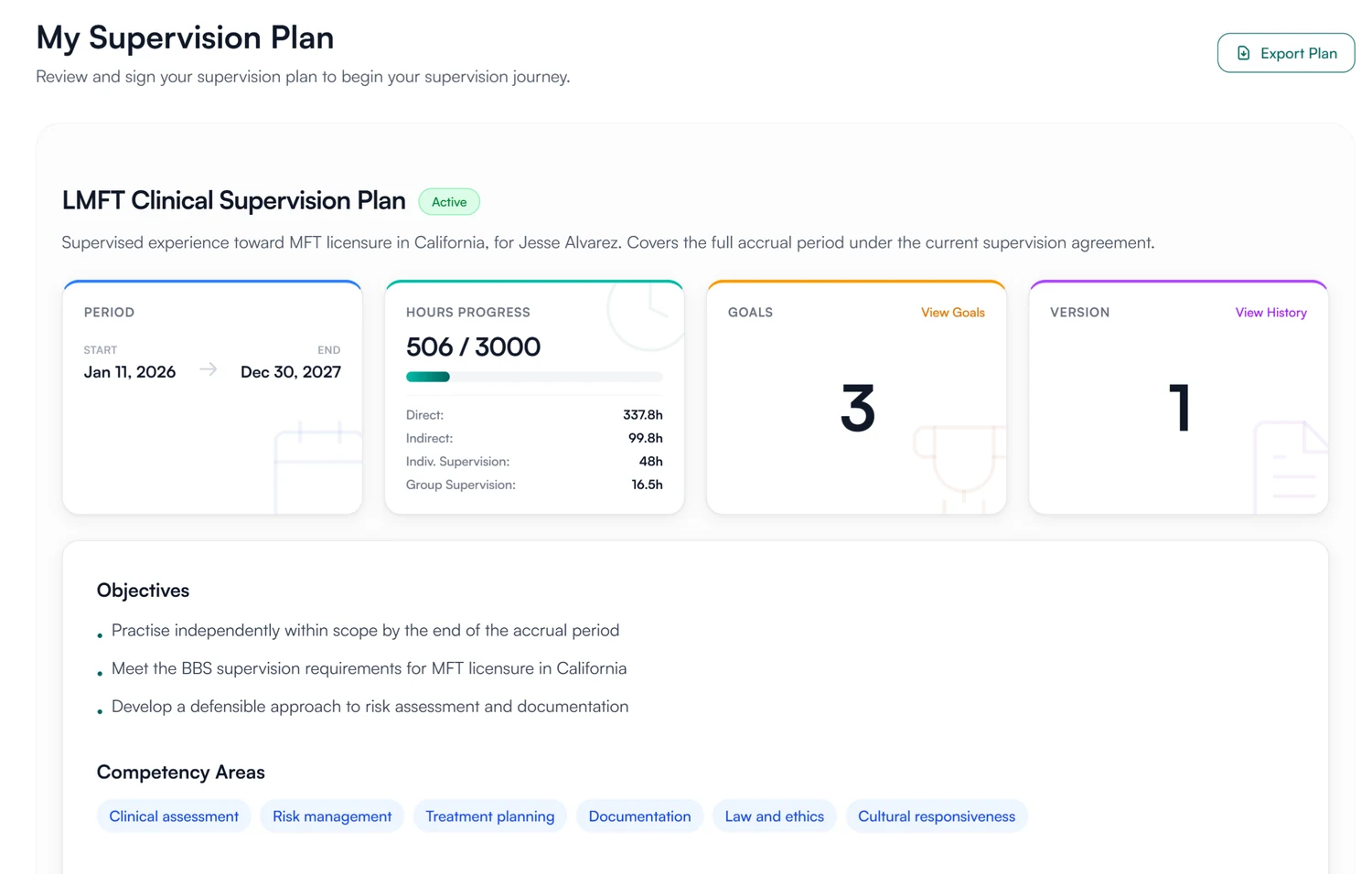
02 Sign
Assign the agreement and the plan for signing.
- The supervision agreement, waiting under Agreements
- The supervision plan, with Review and sign
- Document requests, such as a liability certificate
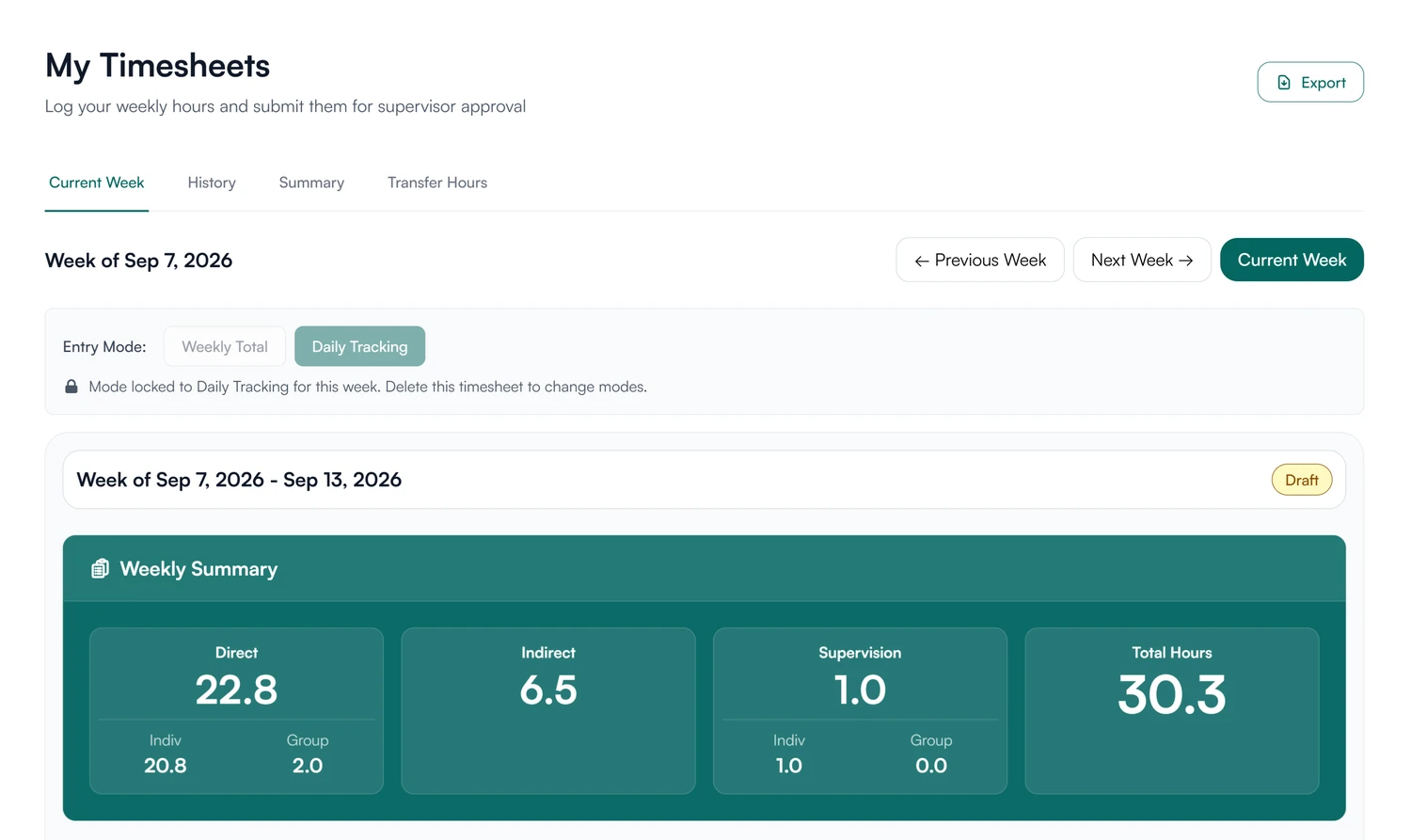
03 Start
Log hours from the first week.
- The plan sets the hours required
- Timesheets open from the first week
- Earlier hours entered as transferred hours
Do the setup before the first meeting.
Invite them this week, assign the agreement and build the plan, and they can sign both before you meet.
30-day free trial. Always free for supervisees.
A closer look at onboarding
Pending items, document requests and team roles.
Pending
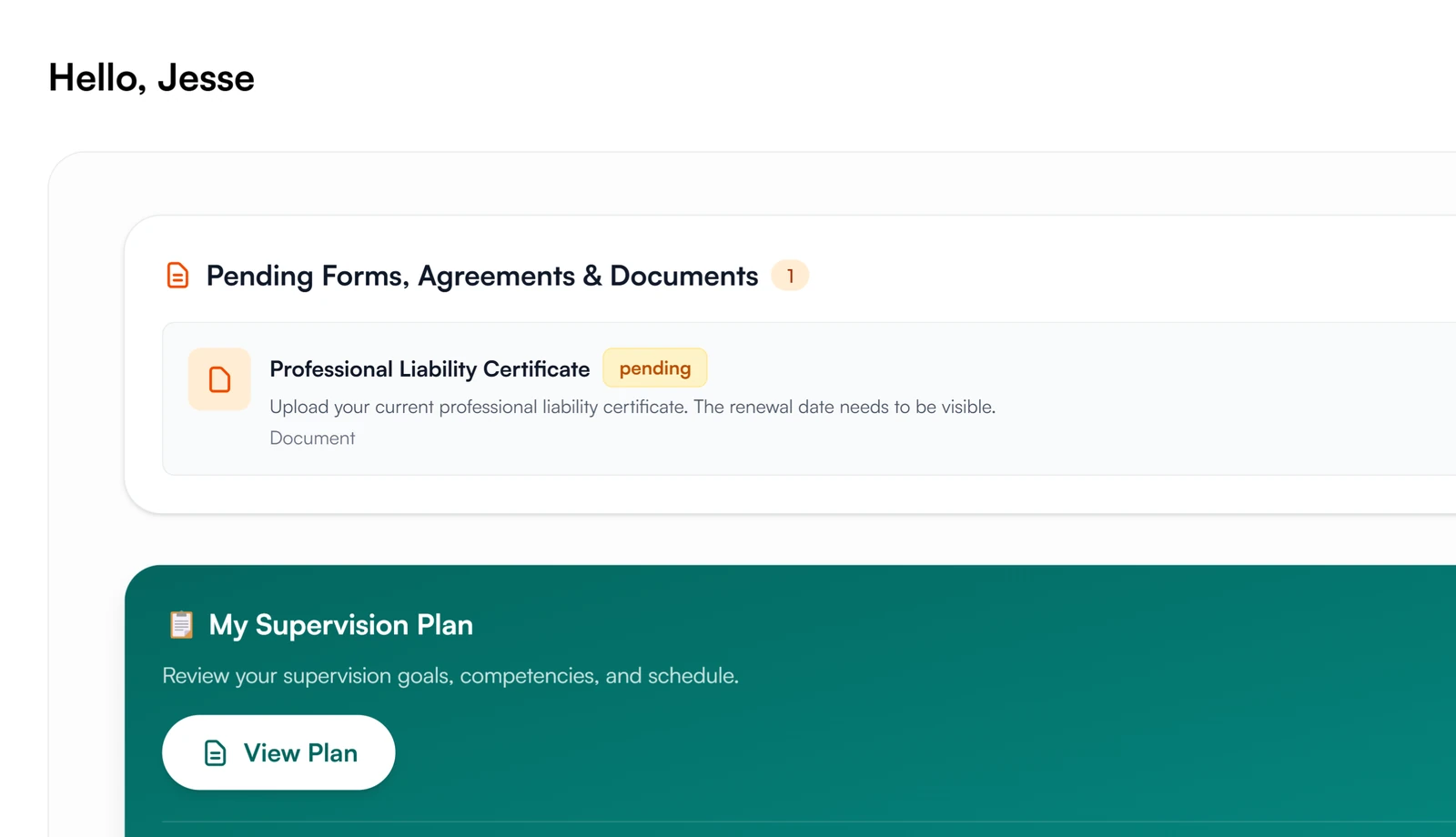
What is pending, at the top of the dashboard.
Forms, agreements and documents waiting on the supervisee sit at the top of their dashboard with a count. It stays there until each one is done.
Document requests
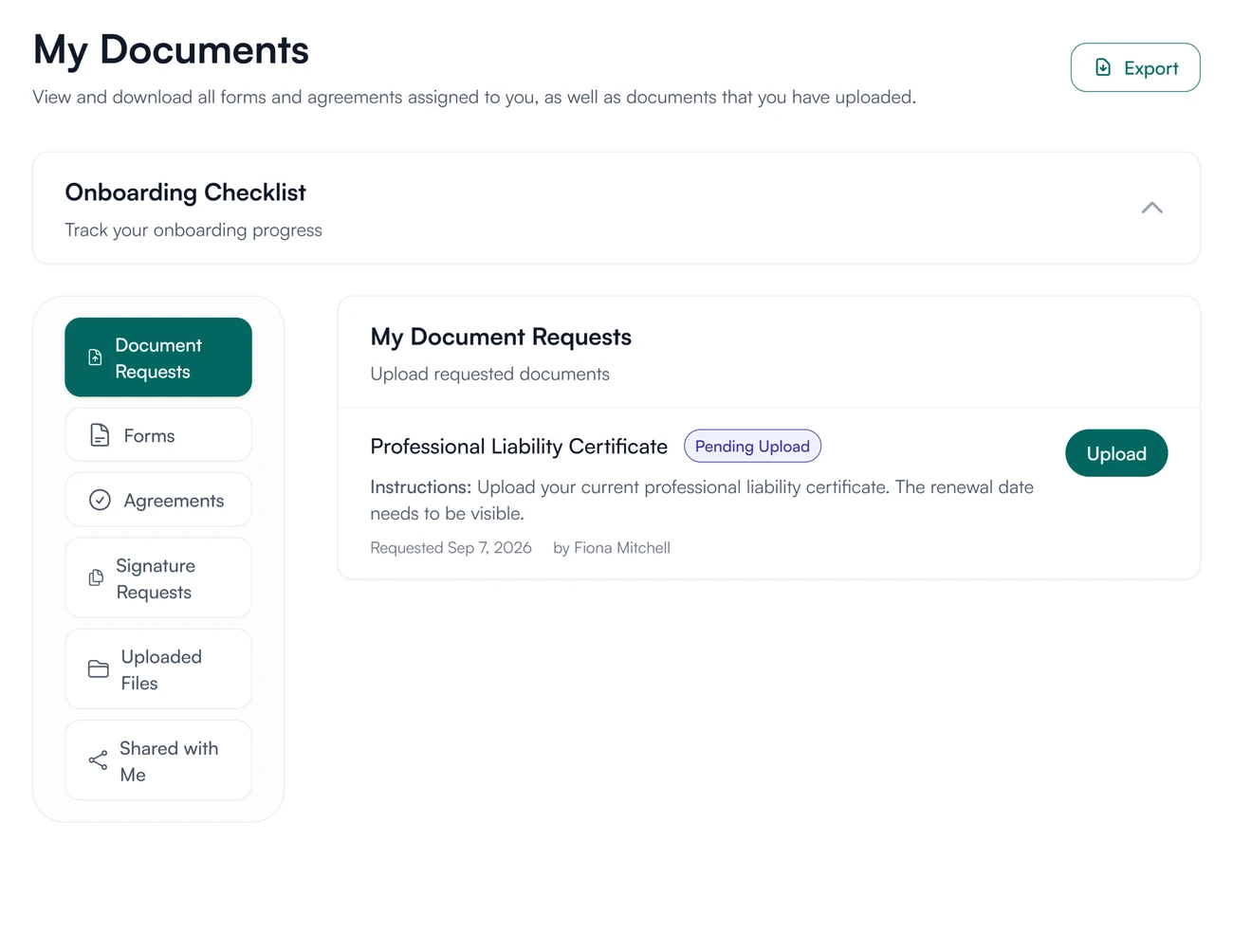
Ask for the paperwork once.
Request a document, with instructions, and it appears on the supervisee's documents page with an Upload button and who asked for it.
Your team
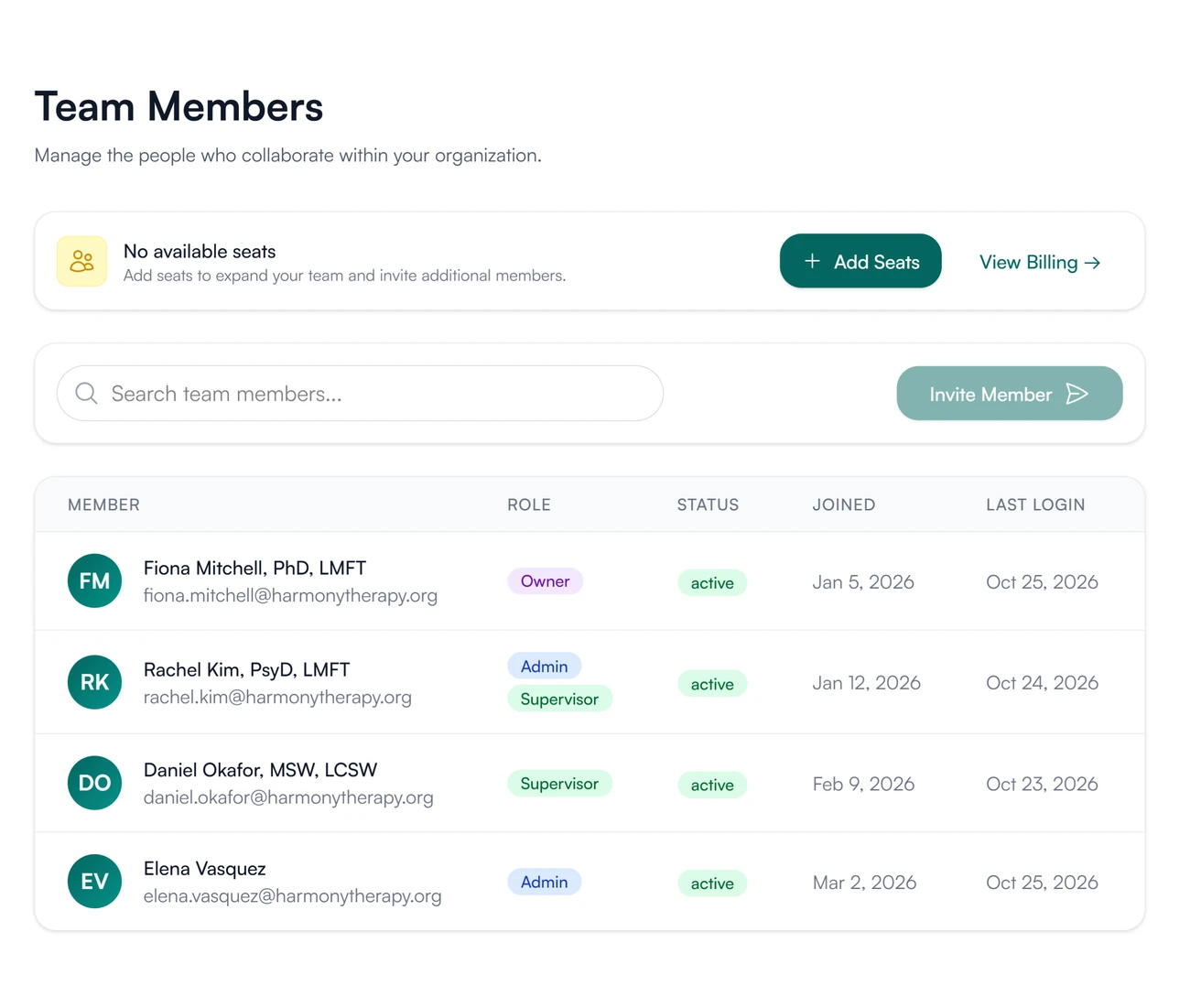
Supervisors and admins are team members.
Supervisees are invited from the supervisees list and are free. Supervisors and admins are invited from Team Members by an owner or admin, and each takes a seat.
What supervisees and supervisors see
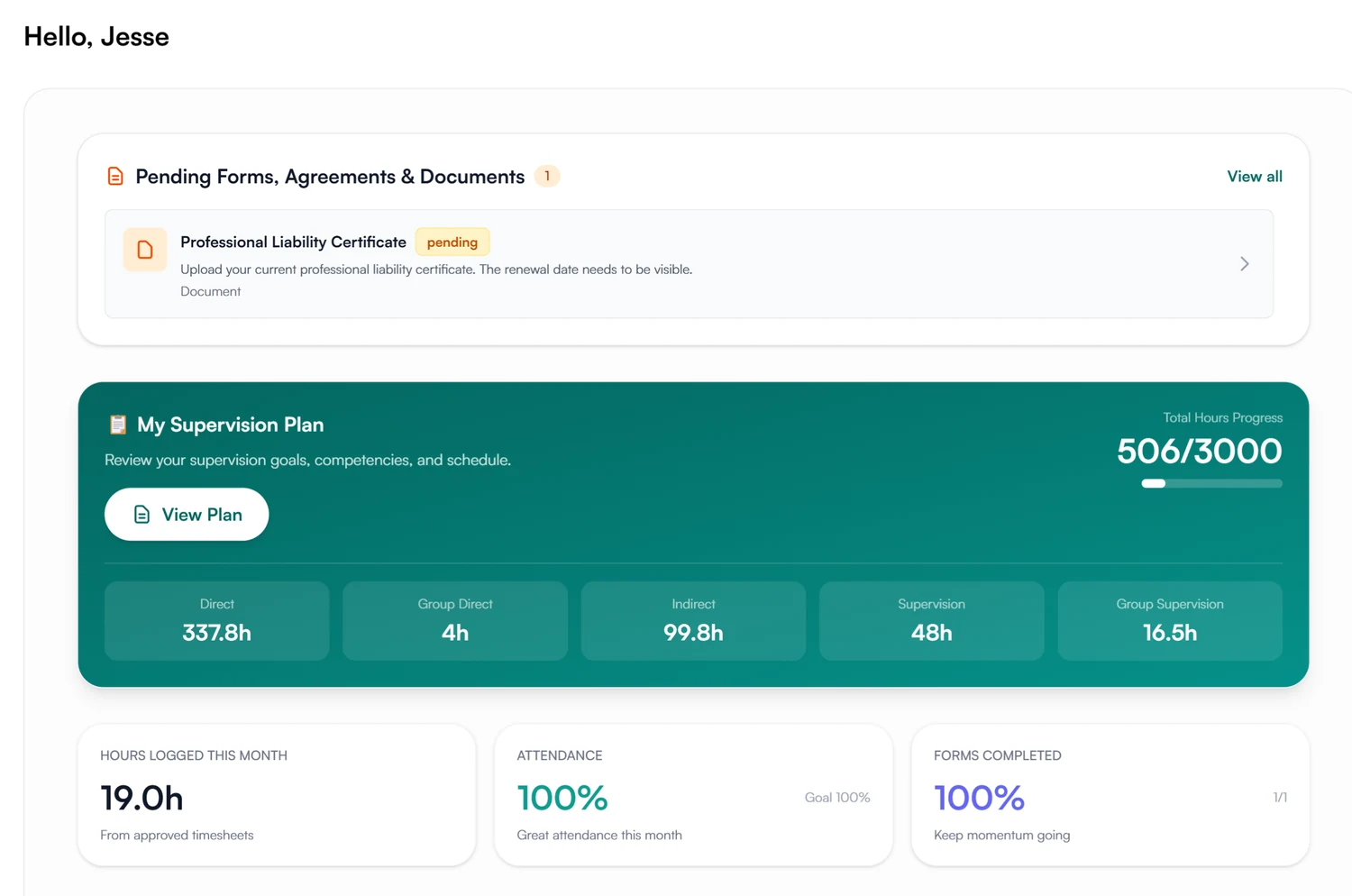
You create your own account when you accept.
Accept the invitation and create your account. Your dashboard lists the agreements, forms and documents waiting for you, then your supervision plan, marked if it needs your signature, and your hours.
- Always free
- Pending items listed on your dashboard
- Your account stays yours after supervision ends
How onboarding records are stored and protected
How Guidara protects your records- The supervisee's own account
- A supervisee's account belongs to them and stays open when supervision ends.
- Signed in Guidara
- The agreement and the plan are signed in Guidara, and every signature is recorded with its date.
- No client health information
- Guidara never stores your clients' records.
- Secure by default
- Encrypted in transit and at rest, on SOC 2 certified infrastructure.
Works with the rest of Guidara
All features- AgreementsThe supervision agreement, assigned and signed in Guidara. Explore
- Supervision plansObjectives, evaluation and the hours required, signed by supervisor and supervisee. Explore
- SchedulingThe first meeting, on your calendar and sent to the supervisee as an invite. Explore
- Hour trackingThe first week's timesheet, and every one after. Explore
Questions about onboarding
Set up your next supervisee before you meet.
Send the first invitation today. Always free for supervisees.
30-day free trial. Always free for supervisees.